
 Toyota Yaris: Key information
Keys
The following keys are provided with the vehicle.
Vehicles without engine immobilizer system (type A)
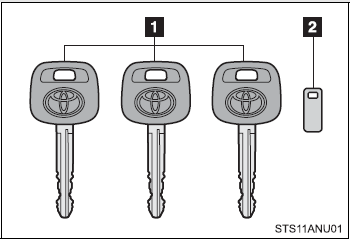
 Master keys
 Key number plate
Vehicles without engine immobilizer system (type B)
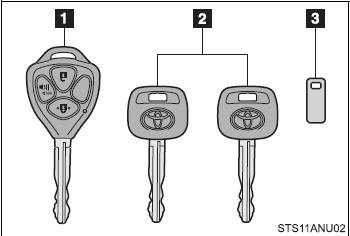
 Master key (with a wireless remote
control function)
Master key (with a wireless remote
control function)
Operating the wireless remote control function (→P. 31)
 Master keys (without a wireless remote
control function)Key number plate
Master keys (without a wireless remote
control function)Key number plate
 Key number plate
Vehicles with engine immobilizer system (type A)
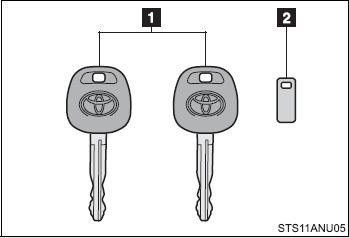
 Master keys
 Key number plate
Vehicles with engine immobilizer system (type B)
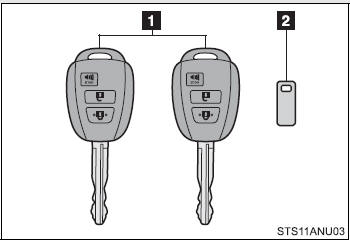
 Master keys
Operating the wireless remote control function (→P. 31)
 Key number plate
Vehicles with engine immobilizer system (type C)
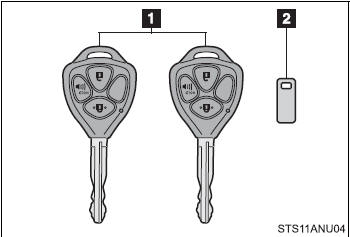
 Master keys
Operating the wireless remote control function (→P. 31)
 Key number plate
■Key number plate
Keep the plate in a safe place such as your wallet, not in the vehicle. In the event that a key is lost, a new key can be made by your Toyota dealer using the key number plate. (→P. 329)
■When riding in an aircraft
When bringing a key with wireless remote control function onto an aircraft, make sure you do not press any buttons on the key while inside the aircraft cabin. If you are carrying the key in your bag etc, ensure that the buttons are not likely to be pressed accidentally. Pressing a button may cause the key to emit radio waves that could interfere with the operation of the aircraft.
NOTICE
■To prevent key damage
Observe the following:
●Do not subject the keys to strong shocks, expose them to high temperatures by
placing them in direct sunlight, or get them wet.
●Do not expose the keys to electromagnetic materials or attach any material that
blocks electromagnetic waves to the key surface.
●Do not disassemble the wireless remote control key.
 Before driving
Adjusting and operating features such as door locks, mirrors, and steering column. ...

See also:
Fuel information
You must only use unleaded gasoline in your vehicle. Select octane rating
87 (Research Octane Number 91) or higher. Use of unleaded gasoline with an octane
rating lower than 87 may result in engin ...
Vehicle load limits
Vehicle load limits include total load capacity, seating capacity, towing capacity
and cargo capacity. Follow the load limits shown below. Total load capacity and
seating capacity are also describ ...
Body panel anti-chipping paint application areas
HINT: 1) Anti-chipping paint should be applied to some areas before the second
coat and to other areas after the top coat.
2) Wipe off the paint immediately with a rag soaked in silicone remover if ...