
Toyota RAV4: Driving - Using the driving support systems
The Toyota RAV4 is equipped with driving support systems designed to assist the driver in a variety of road and traffic conditions. These features can help reduce driving effort, improve awareness of the surrounding environment, and support safer vehicle operation when used correctly.
Each system has specific operating conditions, limitations, and control methods. Before using any driving support feature, become familiar with the relevant indicators, switches, warning messages, and instructions provided for the Toyota RAV4.
Driving support technology does not replace careful observation or responsible vehicle control. The driver must continue monitoring the road, nearby traffic, pedestrians, and changing conditions, while remaining prepared to steer, brake, or accelerate whenever necessary.
- Toyota Safety Sense 2.5
- PCS (Pre-Collision System)
- Changing settings of the pre-collision system
- LTA (Lane Tracing Assist)
- Functions included in LTA system
- Indications on multi-information display
- RSA (Road Sign Assist)
- Dynamic radar cruise control with full-speed range
- Driving in vehicle-to-vehicle distance control mode
- Canceling and resuming the speed control
- Brake operation
- Brake operation
- BSM (Blind Spot Monitor)
- Blind Spot Monitor operation
- Intuitive parking assist
- Sensor detection display, object distance
- RCTA (Rear Cross Traffic Alert) function
- RCTA function
- PKSB (Parking Support Brake)
- Display and buzzer for engine output restriction control and brake control
- Display and buzzer for engine output restriction control and brake control
- Parking Support Brake function (static objects)
- Parking Support Brake function (rear-crossing vehicles)
- Stop & Start system
- Hill-start assist control
- Driving mode select switch
- Multi-terrain Select (AWD vehicles)
- Snow mode switch (AWD vehicles)
- Downhill assist control system
- Driving assist systems
Toyota Safety Sense 2.5 Toyota RAV4 compact crossover
Toyota Safety Sense 2.5 combines the following driver-assistance technologies to support a safer, more confident, and comfortable driving experience in the Toyota RAV4:
Driving assist system
- PCS (Pre-Collision System)
- LTA (Lane Tracing Assist)
- AHB (Automatic High Beam)
- RSA (Road Sign Assist) (if equipped)
- Dynamic radar cruise control with full-speed range
WARNING
■ Toyota Safety Sense 2.5
Toyota Safety Sense 2.5 is designed to assist a driver who is operating the vehicle safely and attentively. Depending on the situation, these technologies may help reduce the severity of a collision for the occupants and vehicle or provide assistance during normal driving.
The recognition accuracy and control capabilities of these systems are limited, and they cannot respond correctly under every road, traffic, weather, or vehicle condition. Do not rely excessively on Toyota Safety Sense 2.5. The driver remains responsible for observing the surroundings, maintaining control of the Toyota RAV4, and driving safely at all times.
Sensors
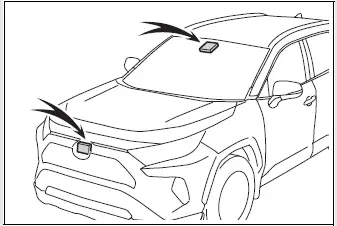
The Toyota RAV4 uses two types of sensors positioned behind the front grille and windshield. These sensors collect the information required for the driver-assistance systems to recognize vehicles, road conditions, and other relevant objects ahead.
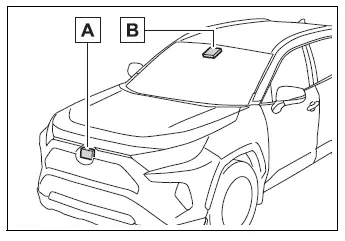
- Radar sensor
- Front camera
WARNING
■ To avoid malfunction of the radar sensor
Observe all of the following precautions to help maintain correct radar sensor operation.
Failure to follow these instructions may prevent the radar sensor from operating properly and could contribute to an accident resulting in death or serious injury.
- Keep the radar sensor and radar sensor cover clean at all times so that their detection performance is not obstructed.
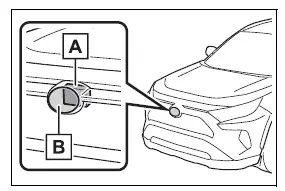
- Radar sensor
- Radar sensor cover
If the front surface of the radar sensor or either side of the radar sensor cover is dirty or covered with water droplets, snow, ice, or other material, clean the affected area carefully.
Use a soft cloth when cleaning the radar sensor and its cover to avoid scratching, deforming, or otherwise damaging these components.
- Do not attach accessories, stickers, including transparent stickers, or any other objects to the radar sensor, radar sensor cover, or the surrounding area.
- Do not subject the radar sensor or the area surrounding it to a strong impact.
If the radar sensor, front grille, or front bumper has received a strong impact, have the Toyota RAV4 inspected by your Toyota dealer before continuing to rely on the driver-assistance systems.
- Do not disassemble or attempt to repair the radar sensor.
- Do not modify, coat, or paint the radar sensor or radar sensor cover.
- In the following situations, the radar sensor must be recalibrated.
Contact your Toyota dealer for detailed information about the required recalibration procedure.
- When the radar sensor or front grille has been removed and reinstalled, or when either component has been replaced.
- When the front bumper has been replaced.
■ To avoid malfunction of the front camera
Observe all of the following precautions to help maintain proper front camera operation.
Failure to follow these instructions may prevent the front camera from operating correctly and could contribute to an accident resulting in death or serious injury.
-
Keep the windshield clean at all times, particularly in the area directly in front of the camera.
- If the windshield is dirty or covered with an oily film, water droplets, snow, ice, or other material, clean it thoroughly.
- Even when a glass coating agent has been applied to the windshield, use the windshield wipers as necessary to remove water droplets and other moisture from the area in front of the camera.
- If the inside surface of the windshield around the front camera installation area becomes dirty, contact your Toyota dealer. Do not attempt to remove or disturb the camera assembly.
-
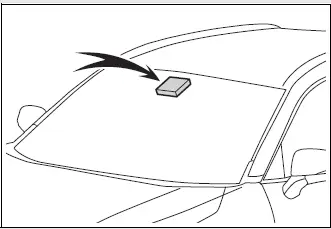
Do not attach stickers, transparent stickers, accessories, or other objects to the exterior surface of the windshield in front of the camera, including the shaded area shown in the illustration.
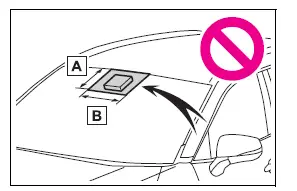
- The area extending from the top edge of the windshield to approximately 0.4 in. (1 cm) below the lower edge of the front camera.
- An area approximately 7.9 in. (20 cm) wide, extending about 4.0 in. (10 cm) to both the right and left of the center of the front camera.
- If the windshield area in front of the camera becomes fogged or covered with condensation or ice, use the windshield defogger to clear the obstruction completely.
- If the windshield wipers cannot properly remove water droplets from the area in front of the camera, replace the affected wiper insert or wiper blade.
- Do not apply window tint to the windshield, as it may interfere with the front camera's ability to detect the road and surrounding objects.
-
Replace the windshield if it becomes cracked or otherwise damaged.
After the windshield has been replaced, the front camera must be recalibrated to restore correct operation of the Toyota RAV4 driving support systems.
Contact your Toyota dealer for details about windshield replacement and camera recalibration.
- Do not allow water, beverages, cleaning liquids, or any other fluid to contact the front camera.
- Do not direct bright lights into the front camera, as intense illumination may interfere with its detection performance.
-
Do not soil, scratch, strike, or otherwise damage the front camera or the surrounding installation area.
When cleaning the inside surface of the windshield, do not allow glass cleaner or any other cleaning solution to contact the front camera lens. Do not touch the lens with your fingers, tools, or cleaning materials.
If the lens becomes dirty, scratched, or otherwise damaged, contact your Toyota dealer for inspection and appropriate service.
- Do not subject the front camera or the surrounding installation area to a strong impact.
- Do not alter the installation position or viewing direction of the front camera, and do not attempt to remove it.
- Do not disassemble, repair, or modify the front camera.
- Do not modify components located around the front camera, including the inside rearview mirror, its surrounding trim, or the vehicle ceiling.
- Do not install accessories on the hood, front grille, or front bumper if they could obstruct the front camera's field of view. Contact your Toyota dealer for information about suitable accessories.
- If a surfboard or another long object is mounted on the roof of the Toyota RAV4, position it carefully so that it does not obstruct the front camera or interfere with its detection area.
- Do not modify the headlights or other exterior lights, as changes to their operation or alignment may affect the performance of the driving support systems.
■ If a warning message is displayed on the multi-information display
A driving support system may be temporarily unavailable, or a malfunction may have occurred. Read the displayed message carefully and respond according to the indicated condition.
- In the situations listed in the table, perform the specified corrective action. Once normal operating conditions are restored, the message should disappear and the affected system should become available again.
If the message remains displayed after the appropriate action has been completed, contact your Toyota dealer and have the Toyota RAV4 inspected.
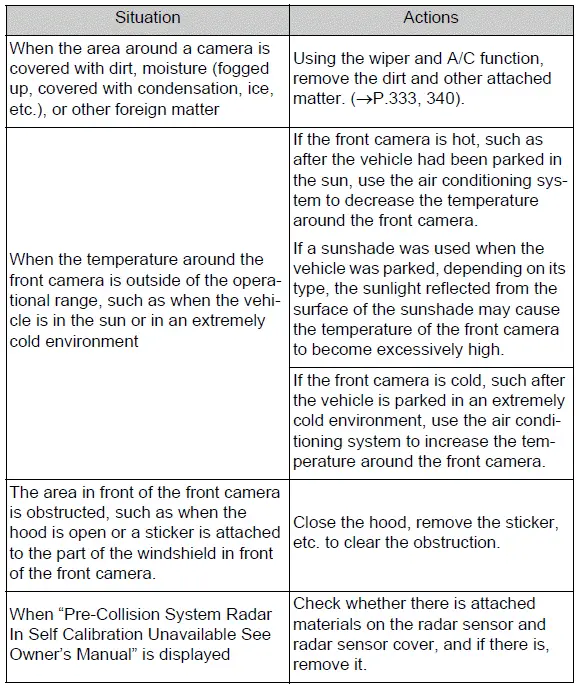
- In the following situations, the message may disappear after the surrounding conditions improve or after the vehicle has been driven for a period of time. When normal operating conditions are detected, the affected system will resume operation automatically.
If the message does not disappear after conditions have returned to normal, contact your Toyota dealer for further assistance.
- The temperature around the radar sensor is outside its operating range, such as when the Toyota RAV4 has been parked in direct sunlight or exposed to an extremely cold environment.
- The front camera cannot clearly detect objects ahead, such as when driving in darkness, snow, or fog, or when intense light is shining directly into the camera.
- Depending on conditions around the vehicle, the radar sensor may determine that the surrounding environment cannot be recognized accurately. In this case, "Pre-Collision System Unavailable See Owner's Manual" will be displayed on the multi-information display.
PCS (Pre-Collision System) Toyota RAV4 XA50
The pre-collision system uses the radar sensor and front camera to detect certain objects ahead of the Toyota RAV4. When the system determines that there is a high risk of a frontal collision, it warns the driver to take evasive action and increases the available braking assistance to support collision avoidance. If the likelihood of a frontal collision becomes extremely high, the system may apply the brakes automatically to help prevent the collision or reduce the severity of the impact.
The pre-collision system can be enabled or disabled, and the timing of the pre-collision warning can be adjusted according to the available settings.
Detectable objects
The system is designed to detect the following types of road users and vehicles. The objects that can be recognized vary according to the specific function and operating conditions:
- Vehicles
- Bicyclists
- Pedestrians
System functions
■ Pre-collision warning
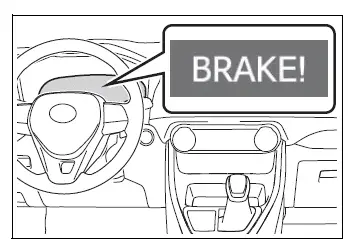
When the system determines that the possibility of a frontal collision is high, a buzzer sounds and a warning message appears on the multi-information display. These alerts urge the driver to brake, steer, or take another appropriate evasive action without delay.
■ Pre-collision brake assist
When a high possibility of a frontal collision is detected and the driver depresses the brake pedal, the system increases braking force in relation to the amount of pressure applied to the pedal. This assistance is intended to help the driver slow the vehicle more effectively.
■ Pre-collision braking
If the system determines that the possibility of a frontal collision is extremely high, the brakes may be applied automatically. Automatic braking is intended to help avoid the collision when possible or reduce the force of the impact.
■ Emergency steering assist
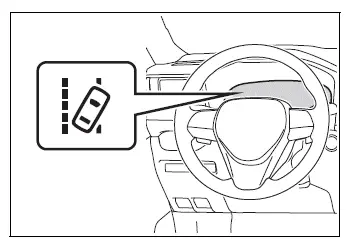
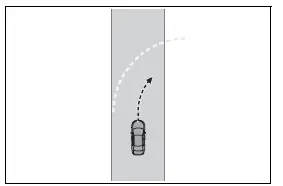
If the system detects a high possibility of colliding with a pedestrian, determines that sufficient space is available within the current lane, and recognizes that the driver has begun an evasive steering maneuver, emergency steering assist may support the steering input. This assistance helps improve vehicle stability and reduce the possibility of departing from the lane. While the function is operating, its indicator illuminates in green.
■ Intersection right/left turn assistance
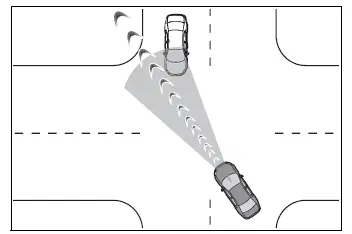
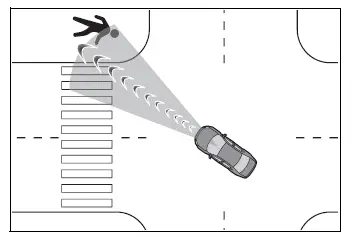
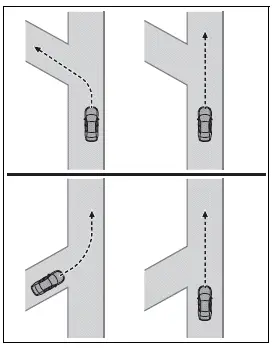
When the Toyota RAV4 is turning right or left at an intersection, the system may provide a pre-collision warning and, when necessary, activate pre-collision braking if it determines that the possibility of a collision is high in one of the situations described below.
Assistance may not be available at every intersection because system operation depends on the intersection layout, visibility, surrounding traffic, and detection conditions.
- When turning right or left at an intersection and crossing the path of an oncoming vehicle.
- When turning right or left and a pedestrian is detected ahead and estimated to enter the vehicle's path. Bicyclists are not detected by this function.
WARNING
■ Limitations of the pre-collision system
- The driver remains fully responsible for operating the Toyota RAV4 safely. Always observe the road, surrounding traffic, pedestrians, and changing conditions.
Never use the pre-collision system as a substitute for normal braking, steering, or attentive driving.
The system cannot prevent every collision or reduce damage and injury in all circumstances. Excessive reliance on this technology may contribute to an accident resulting in death or serious injury.
- Although the system is designed to support collision avoidance or reduce the severity of an impact, its effectiveness varies according to road, traffic, weather, vehicle, and detection conditions. Therefore, it may not always provide the same level of assistance.
Carefully review the following operating limitations, remain alert, and do not rely solely on the system while driving the Toyota RAV4.
- Conditions in which the system may operate even though there is no immediate possibility of a collision.
- Conditions in which the system may not recognize an object correctly or may fail to operate as expected.
- Do not attempt to test the pre-collision system by creating an artificial obstacle or hazardous driving situation.
Test objects such as dummies, cardboard figures, or other materials intended to imitate detectable road users may not be recognized correctly. Attempting such a test could cause unintended vehicle movement or an accident.
■ Pre-collision braking
- When pre-collision braking is activated, the system may apply a substantial amount of braking force.
- If pre-collision braking brings the vehicle to a complete stop, operation of the function will be canceled after approximately 2 seconds. Depress and continue holding the brake pedal whenever necessary to keep the vehicle stationary.
- Pre-collision braking may not activate when certain driver inputs are detected. If the accelerator pedal is pressed firmly or the steering wheel is turned, the system may determine that the driver is performing an evasive maneuver and may prevent automatic braking from operating.
- In some circumstances, pre-collision braking may be canceled after activation if the accelerator pedal is depressed strongly or the steering wheel is operated and the system determines that the driver is taking control to avoid the hazard.
- If the brake pedal is already being depressed, the system may interpret this as evasive action by the driver and delay the timing of pre-collision braking assistance.
■ Emergency steering assist
- Emergency steering assist will be canceled when the system determines that the lane departure prevention assistance has completed its operation.
- Emergency steering assist may not activate or may be canceled in the following situations because the system may determine that the driver is already responding to the hazard:
- The accelerator pedal is pressed firmly, the steering wheel is turned sharply, the brake pedal is depressed, or the turn signal lever is operated. Under these conditions, the system may judge that the driver is performing an evasive maneuver and may not provide emergency steering assistance.
- While emergency steering assist is operating, assistance may be canceled if the accelerator pedal is pressed strongly, the steering wheel is moved sharply, or the brake pedal is depressed and the system determines that the driver is taking direct control.
- If the steering wheel is held firmly or turned against the direction of the steering torque generated by the system, emergency steering assist may be canceled. The driver must remain prepared to control the Toyota RAV4 at all times.
■ When to disable the pre-collision system
Disable the pre-collision system in any of the following situations. Under these conditions, the system may not detect the surroundings or control the Toyota RAV4 correctly, which could contribute to an accident resulting in death or serious injury:
- When the vehicle is being towed by another vehicle.
- When the Toyota RAV4 is being used to tow another vehicle.
- When the vehicle is being transported by truck, ship, train, or another similar method of transportation.
- When the vehicle is raised on a lift while the engine is running and the tires are able to rotate freely.
- When the vehicle is being inspected on rotating equipment, such as a chassis dynamometer or speedometer tester, or when an on-vehicle wheel balancer is being used.
- When the front bumper or front grille has received a strong impact because of a collision or another incident.
- If the vehicle cannot be driven in a stable and predictable manner, such as after an accident or while a mechanical malfunction is present.
- When the Toyota RAV4 is being driven aggressively, used for sporty driving, or operated off-road.
- When one or more tires are not inflated to the correct pressure.
- When the tires are severely worn or otherwise unsuitable for normal driving.
- When tires of a size other than the specified size are installed on the vehicle.
- When tire chains are fitted to the wheels.
- When a compact spare tire is installed or an emergency tire puncture repair kit has been used.
- If temporary equipment, such as a snowplow or another attachment, is installed and may obstruct the radar sensor, front camera, or their detection areas.
Changing settings of the pre-collision system Toyota RAV4 compact crossover
■ Enabling/disabling the pre-collision system
The pre-collision system can be enabled or disabled through the  screen on the multi-information display.
The system is enabled automatically each time the engine switch is turned to ON.
When the pre-collision system is disabled, the PCS warning light illuminates and a corresponding message appears on the multi-information display.
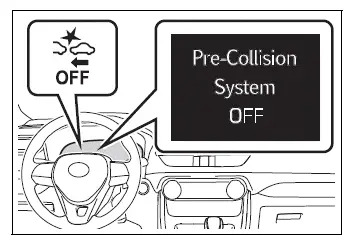
■ Changing the pre-collision warning timing
The timing of the pre-collision warning can be adjusted through the  screen on the multi-information display.
The selected warning timing is retained when the engine switch is turned to OFF. However, if the pre-collision system is disabled and then enabled again, the warning timing returns to the default middle setting.
Changing the pre-collision warning timing also adjusts the operating timing of emergency steering assist accordingly.
If the late setting is selected, emergency steering assist will not operate during an emergency.
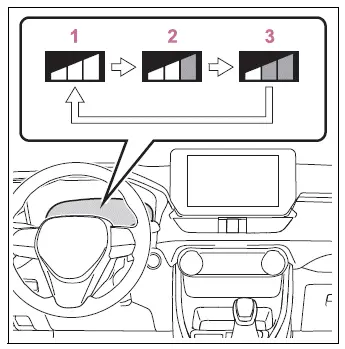
- Early
- Middle
This is the default setting. - Late
■ Operational conditions for each pre-collision function
The individual functions can operate when the pre-collision system is enabled and the system determines that there is a high possibility of a frontal collision with a detected object.
The system may not operate in any of the following situations:
- A battery terminal has been disconnected and reconnected, and the Toyota RAV4 has not yet been driven for the required period.
- The shift lever is in R.
- The VSC OFF indicator is illuminated. In this condition, only the pre-collision warning function remains operational.
The operating speed ranges and cancellation conditions for each function are described below.
- Pre-collision warning
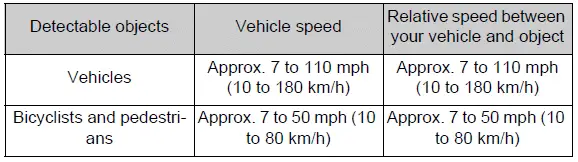
While the pre-collision warning is active, the warning may be canceled if the steering wheel is turned forcefully or suddenly.
- Pre-collision brake assist
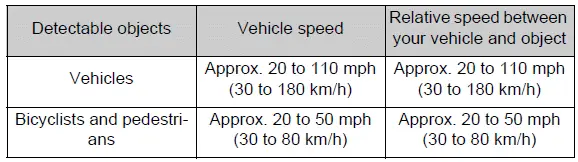
- Pre-collision braking
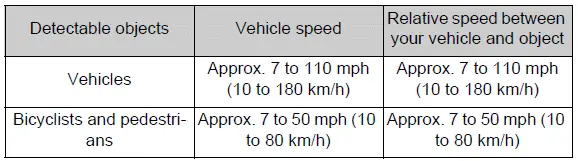
Pre-collision braking will be canceled if either of the following actions occurs while the function is operating:
- The accelerator pedal is depressed firmly.
- The steering wheel is turned sharply or abruptly.
- Emergency steering assist
Emergency steering assist will not operate during an emergency while the turn signal lights are flashing.

Emergency steering assist will be canceled if any of the following actions occurs while the function is operating:
- The accelerator pedal is depressed firmly.
- The steering wheel is turned sharply or abruptly.
- The brake pedal is depressed.
- Intersection right/left turn assistance (pre-collision warning)
When the turn signal lights are not flashing, the warning assistance intended to detect an oncoming vehicle while the Toyota RAV4 is turning right or left at an intersection will not operate.
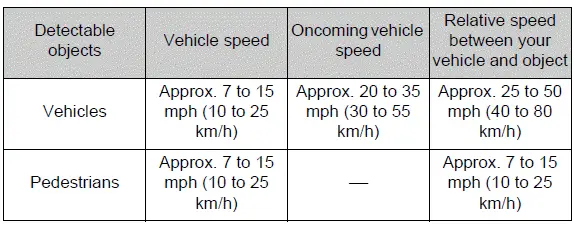
- Intersection right/left turn assistance (pre-collision braking)
When the turn signal lights are not flashing, pre-collision braking assistance for an oncoming vehicle during a right or left turn at an intersection will not operate.
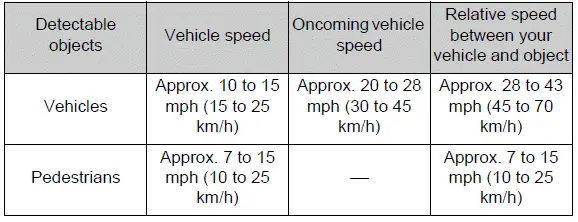
■ Object detection function
The system identifies potential objects by evaluating characteristics such as their size, shape, profile, movement, and position relative to the Toyota RAV4.
However, an object may not be recognized correctly depending on the surrounding brightness or the object's movement, posture, orientation, and approach angle. Under such conditions, the pre-collision system may not operate as expected.
The following illustration provides examples of the types of objects the system may be able to detect.
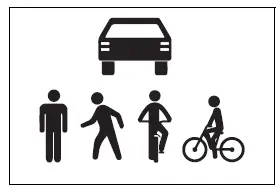
■ Conditions under which the system may operate even if there is no possibility of a collision
- In situations such as those described below, the system may interpret an object, structure, or surrounding condition as a potential frontal collision risk and may activate a warning or assistance function even when no collision is likely.
- When the Toyota RAV4 passes close to a detectable object or another recognized road user.
- When changing lanes while overtaking a detectable object.
- When approaching a detectable object in an adjacent lane or near the roadside, such as while changing direction or traveling along a winding road.
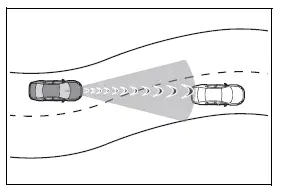
- When the distance to a detectable object decreases rapidly.
- When approaching roadside objects such as vehicles, pedestrians, bicyclists, guardrails, utility poles, trees, or walls.
- When a detectable object or another roadside object is positioned near the entrance to a curve.
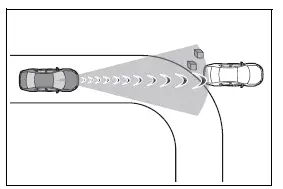
- When road markings, painted patterns, shadows, or similar visual features ahead resemble a detectable object.
- When water, snow, dust, mud, or other material strikes or covers the front area of the vehicle.
- When overtaking a detectable object that is changing lanes or beginning a right or left turn.
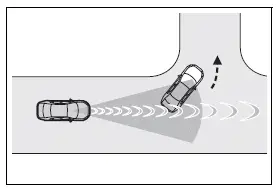
- When passing a detectable object in an oncoming lane that has stopped in preparation for a right or left turn.
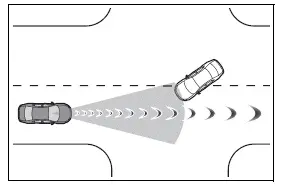
- When a detectable object approaches very close to the Toyota RAV4 and then stops before entering its path.
- When the front of the vehicle rises or lowers while traveling over an uneven, undulating, or sharply changing road surface.
- When driving through an area closely surrounded by structures, such as a tunnel or an iron bridge.
- When a metal object, including a manhole cover or steel plate, a step, or another raised surface is located ahead of the vehicle.
- When passing beneath an overhead object, such as a road sign, billboard, or similar structure.
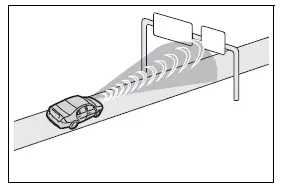
- When approaching an electronic tollgate arm, parking barrier, or another gate that opens and closes.
- When the vehicle is passing through an automatic car wash.
- When driving through or beneath objects that may contact the vehicle, including tall grass, low tree branches, hanging banners, or similar materials.
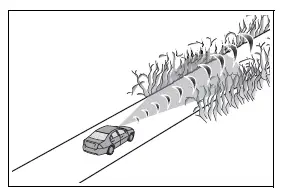
- When driving through steam, heavy spray, or smoke that reduces sensor visibility.
- When traveling close to an object that strongly reflects radar waves, such as a large truck, metal barrier, or guardrail.
- When driving near a television tower, broadcasting facility, electric power plant, radar-equipped vehicle, or another location where strong radio waves or electrical interference may be present.
- When numerous nearby surfaces reflect radar waves, including tunnels, truss bridges, gravel roads, or snow-covered roads with deep vehicle tracks.
- While making a right or left turn after an oncoming vehicle or crossing pedestrian has already moved out of the vehicle's projected path.
- While turning right or left very close in front of an oncoming vehicle or a pedestrian crossing the roadway.
- While making a right or left turn when an oncoming vehicle or crossing pedestrian stops before entering the vehicle's path.
- While turning right or left when an oncoming vehicle also begins turning across or in front of the Toyota RAV4.
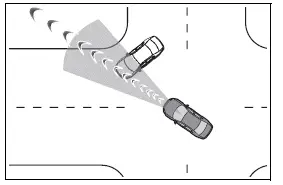
- While steering the vehicle toward the path of approaching or oncoming traffic, particularly when the relative direction and movement of the other vehicle are difficult for the sensors to evaluate accurately
■ Situations in which the system may not operate properly
- In certain situations, including those described below, the radar sensor and front camera may not recognize a detectable object correctly or may detect it too late. As a result, the Toyota RAV4 pre-collision system may not activate as expected or may be unable to provide its intended level of assistance:
- When a detectable object is approaching your vehicle, especially when its direction of travel makes its movement difficult to distinguish
- When your Toyota RAV4 or the detectable object is wobbling, swaying, or moving in an unstable manner
- If a detectable object makes an abrupt maneuver, such as suddenly swerving, accelerating, or decelerating
- When your vehicle approaches a detectable object rapidly, leaving the system with limited time to identify and evaluate the situation
- When a detectable object is not positioned directly in front of your vehicle or is moving outside the primary detection area
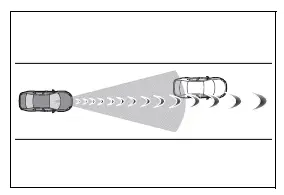
- When a detectable object is close to a wall, fence, guardrail, manhole cover, another vehicle, a steel plate on the road, or another nearby surface that may interfere with accurate recognition
- When a detectable object is located beneath a structure, such as an overpass, roof, shelter, or similar overhead feature
- When part of a detectable object is concealed by another item, such as large baggage, an umbrella, a guardrail, or a roadside structure
- When many objects capable of reflecting radar radio waves are present nearby, such as inside tunnels, on truss bridges, along gravel roads, or on snow-covered roads with deep tire tracks
- When radio waves emitted by radar equipment installed on another vehicle interfere with the radar sensor of your Toyota RAV4
- When multiple detectable objects are positioned close together, making it difficult for the system to distinguish between them individually
- If sunlight or another strong light source shines directly onto a detectable object and makes its outline difficult to recognize
- When a detectable object is white or another very bright shade and appears excessively illuminated
- When a detectable object is nearly the same color or brightness as the road, background, or surrounding environment
- If a detectable object suddenly cuts into the path of your vehicle or abruptly emerges directly in front of it
- When the front of your vehicle, including the sensor or camera area, is struck or covered by water, snow, dust, mud, or similar material
- When an extremely bright light ahead, such as direct sunlight or the headlights of oncoming traffic, shines directly into the front camera
- When your vehicle approaches the side or front corner of a vehicle ahead rather than approaching its rear directly
- If the vehicle ahead is a motorcycle, particularly when its narrow profile is difficult for the sensors to identify
- If the vehicle ahead is especially narrow, such as a personal mobility vehicle or another compact form of transportation
- If a preceding vehicle has a small rear profile, such as an unloaded truck with limited visible bodywork at the rear
- If a preceding vehicle has a very low rear section, such as a low-bed trailer
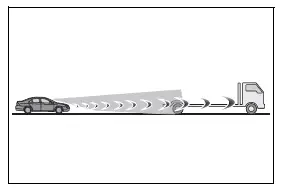
- If a vehicle ahead has extremely high ground clearance, causing the radar waves or camera view to pass beneath much of its rear body
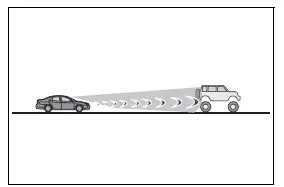
- If a vehicle ahead is carrying cargo or equipment that extends beyond its rear bumper and changes the visible outline of the vehicle
- If a vehicle ahead has an irregular or unusual shape, such as a tractor, a motorcycle with a sidecar, or another vehicle with a nonstandard profile
- If a vehicle ahead is a child-sized bicycle, a bicycle carrying a large load, a bicycle ridden by more than one person, or a uniquely shaped bicycle, such as one fitted with a child seat or a tandem bicycle
- If the height of a pedestrian or the riding height of a bicyclist ahead is shorter than approximately 3.2 ft. (1 m) or taller than approximately 6.5 ft. (2 m), making the person’s outline more difficult to classify
- If a pedestrian or bicyclist is wearing oversized clothing, such as a raincoat, long skirt, or another loose garment that obscures the natural shape of the body
- If a pedestrian is bending forward or squatting, or if a bicyclist is leaning significantly forward while riding
- If a pedestrian or bicyclist is moving quickly, changes direction unexpectedly, or crosses the detection area within a short period of time
- If a pedestrian is pushing a stroller, wheelchair, bicycle, cart, or another wheeled object that alters or partially conceals the person’s silhouette
- When driving the Toyota RAV4 in severe weather conditions, such as heavy rain, dense fog, snowfall, or a sandstorm, which may reduce sensor visibility and detection accuracy
- When driving through steam, smoke, airborne dust, or another substance that blocks or distorts the front camera’s view
- When the surrounding area is dim, such as at dawn, at dusk, at night, or inside a tunnel, and a detectable object appears nearly the same color or brightness as its surroundings
- When driving through an area where ambient brightness changes suddenly, such as at the entrance or exit of a tunnel, covered parking structure, or other shaded location
- After the engine has been started but the vehicle has not yet been driven for a certain period of time, before all detection conditions have stabilized
- While making a left or right turn and for several seconds after the turn has been completed, when the vehicle’s direction and camera view are still changing
- While driving through a curve and for several seconds after leaving the curve, particularly when objects ahead move into or out of the detection area quickly
- If your vehicle is skidding, sliding sideways, or otherwise moving in a direction that does not correspond with the steering input
- If the front of the vehicle is raised or lowered, such as when driving on a steep slope, over an uneven surface, or when the vehicle’s normal posture has changed
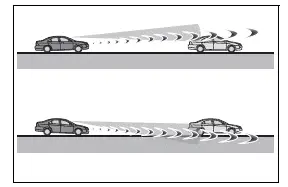
- If the wheels are misaligned, which may affect the direction of travel relative to the steering input
- If a windshield wiper blade or another object is obstructing the front camera’s field of view
- When the Toyota RAV4 is being driven at an extremely high speed, reducing the time available for the system to evaluate surrounding conditions
- When driving uphill, downhill, or across a section of road with a significant change in gradient
- If the radar sensor or front camera is misaligned and cannot accurately monitor the area ahead of the vehicle
- When making a right or left turn on a road where the lane carrying oncoming traffic is separated from your lane by more than one traffic lane
- When the position or direction of your vehicle is significantly offset from the targeted oncoming vehicle while making a right or left turn
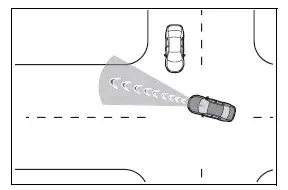
- While making a right or left turn, when a pedestrian approaches from behind your vehicle or suddenly enters the detection area from either side
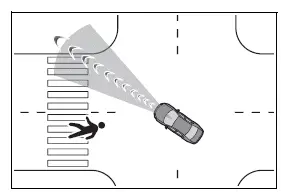
- In addition to the conditions described above, emergency steering assist may not activate or may be unable to provide its intended assistance in certain situations, including the following:
- When the white or yellow lane markings are difficult to recognize, such as when they are faded, partially erased, diverging, merging, covered, or obscured by shadows
- When the traffic lane is considerably wider or narrower than a typical lane, making its boundaries more difficult for the front camera to determine
- When the road surface contains contrasting light and dark patterns, patches, seams, or markings caused by road repairs
- When a pedestrian is detected near the longitudinal centerline of the Toyota RAV4, leaving limited space for an evasive steering maneuver
- When the detected object is too close to the vehicle for sufficient steering assistance to be provided
- When there is not enough safe, clear, or unobstructed space beside the vehicle for it to be steered away from the detected object
- If an oncoming vehicle is present in or near the potential steering path
- If the VSC function is actively operating to help maintain vehicle stability
- In some conditions, including those listed below, the required braking force or steering force may not be available. This may prevent the Toyota RAV4 pre-collision system from operating properly or achieving the expected level of assistance:
- If the braking functions cannot operate at their full capability, such as when brake components are extremely cold, excessively hot, or wet
- If the vehicle has not been properly maintained, including situations where the brakes or tires are excessively worn, tire inflation pressure is incorrect, or other maintenance-related conditions affect vehicle performance
- When the vehicle is traveling on gravel, loose material, ice, or another slippery road surface where tire traction is reduced
- When the road surface contains deep wheel tracks or ruts that restrict or influence the movement of the tires
- When driving uphill or downhill on a steep or uneven road
- When driving on a road surface that slopes significantly toward the left or right side
■ If VSC is disabled
- If VSC is disabled, the pre-collision brake assist and pre-collision braking functions are also disabled and will not provide braking assistance.
- The PCS warning light will illuminate, and the message "VSC Turned Off Pre-Collision Brake System Unavailable" will appear on the multi-information display to inform the driver that these Toyota RAV4 pre-collision functions are unavailable.
LTA (Lane Tracing Assist) Toyota RAV4 XA50
When driving on a road with clearly visible white or yellow lane markings, the LTA system can warn the driver if the Toyota RAV4 may unintentionally depart from its current lane or recognized course*. The system may also provide gentle steering assistance to help keep the vehicle within the detected lane or roadway boundary. When dynamic radar cruise control with full-speed range is operating, LTA can assist with steering to help maintain an appropriate position within the lane.
The LTA system uses the front camera to recognize white or yellow lane markings and, where applicable, the detected course* along the edge of the roadway.
It also uses information from the front camera and radar sensor to detect and monitor a preceding vehicle while the related driving-assistance functions are active.
*: The boundary between the asphalt surface and the side of the road, such as grass, soil, a curb, or another clearly defined roadway edge
WARNING
■ Before using the LTA system
- Do not rely solely on the LTA system. LTA does not drive the vehicle automatically and does not reduce the level of attention the driver must give to the road, traffic, and surrounding conditions.
The driver must always remain fully responsible for safe vehicle operation, carefully observe the area ahead and around the Toyota RAV4, and operate the steering wheel whenever necessary to correct the vehicle’s path. The driver should also take adequate rest breaks when tired or fatigued, particularly during extended periods of driving.
- Failure to perform the necessary driving operations or to pay close attention to road and traffic conditions may result in an accident, causing death or serious injury.
■ Situations unsuitable for the LTA system
In any of the following situations, use the LTA switch to turn the system off and continue driving with full control of the vehicle.
Failure to disable the system when conditions are unsuitable may lead to unintended steering assistance or improper operation, increasing the risk of an accident that could result in death or serious injury.
- When the vehicle is being driven on a road surface made slippery by rain, accumulated snow, ice, freezing conditions, or similar factors that reduce tire traction.
- When the vehicle is being driven on a snow-covered road where lane boundaries or the roadway edge cannot be identified reliably.
- When white or yellow lane markings are difficult to see because of rain, snow, fog, dust, spray, or other environmental conditions.
- When the vehicle is traveling in a temporary lane or restricted lane created because of construction, maintenance, or traffic-control work.
- When the vehicle is being driven through an active construction zone where the roadway layout, markings, or boundaries may change unexpectedly.
- When a spare tire, tire chains, or other temporary traction equipment is installed on the Toyota RAV4.
- When the tires are excessively worn or when one or more tires have insufficient inflation pressure.
- When your vehicle is towing a trailer or is being towed during an emergency.
■ Preventing LTA system malfunctions and unintended operation
- Do not modify the headlights or attach stickers, films, accessories, or other objects to the outer surfaces of the lights, as this may affect visibility and system performance.
- Do not modify the suspension or related components. If any suspension component requires inspection or replacement, contact your Toyota dealer.
- Do not install or place objects on the hood or grille. Do not install a grille guard, bull bar, kangaroo bar, or similar accessory that could interfere with the front camera or radar sensor.
- If the windshield requires repair or replacement, contact your Toyota dealer so the front camera and related equipment can be inspected and handled correctly.
■ Conditions in which functions may not operate properly
Under the following conditions, the LTA functions may not recognize the lane, roadway boundary, or preceding vehicle correctly. The Toyota RAV4 may therefore move away from its intended path or receive steering assistance that does not match the actual road layout. Always monitor the surroundings carefully and operate the steering wheel as necessary rather than relying solely on the system.
- When the follow-up cruising display is shown and the preceding vehicle changes lanes. Your vehicle may attempt to follow the preceding vehicle and could also move toward or into the adjacent lane.
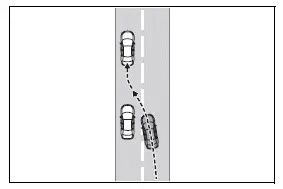
- When the follow-up cruising display is shown and the preceding vehicle is swaying or moving inconsistently within its lane.
Your vehicle may respond to the preceding vehicle’s movement, sway within the lane, or move across a detected lane boundary.
- When the follow-up cruising display is shown and the preceding vehicle departs from its lane. Your vehicle may follow the preceding vehicle’s path and also leave the current lane.
- When the follow-up cruising display is shown and the preceding vehicle is traveling extremely close to the left or right lane marking. Your vehicle may follow that position and move too close to, or across, the lane boundary.
- When the vehicle is being driven around a sharp curve where lane markings or the roadway edge may leave the front camera’s recognition area.
- When objects, shadows, or roadside patterns that could be mistaken for white or yellow lane markings are present, including guardrails, reflective posts, barriers, curbs, or similar features.
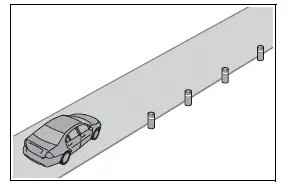
- When the vehicle is driven through an area where lanes diverge, merge, split, or otherwise change direction or width.
- When asphalt repair lines, old lane markings, sealed cracks, patches, or other roadwork marks are present and may be mistaken for white or yellow traffic lines.
- When shadows extend parallel to the white or yellow lane markings or partially cover them, making the actual lane boundaries difficult to distinguish.
- When the vehicle is driven through an area without white or yellow lane markings, such as near a tollgate, checkpoint, intersection, parking entrance, or similar location.
- When the white or yellow lines are cracked, interrupted, or accompanied by Botts’ dots, raised pavement markers, stones, or other objects that affect their visible shape.
- When white or yellow lane markings cannot be seen clearly because they are covered or obscured by sand, dirt, debris, or similar material.
- When the vehicle is traveling on a wet road surface affected by rain, standing water, puddles, spray, or reflections that make the lane markings difficult to recognize.
- When the traffic lines are yellow, as yellow markings may be more difficult for the front camera to recognize than clearly visible white lines under certain conditions.
- When white or yellow lane markings extend across a curb, raised edge, shoulder boundary, or another change in the road surface.
- When the vehicle is driven on a bright road surface, such as light-colored concrete, that reduces the visual contrast between the pavement and lane markings.
- When the edge of the road is irregular, unclear, damaged, curved, or not sufficiently straight for reliable course recognition.
- When the vehicle is driven on a surface that appears unusually bright because of reflected sunlight, artificial lighting, water, or other reflective conditions.
- When the vehicle enters an area where ambient brightness changes suddenly, such as at the entrance or exit of a tunnel, covered roadway, parking structure, or shaded section.
- When sunlight, the headlights of an oncoming vehicle, or another strong light source shines directly into the front camera.
- When the vehicle is being driven uphill or downhill on a slope that changes the camera’s view of the lane or roadway edge.
- When the vehicle is traveling on a road that slopes toward the left or right, or on a winding road with frequent changes in direction.
- When the vehicle is being driven on an unpaved, uneven, damaged, or rough road surface.
- When the traffic lane is unusually narrow or excessively wide, making the lane center or boundaries difficult to determine accurately.
- When the vehicle is significantly tilted because of heavy or unevenly distributed luggage, incorrect tire inflation pressure, or another condition affecting vehicle posture.
- When the distance to the preceding vehicle is extremely short and the front camera cannot obtain a sufficient view of the lane markings ahead.
- When the vehicle moves up and down considerably because of poor road conditions, large seams, dips, bumps, or uneven pavement.
- When driving in a tunnel or at night with the headlights turned off, or when a headlight is dim because its lens is dirty, damaged, or misaligned.
- When the vehicle is struck by a strong crosswind that causes it to move unexpectedly within the lane.
- When the vehicle is affected by wind pressure or turbulent airflow produced by a vehicle traveling in a nearby lane.
- Immediately after the vehicle has changed lanes, crossed an intersection, or entered a roadway with a different lane arrangement.
- When tires with different structures, manufacturers, brands, tread designs, or levels of wear are installed on the vehicle.
- When tires of a size other than the specified size are installed.
- When snow tires or other specialized tires are installed and their characteristics affect vehicle movement or steering response.
- When the vehicle is being driven at an extremely high speed, reducing the time available for the LTA system to recognize changing road conditions and provide appropriate steering assistance.
Functions included in LTA system Toyota RAV4 (XA50)
■ Lane departure alert function
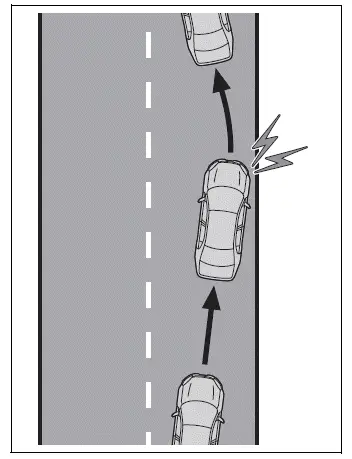
When the system determines that the Toyota RAV4 may unintentionally depart from its detected lane or recognized course*, a visual warning appears on the multi-information display and a warning buzzer sounds to attract the driver’s attention.
When the warning buzzer sounds, immediately check the road and traffic conditions around your vehicle. Carefully operate the steering wheel as needed to guide the vehicle back toward the center of the lane while maintaining full control of its path.
Vehicles equipped with BSM: If the system determines that the vehicle may leave its lane and that there is a high possibility of a collision with a vehicle overtaking in the adjacent lane, the lane departure alert may operate even when the turn signals are being used.
*: The boundary between the asphalt surface and the side of the road, such as grass, soil, a curb, or another clearly recognizable roadway edge
■ Steering assist function
When the system determines that the vehicle may unintentionally depart from its lane or recognized course*, it can provide limited steering assistance when necessary. The system briefly operates the steering wheel in small increments to help the Toyota RAV4 remain within the detected lane boundaries.
Vehicles equipped with BSM: If the system detects a possible lane departure together with a high risk of contact with a vehicle overtaking in the adjacent lane, the steering assist function may operate even while the turn signals are activated.
*: The boundary between the asphalt surface and the side of the road, including grass, soil, a curb, or another visible roadway boundary
■ Vehicle sway warning function
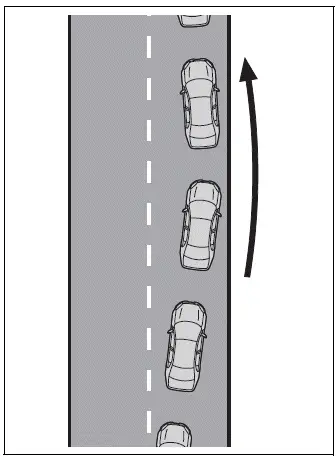
If the vehicle repeatedly sways or moves irregularly within its lane, a warning buzzer sounds and a notification appears on the multi-information display. This warning is intended to alert the driver to the detected movement so that the vehicle’s course and surrounding conditions can be checked promptly.
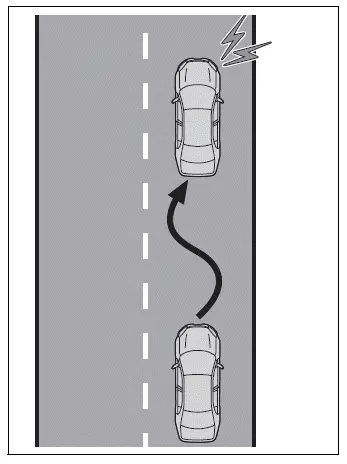
■ Lane centering function
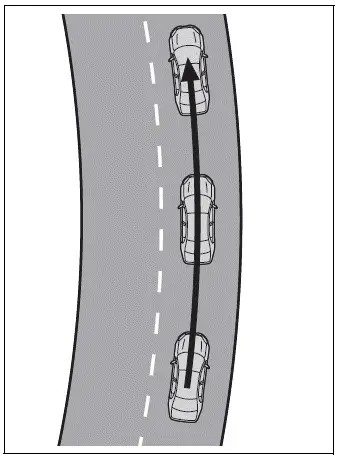
The lane centering function operates together with dynamic radar cruise control with full-speed range. When the required operating conditions are met, it provides steering assistance to help maintain the vehicle’s position within its current lane.
When dynamic radar cruise control with full-speed range is not operating, the lane centering function is also unavailable and will not provide steering assistance.
When white or yellow lane markings are difficult to recognize or are temporarily not visible, such as during slow-moving traffic or a traffic jam, the function may assist in following a preceding vehicle by monitoring that vehicle’s position. The driver must still supervise the road continuously and remain ready to steer whenever necessary.
Turning LTA system on
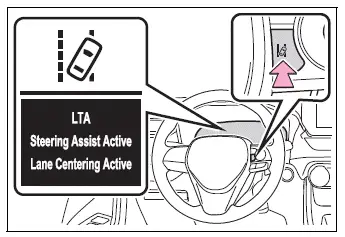
Press the LTA switch to turn the LTA system on.
When the system is activated, the LTA indicator illuminates and a confirmation message appears on the multi-information display of the Toyota RAV4.
Press the LTA switch again to turn the LTA system off.
When the LTA system is turned on or off, its selected operating condition is retained. The system will remain in the same on or off state the next time the engine is started.
Indications on multi-information display Toyota RAV4 2026
Vehicles with 7-inch display
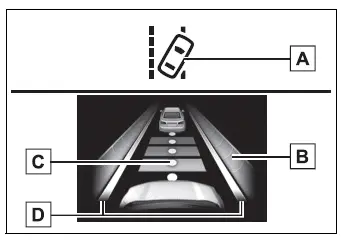
- LTA indicator
The illumination color and flashing condition of the LTA indicator inform the driver about the current operating status of the Lane Tracing Assist system.
Illuminated in white: The Toyota RAV4 LTA system is turned on and available for operation when the required conditions are met.
Illuminated in green: Steering assistance from the steering assist function or lane centering function is currently operating.
Flashing in orange: The lane departure alert function is operating to warn the driver of a possible departure from the detected lane or course.
- Operation display of steering wheel operation support
This information is shown when the multi-information display is switched to the driving support system information screen.
The display indicates that steering assistance from either the steering assist function or the lane centering function is currently being provided.
Both outer sides of the lane are displayed: This indicates that steering assistance from the lane centering function is operating to help maintain the Toyota RAV4 near the center of the detected lane.
One outer side of the lane is displayed: This indicates that steering assistance from the steering assist function is operating in response to a possible departure from that side of the lane.
Both outer sides of the lane are flashing: This alerts the driver that steering input is required to help keep the vehicle near the center of the lane while the lane centering function is active.
- Follow-up cruising display
This display appears when the multi-information display is switched to the driving support system information screen.
It indicates that steering assistance from the lane centering function is operating by monitoring the position and movement of a preceding vehicle.
When the follow-up cruising display is shown, the Toyota RAV4 may respond to changes in the position or direction of the preceding vehicle. If that vehicle moves, sways, or changes its path, your vehicle may move in a similar manner. Always observe the road and surrounding traffic carefully, and operate the steering wheel whenever necessary to correct the vehicle’s course and maintain safe control.
- Lane departure alert function display
This information is displayed when the multi-information display is switched to the driving support system information screen.
- Inside of displayed lines is white
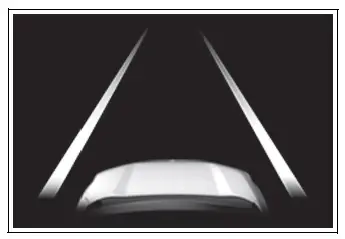
This indicates that the system is recognizing the white or yellow lane markings, or a defined course*. If the vehicle begins to depart from its detected lane, the displayed white line on the side toward which the vehicle is moving will flash orange to alert the driver.
- Inside of displayed lines is black
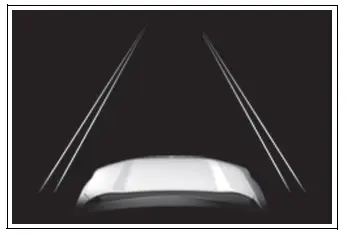
This indicates that the system cannot currently recognize the white or yellow lane markings or the defined course*, or that the related LTA function has been temporarily canceled because the required operating conditions are not satisfied.
*: The boundary between the asphalt surface and the side of the road, such as grass, soil, a curb, or another clearly distinguishable roadway edge
Vehicles with 12.3-inch display
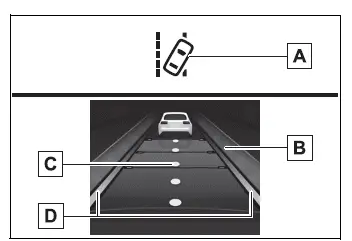
- LTA indicator
The illumination color and flashing condition of the indicator communicate the current operating status of the LTA system to the driver.
Illuminated in white: The LTA system is operating and ready to provide assistance when all necessary conditions are satisfied.
Illuminated in green: Steering assistance from the steering assist function or lane centering function is actively operating.
Flashing in orange: The lane departure alert function is operating and warning the driver that the Toyota RAV4 may be leaving its detected lane or course.
- Operation display of steering wheel operation support
This information is displayed when the multi-information display is switched to the driving support system information screen, allowing the driver to confirm when steering support is available or actively operating.
Indicates that steering assistance from either the steering assist function or the lane centering function is currently operating.
Both outer sides of the lane are displayed: This indicates that steering assistance from the lane centering function is active and is helping the Toyota RAV4 maintain its position near the center of the detected lane.
One outer side of the lane is displayed: This indicates that the steering assist function is operating on the corresponding side to help prevent the vehicle from unintentionally departing from the recognized lane or course.
Both outer sides of the lane are flashing: This alerts the driver that immediate steering input is required to keep the vehicle near the center of the lane while the lane centering function is operating.
- Follow-up cruising display
This indication appears when the multi-information display is switched to the driving support system information screen.
It indicates that the lane centering function is providing steering assistance by monitoring the position and movement of a preceding vehicle.
When the follow-up cruising display is shown, the Toyota RAV4 may respond to changes in the path or position of the preceding vehicle. If that vehicle moves, sways, or changes direction, your vehicle may move in a similar manner. Always observe the road and surrounding traffic carefully, and operate the steering wheel whenever necessary to correct the vehicle’s path and maintain safe control.
- Lane departure alert function display
This information is displayed when the multi-information display is switched to the driving support system information screen.
- Inside of displayed lines is white
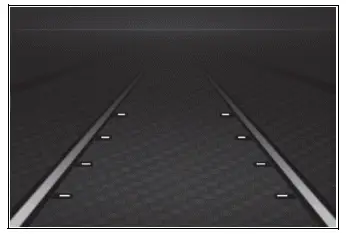
This indicates that the system is recognizing white or yellow lane markings or a defined course*. If the vehicle begins to depart from its lane, the white line shown on the side toward which the vehicle is moving will flash orange to warn the driver.
- Inside of displayed lines is black
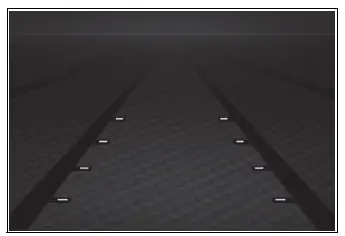
This indicates that the system is unable to recognize white or yellow lane markings or a defined course*, or that the related function has been temporarily canceled because the required operating conditions are not satisfied.
*: The boundary between the asphalt surface and the side of the road, such as grass, soil, a curb, or another clearly distinguishable roadway edge
■ Operation conditions of each function
- Lane departure alert function
This function operates when all of the following conditions are satisfied:
- LTA is turned on.
- Vehicle speed is approximately 32 mph (50 km/h) or higher.*1
- The system recognizes white or yellow lane markings or a defined course*2. If a white or yellow line or course*2 is recognized on only one side of the Toyota RAV4, the function will operate only for the recognized side.
- The traffic lane is approximately 9.8 ft. (3 m) wide or wider.
- The turn signal lever is not being operated.
Vehicles equipped with BSM: This condition does not apply when another vehicle is detected in the adjacent lane on the side toward which the turn signal was operated.
- The vehicle is not being driven around a sharp curve.
- No system malfunctions have been detected.
*1: The function may also operate at a vehicle speed below approximately 32 mph (50 km/h) while the lane centering function is operating.
*2: The boundary between the asphalt surface and the side of the road, such as grass, soil, a curb, or another recognizable roadway edge
- Steering assist function
In addition to the operating conditions specified for the lane departure alert function, the steering assist function operates only when all of the following conditions are also satisfied.
- The Toyota RAV4 is not accelerating or decelerating by a fixed amount or more.
- The steering wheel is not being operated with a level of steering force consistent with an intentional lane change.
- ABS, VSC, TRAC, and PCS are not operating.
- TRAC and VSC have not been turned off.
- The hands-off steering wheel warning is not being displayed.
- Vehicle sway warning function
This function operates only when all of the following conditions are satisfied.
- The "Sway Warning" setting on the
screen of the multi-information display is set to "ON".
- The Toyota RAV4 is traveling at approximately 32 mph (50 km/h) or higher.
- The detected traffic lane is approximately 9.8 ft. (3 m) wide or wider.
- No system malfunctions or conditions preventing operation have been detected.
- Lane centering function
The lane centering function operates only when all of the following conditions are met. If any required condition is no longer satisfied, steering assistance may be reduced or temporarily canceled.
- LTA is turned on.
- The "Lane Center" setting on the
screen of the multi-information display is set to "ON".
- The function recognizes white or yellow lane markings or detects the position of a preceding vehicle. Recognition based on a preceding vehicle may not be available when that vehicle is small, such as a motorcycle.
- Dynamic radar cruise control with full-speed range is operating in vehicle-to-vehicle distance control mode.
- The detected traffic lane is approximately 10 to 13 ft. (3 to 4 m) wide.
- The turn signal lever is not being operated.
- The vehicle is not traveling through a sharp curve.
- No system malfunctions have been detected.
- The Toyota RAV4 is not accelerating or decelerating by a fixed amount or more.
- The steering wheel is not being operated with a level of force that indicates an intentional lane change.
- ABS, VSC, TRAC, and PCS are not currently operating.
- TRAC and VSC have not been turned off.
- The hands-off steering wheel warning is not displayed.
- The vehicle is traveling near the center of the detected lane.
- The steering assist function is not currently operating.
■ Temporary cancellation of functions
- If the operating conditions for a function are no longer satisfied, that function may be temporarily canceled. Once all required conditions are met again, operation is automatically restored without requiring the driver to reactivate the system.
- If one or more operating conditions are no longer met while the lane centering function is providing assistance, a buzzer may sound to notify the driver that the function has been temporarily canceled. The driver must immediately maintain control of the Toyota RAV4 and operate the steering wheel as necessary.
■ Steering assist function/lane centering function
- Depending on vehicle speed, the manner in which the vehicle approaches a lane boundary, road conditions, lane visibility, and other surrounding circumstances, the driver may not notice the steering assistance or the function may not operate.
- Any steering input made by the driver takes priority over the system’s steering control. The amount of assistance may therefore change or stop when the steering wheel is operated.
- Do not deliberately attempt to test the steering assist function, as intentionally approaching or crossing a lane boundary can create a dangerous situation.
■ Lane departure alert function
- The warning buzzer may be difficult to hear when there is loud external noise, audio is playing at a high volume, passengers are speaking, or other sounds are present inside the vehicle.
- If the edge of the recognized course* is unclear, irregular, damaged, or not sufficiently straight, the lane departure alert function may not operate correctly.
- Vehicles equipped with BSM: Under certain traffic or detection conditions, the system may be unable to determine whether there is a risk of collision with a vehicle traveling in an adjacent lane.
- Do not intentionally test the lane departure alert function by allowing the vehicle to approach or cross a lane marking. Always drive attentively and keep the vehicle safely positioned within its lane.
*: The boundary between the asphalt surface and the side of the road, such as grass, soil, a curb, or another clearly identifiable roadway edge
■ Hands-off steering wheel warning
In the situations described below, a warning message instructing the driver to hold the steering wheel appears on the multi-information display together with the symbol shown in the illustration. The warning is cleared when the system determines that the driver is holding the steering wheel correctly. Regardless of whether a warning is displayed, always keep both hands ready on the steering wheel and remain fully responsible for controlling the Toyota RAV4 whenever the system is in use.
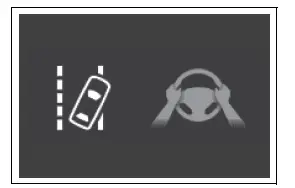
- When the system determines that the driver is not holding the steering wheel while a supported LTA function is operating
If the driver continues to keep their hands off the steering wheel, a buzzer sounds, an additional warning is provided, and the related function may be temporarily canceled until the required driver input is detected.
The warning may also operate in the same manner when the driver continuously applies only a very small amount of steering input, as the system may be unable to confirm that the steering wheel is being held with sufficient control.
- When the system determines that the vehicle may depart from its lane while traveling around a curve with the lane centering function operating
Depending on the condition of the Toyota RAV4, the shape of the road, and the surrounding driving environment, the warning may not operate in every situation. If the system determines that the vehicle is traveling through a curve, the warning may appear earlier than it normally would during straight-lane driving because more immediate driver input may be required.
- When the system determines that the driver is not holding the steering wheel while steering assistance from the steering assist function is operating
If the driver continues to keep their hands off the steering wheel while steering assistance remains active, the buzzer sounds and a warning is displayed. Each time the buzzer is activated under these conditions, it may sound for a longer period to emphasize that the driver must immediately resume proper steering control.
■ Vehicle sway warning function
When the vehicle sway warning function is operating and the system determines that the Toyota RAV4 is repeatedly swaying within its lane, a buzzer sounds. At the same time, a warning message encouraging the driver to take a rest break and the symbol shown in the illustration appear on the multi-information display.
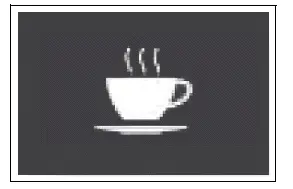
The warning may not operate under certain vehicle, lane, or road conditions. The driver should independently assess fatigue and concentration levels and stop in a safe location for a break whenever necessary, even if no warning has been displayed.
■ Warning message
If one of the following warning messages appears on the multi-information display while the LTA indicator is illuminated in orange, carry out the corresponding troubleshooting procedure. If a different message is displayed, carefully follow the instructions provided on the screen.
- "LTA Malfunction Visit Your Dealer"
The LTA system may not be operating correctly. Have the Toyota RAV4 inspected by your Toyota dealer as soon as practical.
- "LTA Unavailable"
The system has been temporarily canceled because a malfunction was detected in a sensor other than the front camera. Turn the LTA system off, wait for a short period, and then turn it back on. If the message remains displayed or appears again, have the vehicle inspected.
- "LTA Unavailable at Current Speed"
The function cannot operate because the vehicle speed is outside the supported LTA operating range. Reduce speed safely while observing the surrounding traffic and road conditions.
■ Customization
Certain LTA function settings can be changed through the available vehicle settings. Adjust these settings only when the Toyota RAV4 is stopped in a safe location and review the selected configuration before continuing to drive.
RSA (Road Sign Assist) Toyota RAV4 fifth generation
The RSA system uses the front camera to recognize certain road signs and present relevant information to the driver on the multi-information display.
If the system determines that the vehicle is exceeding a recognized speed limit, entering a prohibited area, or performing another action that conflicts with a detected road sign, it can notify the driver.
The Toyota RAV4 RSA system provides these alerts through an emphasized visual indication and, when applicable, a notification buzzer.
WARNING
■ Before using RSA
Do not rely solely on the RSA system. Road Sign Assist is designed to support the driver by displaying recognized traffic information, but it cannot replace the driver’s own vision, judgment, or awareness. Always observe actual road signs, follow applicable traffic regulations, and drive according to current road and traffic conditions.
Indication on the multi-information display
When the front camera recognizes a supported traffic sign, an image of that sign is shown on the multi-information display so the driver can review the detected restriction or instruction.
- Vehicles with 7-inch display: When the driving support system information screen is selected, up to 3 recognized road signs can be shown at the same time.
Vehicles with 12.3-inch display: Up to 2 recognized road signs can be displayed at the same time.
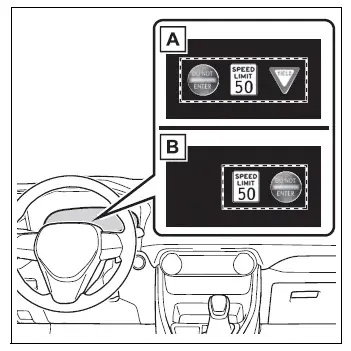
- Vehicles with 7-inch display
- Vehicles with 12.3-inch display
- Vehicles with 7-inch display: When a tab other than the driving support system information screen is selected, the following road sign types may still be displayed.
- Speed limit sign
- Do Not Enter sign when the system determines that a notification is necessary
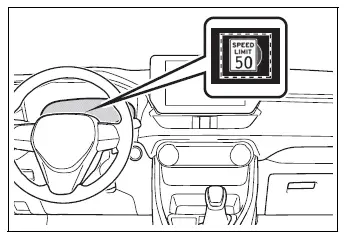
If road signs other than the current speed limit sign are recognized, they are displayed in an overlapping stack beneath the speed limit indication. This arrangement allows several recognized signs to remain visible without occupying the entire display area.
Supported types of road signs
The system can recognize the following types of road signs, including certain electronic signs and signs with flashing illumination.
Unofficial signs, signs with an unfamiliar design, or traffic signs that have been introduced recently may not be recognized correctly by the front camera.
 Speed limit
 Do Not Enter
 Stop
Stop
 Yield
Yield
Notification function
In the following situations, the RSA system may provide a visual and audible notification to draw the driver’s attention to recognized traffic restrictions.
- When the vehicle speed exceeds the configured notification threshold for the displayed speed limit, the speed limit sign is emphasized on the display and a buzzer sounds.
- When RSA recognizes a Do Not Enter sign and determines that the Toyota RAV4 has entered a restricted no-entry area, the displayed sign flashes and a buzzer sounds to warn the driver.
Depending on sign visibility, vehicle position, road layout, and surrounding conditions, the notification function may not activate or may not operate as expected.
■ Automatic turn-off of RSA sign display
A displayed speed limit sign and/or Do Not Enter sign will automatically disappear in any of the following situations:
- No applicable road sign has been recognized for a certain driving distance.
- The roadway changes because the vehicle turns left or right, enters another road, or follows a different route.
Displayed Stop and Yield signs will automatically disappear in any of the following situations:
- The system determines that the vehicle has passed the recognized sign.
- The road changes because of a left or right turn or another significant change in the vehicle’s direction of travel.
■ Conditions in which the function may not operate or detect correctly
Under the following conditions, RSA may not operate normally. The system may fail to recognize a sign, display an incorrect sign, or temporarily provide no sign information. These situations do not necessarily indicate a malfunction.
- The front camera has become misaligned because of a strong impact to the camera area, windshield, or surrounding components.
- Dirt, snow, ice, stickers, film, or another obstruction is present on the windshield near the front camera.
- The Toyota RAV4 is being driven in severe weather, such as heavy rain, dense fog, snowfall, or a sandstorm.
- Light from an oncoming vehicle, direct sunlight, or another strong light source enters the front camera.
- A road sign is dirty, faded, tilted, bent, damaged, or otherwise difficult to distinguish.
- An electronic sign has insufficient contrast or its displayed information is unclear.
- All or part of a sign is concealed by tree leaves, branches, a utility pole, another sign, or a roadside object.
- A sign remains within the front camera’s field of view for only a very short time.
- The driving situation, such as a turn or lane change, is interpreted incorrectly by the system.
- A sign that does not apply to the lane currently being traveled is positioned directly beyond a freeway branch or in an adjacent lane shortly before a merge.
- Stickers or graphics resembling traffic signs are attached to the rear of a preceding vehicle.
- An object, advertisement, marking, or other image resembling a supported traffic sign is recognized as an actual sign.
- A speed limit sign intended for a side road may be detected and displayed while the vehicle is traveling on the main road if the sign is visible to the front camera.
- A speed limit sign for an exit road may be detected and displayed while the vehicle is traveling through a roundabout if the sign is positioned within the camera’s view.
- The front of the vehicle is raised or lowered because of the weight or distribution of the carried load.
- Surrounding brightness is insufficient or changes suddenly, such as when entering or leaving a tunnel or shaded area.
- A traffic sign intended specifically for trucks or another category of vehicle is recognized.
- The speed information displayed on the meter may differ from the speed information shown by the navigation system because the navigation system uses stored map data rather than current camera recognition.
■ Speed limit sign display
If the engine switch was last turned off while a speed limit sign was displayed on the multi-information display, the same sign will be displayed again when the engine switch is subsequently turned to ON. The driver should still confirm the current posted speed limit because road restrictions may have changed.
■ If "RSA Malfunction Visit Your Dealer" is shown
The RSA system may not be operating correctly.
Have the Toyota RAV4 inspected by your Toyota dealer so the front camera and related system components can be checked.
■ Customization
Certain RSA functions and notification settings can be customized through the available vehicle settings.
Dynamic radar cruise control with full-speed range Toyota RAV4 2026
In vehicle-to-vehicle distance control mode, the system automatically accelerates, decelerates, and, when necessary, stops the Toyota RAV4 in response to changes in the speed of a detected preceding vehicle, even when the accelerator pedal is not being pressed.
In constant speed control mode, the vehicle maintains a preset speed without controlling the distance from a vehicle ahead.
Dynamic radar cruise control with full-speed range is intended primarily for use on freeways and highways where traffic conditions allow relatively steady driving.
- Vehicle-to-vehicle distance control mode
- Constant speed control mode
System Components
■ Meter display
- Vehicles with 7-inch multi-information display
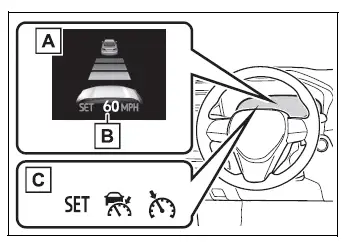
- Multi-information display
- Set speed
- System indicators
Vehicles with 12.3-inch multi-information display
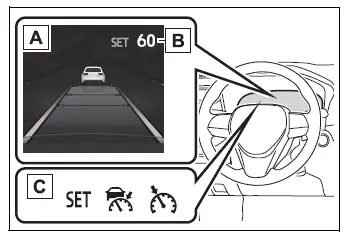
- Multi-information display
- Set speed
- System indicators
■ Operation switches
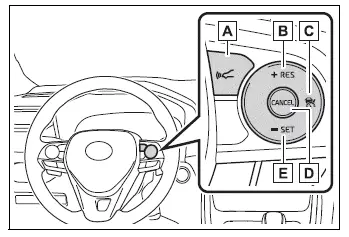
- Vehicle-to-vehicle distance switch
- "+RES" switch
- Cruise control main switch
- Cancel switch
- "-SET" switch
WARNING
■ Before using dynamic radar cruise control with full-speed range
- Safe driving remains entirely the responsibility of the driver. Do not rely solely on the system. Always observe surrounding vehicles, road conditions, pedestrians, and other potential hazards while maintaining full control of the Toyota RAV4.
- Dynamic radar cruise control with full-speed range is a driving-assistance feature intended to reduce part of the driver’s workload.
However, the assistance it can provide is limited and may not respond appropriately in every road, traffic, or weather condition.
Carefully review the operating limitations and conditions described below. Never place excessive trust in the system, and continue driving attentively at all times.
- Situations in which the sensor may not detect the vehicle ahead correctly
- Conditions in which vehicle-to-vehicle distance control mode may not operate correctly
- Select an appropriate set speed according to the posted speed limit, traffic flow, road layout, surface conditions, visibility, and weather. The driver is responsible for checking and adjusting the set speed whenever necessary.
- Even when the system appears to be operating normally, its assessment of the preceding vehicle may differ from what the driver can observe directly. The driver must remain alert, judge the level of risk in each situation, and take appropriate action. Assuming that the system guarantees safe driving or relying on it without monitoring traffic may lead to an accident resulting in death or serious injury.
- When dynamic radar cruise control with full-speed range is not required, turn it off using the cruise control main switch to prevent unintended activation.
■ Cautions regarding the driving assist systems
Observe the following precautions because the system can provide only limited driving assistance. Failure to operate the vehicle responsibly may cause an accident resulting in death or serious injury.
- Assisting the driver in monitoring following distance
Dynamic radar cruise control with full-speed range is designed only to assist the driver in monitoring and maintaining the distance between the driver’s vehicle and a designated vehicle traveling ahead. It does not permit careless or inattentive driving and cannot compensate for poor visibility or conditions in which surrounding traffic is difficult to recognize.
The driver must continue to watch the road, monitor the vehicle’s surroundings, and remain prepared to brake, accelerate, or steer immediately.
- Assisting the driver in judging an appropriate following distance
The system determines whether the distance between the Toyota RAV4 and the designated preceding vehicle is within the selected range. It cannot make broader judgments about every surrounding hazard, vehicle movement, or changing traffic condition. The driver must therefore remain vigilant and independently determine whether a dangerous situation is developing.
- Assisting the driver in operating the vehicle
Dynamic radar cruise control with full-speed range does not include a function that can reliably prevent or avoid every collision with a vehicle ahead.
If there is any possibility of danger, the driver must immediately take direct control by operating the brake pedal, accelerator pedal, and steering wheel as necessary to protect all road users.
■ Situations unsuitable for dynamic radar cruise control with full-speed range
Do not use dynamic radar cruise control with full-speed range in any of the following situations.
Using the system under unsuitable conditions may result in inappropriate acceleration, deceleration, following distance, or speed control and could cause an accident resulting in death or serious injury.
- On roads where pedestrians, bicyclists, or other vulnerable road users are present
- In heavy or congested traffic where vehicle movement changes frequently
- On roads with sharp curves or bends
- On winding roads with repeated changes in direction
- On slippery roads, including surfaces covered with rainwater, ice, snow, or other material that reduces tire traction
- On steep downhill sections or roads with sudden transitions between steep uphill and downhill gradients
The actual vehicle speed may exceed the selected speed while the Toyota RAV4 is traveling down a steep hill. The driver must use the brakes as necessary to maintain a safe speed.
- At freeway or highway entrances, exits, merging areas, or other locations where traffic patterns change quickly
- When severe weather, such as fog, snow, a sandstorm, or heavy rain, may prevent the radar sensor or front camera from detecting vehicles correctly
- When rain, snow, ice, dirt, or another substance is present on the front surface of the radar sensor or in the front camera’s viewing area
Such material can interfere with detection and prevent the system from responding accurately to traffic ahead.
- In traffic conditions that require frequent and repeated acceleration, braking, or changes in following distance
- When the vehicle is towing a trailer or is being towed during an emergency
- When the approach warning buzzer sounds frequently, indicating that traffic conditions may not be suitable for continued system use
Driving in vehicle-to-vehicle distance control mode Toyota RAV4
This mode uses the radar sensor to detect vehicles traveling up to approximately 328 ft. (100 m) ahead, calculate the current following distance, and help the Toyota RAV4 maintain a suitable distance from the preceding vehicle. The preferred vehicle-to-vehicle distance can be adjusted by operating the vehicle-to-vehicle distance switch according to traffic flow and driving conditions.
When driving downhill, the actual distance between your vehicle and the vehicle ahead may become shorter. Closely monitor traffic and apply the brakes whenever additional deceleration is required.
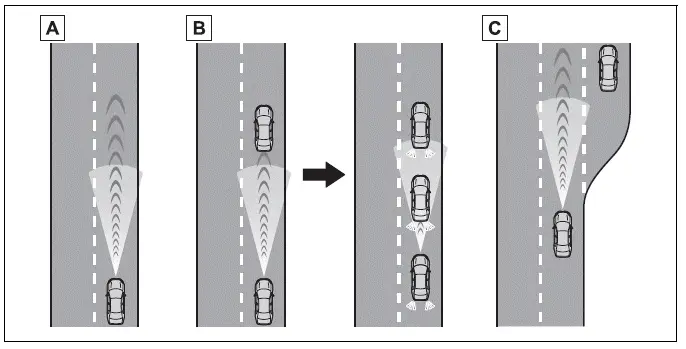
- Example of constant-speed cruising
When there are no vehicles ahead
The Toyota RAV4 travels at the speed selected by the driver, provided that the required operating conditions remain satisfied. - Example of deceleration cruising and follow-up cruising
When a preceding vehicle traveling more slowly than the selected speed appears
When the system detects a vehicle traveling ahead, it automatically reduces the speed of your vehicle. If stronger deceleration is necessary, the system applies the brakes, and the stop lights illuminate during braking. The system responds to changes in the speed of the preceding vehicle to help maintain the vehicle-to-vehicle distance selected by the driver.
The approach warning alerts the driver when system-controlled deceleration alone may not be sufficient to prevent the Toyota RAV4 from moving too close to the vehicle ahead. When this warning operates, immediately check the surrounding traffic and apply the brakes as necessary.
If the preceding vehicle stops, your vehicle will also stop through system control. After the vehicle ahead begins moving again, press the "+RES" switch or depress the accelerator pedal to perform the start-off operation and resume follow-up cruising. If the driver does not perform the start-off operation, system control will continue to hold the vehicle at a stop.
When the turn signal lever is operated and your vehicle moves into an overtaking lane while traveling at approximately 50 mph (80 km/h) or higher, the system may accelerate the Toyota RAV4 to assist with overtaking a slower vehicle. The driver must still confirm that the adjacent lane is clear and complete the maneuver safely.
The system may identify the overtaking lane solely according to the location of the steering wheel in the vehicle, such as a left-hand-drive or right-hand-drive configuration. If the vehicle is driven in a region where the overtaking lane is on the opposite side from the region in which the vehicle is normally used, acceleration assistance may occur when the turn signal lever is operated in the direction opposite the actual overtaking lane. For example, if the vehicle is normally driven where the overtaking lane is on the right and is then driven in a region where overtaking occurs on the left, the system may accelerate when the right turn signal is activated. The driver must therefore remain attentive and control vehicle speed according to the actual road layout and local traffic rules.
- Example of acceleration
When there are no longer any preceding vehicles traveling more slowly than the selected speed
The system gradually accelerates the vehicle until the selected cruising speed is reached, provided that traffic and operating conditions allow.
The system accelerates smoothly until the selected speed is reached. Once that speed has been attained, the Toyota RAV4 returns to constant-speed cruising and maintains the set speed while the required operating conditions remain satisfied.
Setting the vehicle speed (vehicle-to-vehicle distance control mode)
1. Press the cruise control main switch to activate the cruise control system.
The dynamic radar cruise control indicator will illuminate, and a confirmation message will appear on the multi-information display. Press the cruise control main switch again to deactivate the system.
If the cruise control main switch is pressed and held for 1.5 seconds or longer, the system starts in constant speed control mode instead of vehicle-to-vehicle distance control mode.
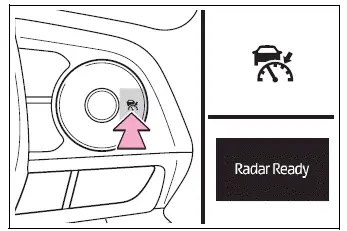
2. Use the accelerator pedal to accelerate or decelerate until the desired vehicle speed is reached. At a speed of approximately 20 mph (30 km/h) or higher, press the "-SET" switch to register the current speed.
The cruise control "SET" indicator will illuminate to confirm that a cruising speed has been selected.
The speed of the Toyota RAV4 at the moment the "-SET" switch is released becomes the new set speed.
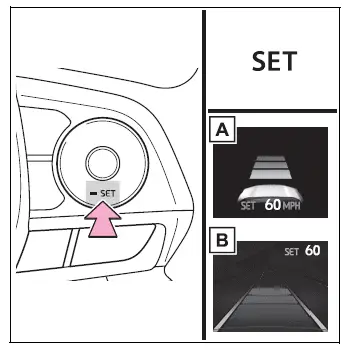
- Vehicles with 7-inch multi-information display
- Vehicles with 12.3-inch multi-information display
Adjusting the set speed
- Adjusting the set speed using the control switch
To change the selected cruising speed, press the "+RES" or "-SET" switch until the desired speed is shown on the multi-information display.
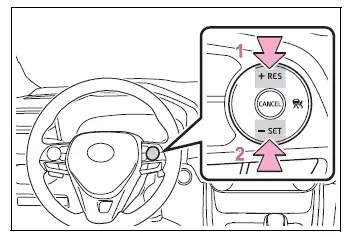
- Increases the set speed, except when the vehicle has been brought to a stop by system control in vehicle-to-vehicle distance control mode
- Decreases the set speed
Fine adjustment: Briefly press and release the appropriate switch to change the set speed by one increment.
Large adjustment: Press and hold the appropriate switch to continuously change the set speed, then release it when the desired speed is displayed.
While vehicle-to-vehicle distance control mode is active, the selected speed will increase or decrease according to the following increments:
For the U.S. mainland and Hawaii
Fine adjustment: The set speed changes by 1 mph (1.6 km/h)*1 or 1 km/h (0.6 mph)*2 each time the switch is pressed.
Large adjustment: The set speed increases or decreases continuously in increments of 1 mph (1.6 km/h)*1 or 1 km/h (0.6 mph)*2 for as long as the switch is held. Release the switch when the preferred Toyota RAV4 cruising speed is reached.
Except for the U.S. mainland and Hawaii
Fine adjustment: Each brief press of the switch changes the set speed by 1 mph (1.6 km/h)*1 or 1 km/h (0.6 mph)*2, allowing the driver to make precise speed adjustments.
Large adjustment: While the switch is held, the set speed increases or decreases in increments of 5 mph (8 km/h)*1 or 5 km/h (3.1 mph)*2. Release the switch when the desired cruising speed is displayed.
In constant speed control mode, the selected speed of the Toyota RAV4 can be increased or decreased as follows:
Fine adjustment: Each time the switch is pressed and released, the set speed changes by 1 mph (1.6 km/h)*1 or 1 km/h (0.6 mph)*2.
Large adjustment: The set speed continues to increase or decrease for as long as the switch is held. Release the switch after reaching the preferred speed.
*1: When the set speed is displayed in "MPH"
*2: When the set speed is displayed in "km/h"
- Increasing the set speed using the accelerator pedal (AWD models only)
1. Depress the accelerator pedal and accelerate the Toyota RAV4 to the desired vehicle speed.
2. Press the "-SET" switch to register the current speed as the new cruise control setting.
Changing the vehicle-to-vehicle distance (vehicle-to-vehicle distance control mode)
Press the vehicle-to-vehicle distance switch to cycle through the available following-distance settings in the order shown below. Select a distance appropriate for the current traffic flow, road conditions, and vehicle speed.
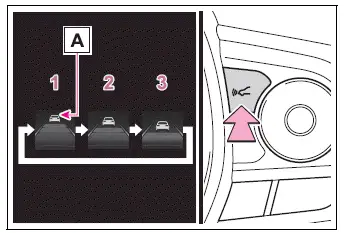
- Long
- Medium
- Short
When a vehicle traveling ahead is detected, the preceding vehicle mark A is also displayed, allowing the driver to confirm that the system is monitoring that vehicle.
Vehicle-to-vehicle distance settings (vehicle-to-vehicle distance control mode)
Select the preferred following-distance setting from the table below. The illustrated distances correspond to a Toyota RAV4 traveling at approximately 50 mph (80 km/h) and are provided as a reference.
The actual vehicle-to-vehicle distance increases or decreases according to vehicle speed. When the vehicle is brought to a stop through system control, it stops at a certain distance behind the preceding vehicle. The exact stopping distance may vary depending on the surrounding situation and driving conditions.
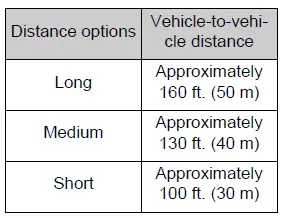
Resuming follow-up cruising when the vehicle has been stopped by system control (vehicle-to-vehicle distance control mode)
After the preceding vehicle begins moving, press the "+RES" switch to resume follow-up cruising. Before restarting, confirm that the road ahead is clear and that it is safe for the Toyota RAV4 to move.
Your vehicle will also resume follow-up cruising if the accelerator pedal is depressed after the vehicle ahead starts moving. Once cruising resumes, continue monitoring the surrounding traffic and remain ready to operate the brakes or steering wheel when necessary.
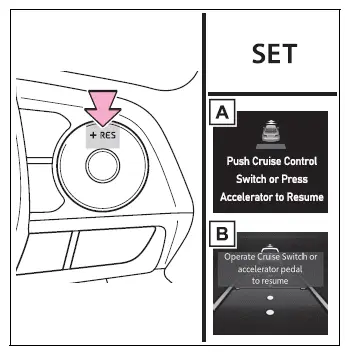
- Vehicles with 7-inch multi-information display
- Vehicles with 12.3-inch multi-information display
Canceling and resuming the speed control Toyota RAV4 fifth generation
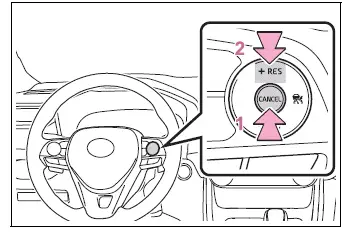
- Press the cancel switch to temporarily cancel speed control.
Speed control is also canceled when the driver depresses the brake pedal.
(When the Toyota RAV4 has been brought to a stop by system control, depressing the brake pedal does not cancel the stored cruise control setting.)
- Press the "+RES" switch to resume cruise control and allow the vehicle to return to the previously selected speed.
Approach warning (vehicle-to-vehicle distance control mode)
If your vehicle moves too close to a vehicle ahead and the cruise control system cannot provide sufficient automatic deceleration, the indication on the display flashes and a warning buzzer sounds. This may occur, for example, when another vehicle suddenly enters the space in front of your Toyota RAV4 while you are following a preceding vehicle. Immediately check the surrounding traffic and depress the brake pedal as necessary to restore a safe vehicle-to-vehicle distance.
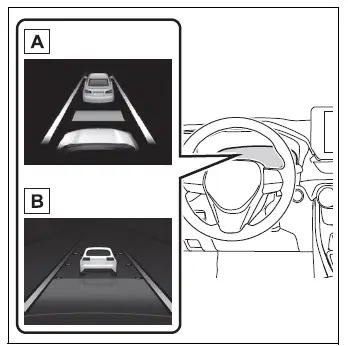
- Vehicles with 7-inch multi-information display
- Vehicles with 12.3-inch multi-information display
■ Warnings may not occur when
In the following situations, the approach warning may not operate even if the distance between your vehicle and the preceding vehicle becomes short:
- When the speed of the preceding vehicle is equal to or higher than the speed of your vehicle
- When the preceding vehicle is traveling at an extremely low speed
- Immediately after the cruise control speed has been set
- While the accelerator pedal is being depressed
Selecting constant speed control mode
When constant speed control mode is selected, the Toyota RAV4 maintains a preset speed without automatically controlling the following distance from a vehicle ahead. Select this mode only when vehicle-to-vehicle distance control mode cannot operate correctly, such as when the radar sensor is dirty or its detection capability is otherwise limited.
1. With cruise control turned off, press and hold the cruise control main switch for 1.5 seconds or longer.
Immediately after the switch is pressed, the dynamic radar cruise control indicator illuminates. Afterward, the display changes to the regular cruise control indicator, confirming that constant speed control mode has been selected.
Constant speed control mode can be selected only by operating the cruise control main switch while cruise control is turned off.
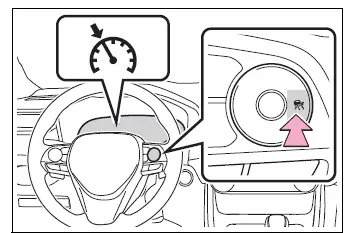
2. Operate the accelerator pedal to accelerate or decelerate to the desired vehicle speed. At approximately 20 mph (30 km/h) or higher, press the "-SET" switch to register the speed.
The cruise control "SET" indicator illuminates to confirm that a cruising speed has been stored.
The speed of the Toyota RAV4 at the moment the "-SET" switch is released becomes the selected speed.
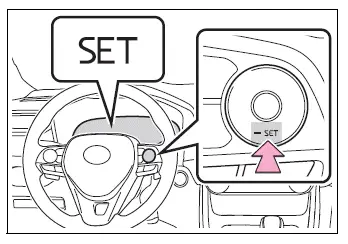
■ Dynamic radar cruise control with full-speed range can be set when
- The shift lever is in D.
- The desired cruising speed can be set when the vehicle is traveling at approximately 20 mph (30 km/h) or higher.
(However, if the speed is set while the vehicle is traveling below approximately 20 mph [30 km/h], the selected speed will be registered as approximately 20 mph [30 km/h].)
■ Accelerating after setting the vehicle speed
The driver can accelerate at any time by depressing the accelerator pedal. After the pedal is released, the vehicle returns toward the selected cruising speed. In vehicle-to-vehicle distance control mode, however, the Toyota RAV4 may continue traveling below the set speed when necessary to maintain the selected distance from a slower preceding vehicle.
■ When the vehicle stops during follow-up cruising
- If the "+RES" switch is pressed while the preceding vehicle remains stopped, follow-up cruising will resume when that vehicle begins moving within approximately 3 seconds after the switch is pressed.
- If the preceding vehicle starts moving within approximately 3 seconds after your vehicle has been stopped by system control, follow-up cruising will resume automatically.
■ Automatic cancellation of vehicle-to-vehicle distance control mode
Vehicle-to-vehicle distance control mode is automatically canceled under any of the following conditions:
- VSC is operating.
- TRAC operates continuously for a certain period of time.
- VSC or TRAC has been turned off.
- The radar sensor or front camera cannot detect surrounding conditions correctly because it is covered, obstructed, or otherwise affected.
- Brake control or engine output restriction control from another driving support system is operating.
(For example: Pre-Collision System or Drive-Start Control)
- The parking brake is applied.
- The vehicle is brought to a stop by system control on a steep incline.
- Any of the following conditions is detected while the vehicle is being held at a stop by system control:
- The driver is not wearing the seat belt.
- The driver's door is opened.
- The vehicle has remained stopped for approximately 3 minutes.
If vehicle-to-vehicle distance control mode is automatically canceled for a reason other than those listed above, the system may be malfunctioning. Contact your Toyota dealer and have the Toyota RAV4 inspected.
■ Automatic cancellation of constant speed control mode
Constant speed control mode is automatically canceled in any of the following situations:
- The actual vehicle speed decreases to more than approximately 10 mph (16 km/h) below the selected speed.
- The actual vehicle speed falls below approximately 20 mph (30 km/h).
- VSC is operating.
- TRAC operates continuously for a certain period of time.
- VSC or TRAC has been turned off.
- Brake control or engine output restriction control from another driving support system is operating.
(For example: Pre-Collision System or Drive-Start Control)
- The parking brake is applied.
If constant speed control mode is automatically canceled for a reason other than those described above, there may be a malfunction in the cruise control system.
Contact your Toyota dealer to have the vehicle inspected and the cause of the cancellation diagnosed.
Brake operation Toyota RAV4
During system-controlled braking, an operating sound may be heard and the response or feel of the brake pedal may change. These characteristics are part of normal Toyota RAV4 brake operation and do not indicate a malfunction.
■ Warning messages and buzzers for dynamic radar cruise control with full-speed range
Warning messages and buzzers are used to notify the driver of a possible system malfunction or a situation that requires additional caution. If a warning message appears on the multi-information display, read it carefully and follow the displayed instructions while continuing to monitor the road and surrounding traffic.
■ When the sensor may not correctly detect the vehicle ahead
Under the following conditions, use the brake pedal if system-controlled deceleration is insufficient, or operate the accelerator pedal when additional acceleration is required. The driver must remain prepared to take direct control whenever traffic conditions change.
Because the radar sensor or front camera may not recognize the following types of vehicles accurately, the approach warning may not operate or may be activated later than expected.
- Vehicles that suddenly cut into the lane in front of the Toyota RAV4
- Vehicles traveling at an extremely low speed
- Vehicles that are not traveling directly within the same lane
- Vehicles with a small or difficult-to-recognize rear profile, such as an unloaded trailer
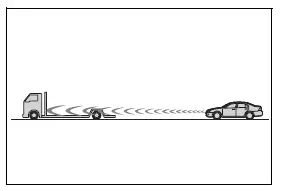
- Motorcycles traveling ahead within the same lane, particularly when their narrow profile is difficult to distinguish
- When water, snow, road spray, or other material thrown up by surrounding vehicles interferes with sensor detection
- When the front of your vehicle is raised, such as when a heavy load is carried in the luggage compartment and changes the normal vehicle angle
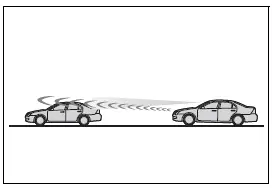
- When the preceding vehicle has extremely high ground clearance, making its rear section more difficult for the sensor to recognize correctly
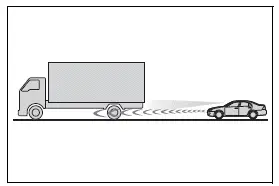
■ Conditions under which vehicle-to-vehicle distance control mode may not function correctly
In any of the following situations, operate the brake pedal or accelerator pedal as necessary to maintain an appropriate speed and safe following distance. Do not wait for the system to respond if immediate driver action is required.
Because the sensor may be unable to identify the preceding vehicle or evaluate its movement accurately, vehicle-to-vehicle distance control mode may not provide the expected acceleration, deceleration, or braking assistance.
- When driving around a curve or along a road with narrow traffic lanes, where the preceding vehicle may move outside the primary sensor detection area
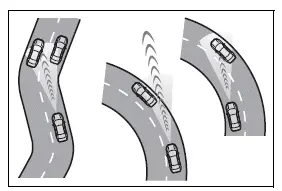
- When steering input is unstable or the Toyota RAV4 is not maintaining a consistent position within the lane
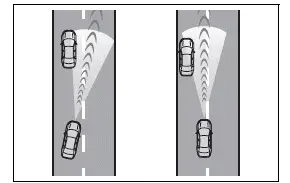
- When the vehicle ahead decelerates suddenly and the system has limited time to respond
- When driving on a road surrounded by large structures, such as inside a tunnel or across a bridge, where radar reflections may affect detection
- While vehicle speed is decreasing toward the selected cruising speed after the driver has accelerated by depressing the accelerator pedal
Brake operation Toyota RAV4 XA50
During system-controlled braking, an operating sound may be heard and the response or feel of the brake pedal may change. These characteristics are part of normal Toyota RAV4 brake operation and do not indicate a malfunction.
■ Warning messages and buzzers for dynamic radar cruise control with full-speed range
Warning messages and buzzers are used to notify the driver of a possible system malfunction or a situation that requires additional caution. If a warning message appears on the multi-information display, read it carefully and follow the displayed instructions while continuing to monitor the road and surrounding traffic.
■ When the sensor may not correctly detect the vehicle ahead
Under the following conditions, use the brake pedal if system-controlled deceleration is insufficient, or operate the accelerator pedal when additional acceleration is required. The driver must remain prepared to take direct control whenever traffic conditions change.
Because the radar sensor or front camera may not recognize the following types of vehicles accurately, the approach warning may not operate or may be activated later than expected.
- Vehicles that suddenly cut into the lane in front of the Toyota RAV4
- Vehicles traveling at an extremely low speed
- Vehicles that are not traveling directly within the same lane
- Vehicles with a small or difficult-to-recognize rear profile, such as an unloaded trailer
- Motorcycles traveling ahead within the same lane, particularly when their narrow profile is difficult to distinguish
- When water, snow, road spray, or other material thrown up by surrounding vehicles interferes with sensor detection
- When the front of your vehicle is raised, such as when a heavy load is carried in the luggage compartment and changes the normal vehicle angle
- When the preceding vehicle has extremely high ground clearance, making its rear section more difficult for the sensor to recognize correctly
■ Conditions under which vehicle-to-vehicle distance control mode may not function correctly
In any of the following situations, operate the brake pedal or accelerator pedal as necessary to maintain an appropriate speed and safe following distance. Do not wait for the system to respond if immediate driver action is required.
Because the sensor may be unable to identify the preceding vehicle or evaluate its movement accurately, vehicle-to-vehicle distance control mode may not provide the expected acceleration, deceleration, or braking assistance.
- When driving around a curve or along a road with narrow traffic lanes, where the preceding vehicle may move outside the primary sensor detection area
- When steering input is unstable or the Toyota RAV4 is not maintaining a consistent position within the lane
- When the vehicle ahead decelerates suddenly and the system has limited time to respond
- When driving on a road surrounded by large structures, such as inside a tunnel or across a bridge, where radar reflections may affect detection
- While vehicle speed is decreasing toward the selected cruising speed after the driver has accelerated by depressing the accelerator pedal
BSM (Blind Spot Monitor) Toyota RAV4 fifth generation
The Blind Spot Monitor uses rear side radar sensors installed behind the left and right sides of the rear bumper. By monitoring areas that may be difficult to see in the outside rearview mirrors, the system assists the driver in checking surrounding traffic before changing lanes in the Toyota RAV4.
WARNING
■ Cautions regarding the use of the system
- The driver is solely responsible for safe vehicle operation. Always observe the road, nearby vehicles, and surrounding conditions carefully before changing lanes or altering the vehicle’s course.
- The Blind Spot Monitor is a supplementary driving-assistance function. It alerts the driver when a vehicle is detected in an outside rearview mirror blind spot or when another vehicle is rapidly approaching that area from behind. Do not rely excessively on the Blind Spot Monitor, as the system cannot determine whether a lane change is safe. Depending on traffic, weather, road, and sensor conditions, detection may be delayed or unavailable. Always visually check the mirrors, look over the appropriate shoulder, and confirm that the adjacent lane is clear. Excessive reliance on the system could result in an accident causing death or serious injury.
System components
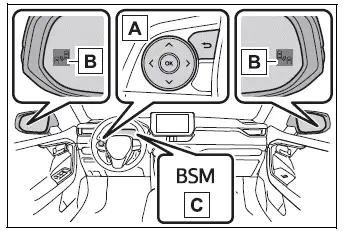
- Meter control switches
Use the meter control switches to turn the Blind Spot Monitor on or off through the vehicle settings. - Outside rearview mirror indicators
While driving:
When the system detects a vehicle in the blind spot of an outside rearview mirror, or a vehicle rapidly approaching the blind spot from behind, the indicator in the outside rearview mirror on the corresponding side illuminates. If the turn signal lever is operated toward the side where a vehicle has been detected, the mirror indicator flashes to provide a more noticeable warning. - "BSM" indicator
When the BSM function is enabled, the indicator illuminates to confirm that Blind Spot Monitor operation is available when its operating conditions are satisfied.
■ Outside rearview mirror indicator visibility
In strong sunlight or other bright conditions, the outside rearview mirror indicator may be difficult to see. Do not depend only on the indicator when checking adjacent lanes around the Toyota RAV4.
■ When "Blind Spot Monitor Unavailable" is shown on the multi-information display
Ice, snow, mud, dirt, or other material may be attached to the rear bumper around the radar sensors. Carefully remove any obstruction from the sensor areas. Normal operation should resume after the bumper is clean and the system can detect surrounding vehicles correctly. The sensors may also operate improperly or become temporarily unavailable when the Toyota RAV4 is driven in extremely hot or cold environments.
■ When "Blind Spot Monitor Malfunction Visit Your Dealer" is shown on the multi-information display
A rear side radar sensor may be malfunctioning or misaligned. Have the vehicle inspected by your Toyota dealer so the Blind Spot Monitor sensors and related components can be checked.
■ Customization
Certain Blind Spot Monitor settings can be customized through the available vehicle settings on the multi-information display.
WARNING
■ To ensure the system can operate properly
The Blind Spot Monitor sensors are installed behind the left and right sides of the rear bumper.
Observe the following precautions to help ensure that the Toyota RAV4 Blind Spot Monitor can detect nearby vehicles and operate correctly.
-
Keep both sensor locations and the surrounding areas of the rear bumper clean at all times.
If a sensor or the nearby bumper surface is dirty or covered with snow, ice, mud, or another substance, the Blind Spot Monitor may become unavailable and a warning message may appear. Carefully remove the obstruction, then drive the Toyota RAV4 for approximately 60 minutes while the normal BSM operating conditions are satisfied.
If the warning message remains displayed after the sensor areas have been cleaned and the vehicle has been driven under suitable conditions, have the vehicle inspected by your Toyota dealer.
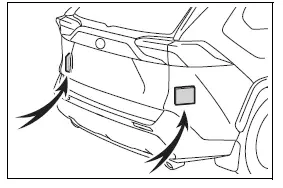
- Do not attach accessories, stickers, transparent films, aluminum tape, protective coverings, or other objects to either sensor location or the surrounding area of the rear bumper, as these items may interfere with radar detection.
-
Do not subject a sensor or the surrounding rear bumper area to a strong impact.
Even a small change in sensor position may cause the Blind Spot Monitor to malfunction or prevent it from detecting vehicles accurately.
Have your Toyota RAV4 inspected by your Toyota dealer in either of the following situations:
- A sensor or the surrounding section of the rear bumper has been subjected to a strong impact.
- The area around a sensor is scratched, cracked, dented, damaged, or partially detached.
- Do not disassemble either rear side radar sensor.
- Do not modify a sensor, its mounting position, or the surrounding section of the rear bumper.
- If a sensor or the rear bumper must be removed, installed, repaired, or replaced, contact your Toyota dealer so the components can be handled and aligned correctly.
- Do not repaint the rear bumper in a color or finish other than an official Toyota color specified for the vehicle, as unsuitable paint or materials may affect sensor performance.
Turning the Blind Spot Monitor on/off
The Blind Spot Monitor  can be enabled or disabled through
  on the multi-information display.
When the Blind Spot Monitor is enabled, the BSM indicator illuminates to confirm that the function is switched on and available when its operating conditions are met.
Blind Spot Monitor operation Toyota RAV4 XA50
■ Objects that can be detected while driving
The Blind Spot Monitor uses the rear side radar sensors to identify certain vehicles traveling in adjacent lanes. When a vehicle is detected in an area that may be difficult to see through the outside rearview mirrors, the system informs the driver through the indicator in the corresponding mirror.
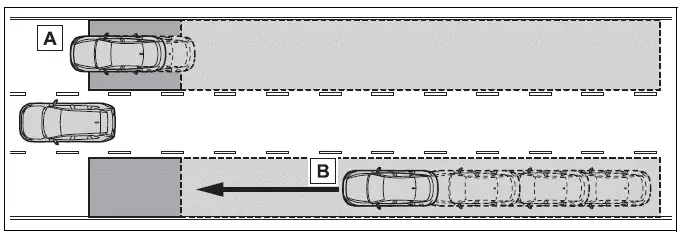
- Vehicles traveling in areas that are not directly visible through the outside rearview mirrors, commonly referred to as blind spots
- Vehicles rapidly approaching from behind and entering areas that are difficult to see through the outside rearview mirrors
■ Detection range while driving
The approximate areas in which nearby vehicles can be detected are outlined below. Actual detection may vary according to vehicle position, relative speed, road shape, and surrounding conditions.
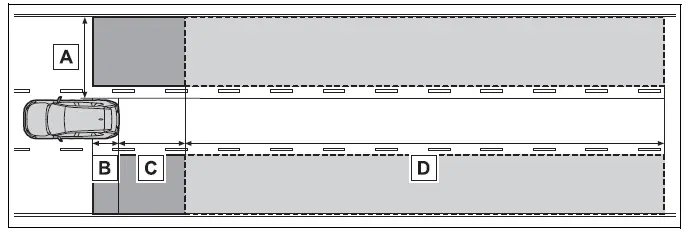
The approximate dimensions of each detection area are as follows:
- Approximately 1.6 ft. (0.5 m) to 11.5 ft. (3.5 m) outward from either side of the vehicle*1
- Approximately 3.3 ft. (1 m) forward from the rear bumper
- Approximately 9.8 ft. (3 m) directly behind the rear bumper
- Approximately 9.8 ft. (3 m) to 197 ft. (60 m) behind the rear bumper for vehicles approaching from the rear*2
*1: The area between the side of the vehicle and approximately 1.6 ft. (0.5 m) outward from the vehicle cannot be detected.
*2: The greater the difference in speed between your Toyota RAV4 and an approaching vehicle, the farther away that vehicle may be detected, causing the outside rearview mirror indicator to illuminate or flash earlier.
■ The Blind Spot Monitor is operational when
The Blind Spot Monitor is available when all of the following operating conditions are satisfied:
- The engine switch is in ON.
- The Blind Spot Monitor has been turned on.
- The shift lever is in a position other than R.
- The Toyota RAV4 is traveling at approximately 7 mph (10 km/h) or higher.
■ The Blind Spot Monitor will detect a vehicle when
The Blind Spot Monitor may detect a vehicle located within the monitored area in the following driving situations:
- A vehicle traveling in an adjacent lane overtakes your vehicle and enters the blind spot area.
- Your vehicle slowly overtakes another vehicle traveling in an adjacent lane.
- Another vehicle changes lanes and enters one of the rear side radar detection areas.
■ Situations in which the Blind Spot Monitor cannot detect vehicles (while driving)
While driving, the Blind Spot Monitor is not designed to reliably detect the following vehicles, road users, and stationary objects:
- Small motorcycles, bicycles, pedestrians, and similarly narrow or small objects*
- Vehicles traveling in the opposite direction
- Guardrails, walls, traffic signs, parked vehicles, and other stationary roadside objects*
- Following vehicles traveling directly behind your Toyota RAV4 in the same lane*
- Vehicles traveling two lanes or more away from your vehicle*
- Vehicles that your vehicle overtakes rapidly, leaving them within the detection area for only a short time*
*: Depending on the position, movement, size, and surrounding conditions, a vehicle or object not normally targeted by the system may occasionally be detected.
■ Conditions under which the system may not function correctly
- In the following situations, nearby vehicles may not be detected accurately or may be detected later than expected while driving:
- When a rear side radar sensor has become misaligned because the sensor or the surrounding rear bumper area was subjected to a strong impact
- When mud, snow, ice, stickers, tape, or another material covers a sensor or the surrounding section of the rear bumper
- When driving through standing water or in severe weather, including heavy rain, snowfall, dense fog, or conditions that create considerable road spray
- When several vehicles approach with only a small distance between them, making their individual positions difficult to distinguish
- When the distance between your vehicle and a following vehicle is extremely short
- When there is a substantial speed difference between your vehicle and a vehicle entering the detection area
- When the relative speed between your vehicle and another vehicle changes rapidly
- When another vehicle enters the detection area while traveling at approximately the same speed as your vehicle
- When the Toyota RAV4 begins moving from a stop while another vehicle remains within the detection area
- When driving over consecutive steep uphill and downhill sections, including hills, dips, or sudden changes in road elevation
- When traveling on roads with sharp bends, repeated curves, rough pavement, or uneven surfaces
- When traffic lanes are unusually wide, or when your vehicle is traveling near the edge of its lane and a vehicle in the adjacent lane is positioned far away
- When an accessory, such as a bicycle carrier, is installed at the rear of the vehicle and may interfere with radar transmission
- When there is a significant difference in height between your vehicle and the vehicle entering the monitored area
- Immediately after the Blind Spot Monitor has been turned on and the system is beginning normal operation
- When towing with the vehicle, as the trailer or towing equipment may interfere with sensor detection
- Unnecessary or unexpected detections may occur more frequently in situations such as the following while driving:
- When a rear side radar sensor is misaligned because of a strong impact to the sensor or its surrounding area
- When the Toyota RAV4 passes close to a guardrail, wall, barrier, or another stationary object that enters the radar detection area
- When driving over consecutive steep inclines, hills, dips, or abrupt changes in road elevation
- When traffic lanes are narrow, or when your vehicle is positioned near the edge of its lane and a vehicle outside the immediately adjacent lane enters the detection area
- When driving on roads with sharp bends, repeated curves, uneven pavement, or irregular roadside structures
- When the tires are slipping or spinning and the vehicle’s actual movement differs from its expected direction of travel
- When the following distance between your vehicle and another vehicle is extremely short
- When a rear-mounted accessory, such as a bicycle carrier, extends into or interferes with the monitored area
- When towing with the vehicle, as the trailer and towing equipment may be detected or may affect radar performance
Intuitive parking assist Toyota RAV4 hybrid
When parallel parking, entering a garage, or maneuvering the Toyota RAV4 in a confined area, the sensors measure the approximate distance between the vehicle and nearby objects, such as walls, posts, or other obstacles. Detection information is communicated through graphics on the multi-information display or Multimedia Display together with a buzzer. Always visually inspect the surrounding area and operate the vehicle carefully while using this system.
System components
■ Location and types of sensors
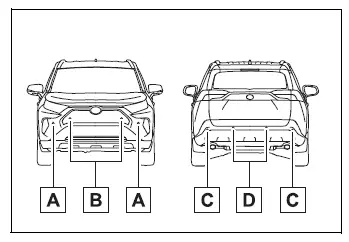
- Front corner sensors
- Front center sensors
- Rear corner sensors
- Rear center sensors
■ Display (Multi-information display)
When one or more sensors detect a nearby object, such as a wall, a corresponding graphic appears on the multi-information display. The displayed area changes according to the position of the detected object and its approximate distance from the Toyota RAV4.
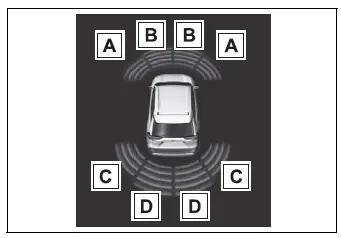
- Front corner sensor detection
- Front center sensor detection*1
- Rear corner sensor detection*2
- Rear center sensor detection*2
*1: Displayed when the shift lever is in a driving position
*2: Displayed when the shift lever is in R
■ Display (Multimedia Display)
When the parking assist sensors recognize an object, such as a wall or another nearby obstruction, a graphic is shown on the Multimedia Display. The indication reflects the general location and distance of the detected object, helping the driver understand which area around the vehicle requires attention.
- When the Toyota parking assist monitor (if equipped) is displayed
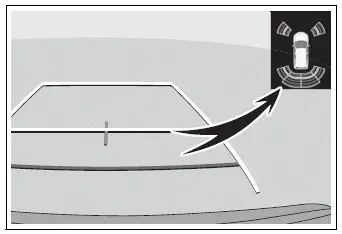
When an obstacle is detected, a simplified warning image appears in the upper corner of the screen. Continue checking the camera image, mirrors, and the area around the Toyota RAV4 before proceeding.
When the panoramic view monitor (if equipped) is displayed
Panoramic view
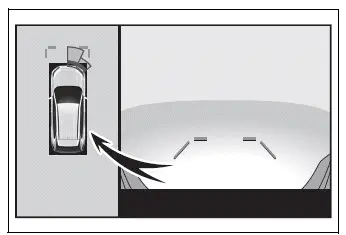
A parking assist graphic is shown while the panoramic view monitor is displayed, indicating the area in which an obstacle has been detected around the vehicle.
Except panoramic view
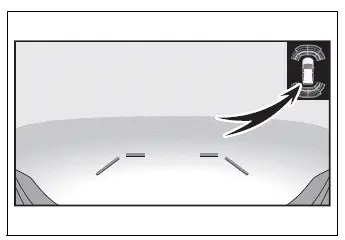
When an obstacle is detected, a simplified image appears in the upper corner of the screen to identify the general direction of the object and alert the driver while maneuvering.
Turning intuitive parking assist on/off
The intuitive parking assist can be enabled or disabled through the  screen of the multi-information display. When the intuitive parking assist function is disabled, the intuitive parking assist OFF indicator illuminates on the multi-information display to confirm that sensor assistance is unavailable.
To enable the system again, select  on the multi-information display, select
  , and change the setting to on.
If the system is disabled, the selected setting is retained. Intuitive parking assist will remain off when the engine switch is turned to ON again after the engine has been switched off.
WARNING
■ Cautions regarding the use of the system
The recognition accuracy and assistance provided by this system are limited. Do not rely excessively on intuitive parking assist when maneuvering the Toyota RAV4. The sensors may not detect every object or may not determine its exact position and distance. The driver remains fully responsible for observing the surroundings, controlling vehicle speed, and driving safely.
■ To ensure the system can operate properly
Observe all of the following precautions to help maintain reliable sensor performance.
Failure to follow these requirements may prevent the system from operating correctly, reduce the driver’s ability to maneuver the Toyota RAV4 safely, and potentially contribute to an accident.
- Do not strike, scratch, or otherwise damage the sensors, and always keep each sensor surface clean and unobstructed.
- Do not attach stickers or install electronic equipment near a radar sensor, including a backlit license plate, particularly a fluorescent type, auxiliary fog lights, a fender pole, or a wireless antenna. Nearby accessories may interfere with sensor operation.
- Do not subject a sensor or the surrounding bumper area to a strong impact. If an impact occurs, have the Toyota RAV4 inspected by your Toyota dealer. Contact your Toyota dealer whenever the front or rear bumper must be removed, installed, repaired, or replaced so the sensors can be handled correctly.
- Do not modify, disassemble, repaint, or apply any coating to the sensors, as changes to their surfaces or positions may affect detection accuracy.
- Do not install a license plate cover that could obstruct a sensor or interfere with its detection area.
- Maintain the tires at the specified inflation pressure, as improper tire pressure may alter the vehicle’s position and affect parking assist performance.
■ When to disable the function
Disable the intuitive parking assist in the following situations because the sensors may respond to surrounding objects or conditions even when there is no actual risk of a collision.
- When any of the precautions or requirements described above cannot be followed.
- When a non-genuine Toyota suspension, such as a lowered suspension, has been installed and the normal vehicle height or sensor angle has changed.
■ Notes when washing the vehicle
Do not direct concentrated bursts of high-pressure water or steam toward the parking assist sensor areas.
Excessive pressure, heat, or moisture applied directly to a sensor may damage it or cause the system to malfunction.
- When washing the Toyota RAV4 with a high-pressure washer, avoid spraying the sensor surfaces directly or from a very short distance, as this may affect sensor operation.
- When steam-cleaning the vehicle, do not direct steam close to the sensors. High-temperature steam may damage the sensor surfaces or cause temporary or permanent malfunction.
■ The system can be operated when
- The engine switch is in ON.
- The intuitive parking assist function is turned on.
- The vehicle is traveling at less than approximately 6 mph (10 km/h).
- The shift lever is in a position other than P.
■ If "Parking Assist Unavailable Clean Parking Assist Sensor" is displayed on the multi-information display
One or more parking assist sensors may be covered by ice, snow, mud, dirt, or another obstruction. Carefully clean the affected sensor surfaces to allow the Toyota RAV4 intuitive parking assist to return to normal operation.
At low temperatures, ice may form on a sensor and cause the warning message to appear or prevent nearby objects from being detected correctly. Once the ice has melted and the sensor surface is clear, normal operation should resume automatically.
If the warning remains displayed even though all sensors are clean and unobstructed, a sensor or related component may be malfunctioning. Have the vehicle inspected by your Toyota dealer.
■ If "Parking Assist Unavailable" is displayed on the multi-information display
Water may be flowing continuously across a sensor surface, such as during heavy rain, driving through deep spray, or washing the vehicle. This can temporarily interfere with object detection. When the system determines that sensor conditions have returned to normal, intuitive parking assist operation will be restored.
■ Sensor detection information
- The sensors have limited detection zones that cover only the areas near the front and rear bumpers of the Toyota RAV4. Objects outside these monitored areas cannot be recognized by the system.
- The following conditions may occur while the intuitive parking assist is in use:
- Depending on the shape, size, position, surface, and angle of an object, the effective detection distance may become shorter or the object may not be detected at all.
- A stationary object may become difficult or impossible to detect when it is positioned extremely close to a sensor.
- A brief delay may occur between the moment a stationary object is detected and the appearance of the visual indication or sounding of the warning buzzer. Even when the Toyota RAV4 is moving slowly, the object may come within approximately 11.9 in. (30 cm) of the vehicle before the warning is provided.
- The warning buzzer may be difficult to hear when the audio system is playing loudly or when airflow noise from the air conditioning system is significant.
- The intuitive parking assist warning may also be difficult to distinguish when buzzers or audible alerts from other vehicle systems are operating at the same time.
■ Objects which the system may not properly detect
The shape, material, height, angle, or surface characteristics of an object may prevent the ultrasonic sensors from detecting it accurately.
Pay particular attention to the following types of objects when maneuvering the Toyota RAV4:
- Thin objects, including wires, fences, ropes, chains, and similar materials
- Cotton, accumulated snow, and other soft materials that absorb ultrasonic sound waves
- Objects with sharp angles, narrow edges, or irregular shapes
- Low objects positioned close to the ground
- Tall objects with upper sections that extend outward toward the vehicle while their lower sections remain outside the main detection area
Pedestrians may not be detected reliably when they are wearing certain types of clothing, particularly garments that absorb or do not reflect ultrasonic waves effectively.
■ Situations in which the system may not operate properly
Certain vehicle conditions and surrounding environmental factors can reduce the ability of a sensor to recognize nearby objects correctly. Situations in which detection may be delayed, inaccurate, or unavailable include the following:
- When dirt, mud, snow, or ice is attached to a sensor.
Cleaning the affected sensor surface should restore normal operation once the obstruction has been completely removed.
- When a sensor is frozen. Thawing the sensor area should resolve the condition. In extremely cold weather, a frozen sensor may cause an abnormal indication to appear or may prevent nearby objects, such as a wall, from being detected.
- When a sensor or the surrounding bumper area is exposed to extremely high or low temperatures.
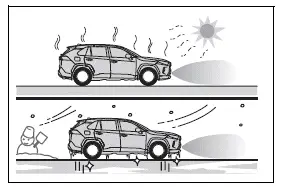
- When the vehicle is traveling on an extremely uneven or bumpy road, a steep incline, loose gravel, grass, or another irregular surface
- When vehicle horns, traffic detection equipment, motorcycle engines, air brakes from large vehicles, parking sensors on nearby vehicles, or other devices producing ultrasonic waves are operating close to the Toyota RAV4
- When a sensor is covered by continuous road spray, flowing water, or heavy rainfall
- When an object moves extremely close to a sensor, making accurate distance measurement difficult
- When a pedestrian is wearing clothing that does not reflect ultrasonic waves effectively, such as a skirt with gathers, folds, or frills
- When objects within the detection area are angled, uneven, moving, waving, not perpendicular to the ground, or not positioned perpendicular to the vehicle’s direction of travel
- When strong winds are blowing and may affect surrounding objects or sensor performance
- When driving in severe weather conditions, such as dense fog, snowfall, or a sandstorm
- When an object that cannot be detected is positioned between the vehicle and another detectable object
- When a vehicle, motorcycle, bicycle, pedestrian, or another moving object suddenly crosses in front of the vehicle or enters from either side
- When the position or orientation of a sensor has changed because of a collision, impact, or damage to the surrounding bumper area
- When equipment that may obstruct a sensor is installed, including a towing eyelet, bumper protector, additional trim strip, bicycle carrier, snow plow, or similar accessory
- When the front of the vehicle is raised or lowered because of the weight or distribution of the carried load
- When the vehicle cannot be driven steadily, such as after an accident or while a mechanical malfunction affects its movement or normal posture
- When tire chains, a compact spare tire, or an emergency tire puncture repair kit are being used and the vehicle’s normal height or movement has changed
■ Situations in which the system may operate even when there is no possibility of a collision
Under certain conditions, including those described below, the intuitive parking assist may detect surrounding surfaces, environmental effects, or ultrasonic interference and operate even though there is no immediate risk of the Toyota RAV4 colliding with an object.
- When driving along a narrow road where walls, barriers, curbs, or roadside structures are close to the sensor detection areas.
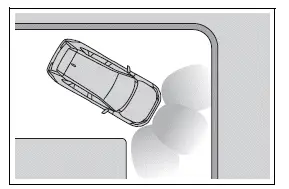
- When approaching a banner, flag, low-hanging tree branch, boom barrier, or similar object, including barriers used at railroad crossings, toll gates, and parking facilities.
- When a rut, depression, pothole, or other significant irregularity is present in the road surface near the vehicle.
- When driving over or near a metal cover or grating, such as those installed above drainage channels and roadside ditches.
- When the Toyota RAV4 is traveling up or down a steep incline and the angle of the vehicle changes the direction of the sensors.
- When a large quantity of water strikes a sensor, such as while driving through a flooded section of road or deep standing water.
- When dirt, snow, water droplets, or ice are attached to a sensor. Cleaning and completely clearing the affected sensors should resolve this condition.
- When a sensor is continuously covered by road spray, flowing water, or heavy rainfall.
- When driving in severe weather conditions, including dense fog, snowfall, or a sandstorm, which may affect accurate object detection.
- When strong winds are blowing and causing nearby objects, branches, signs, or other materials to move within the sensor detection area.
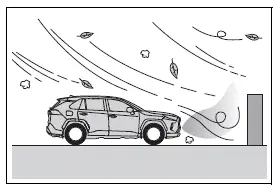
- When vehicle horns, traffic detection equipment, motorcycle engines, air brakes from large vehicles, parking sensors on other vehicles, or other nearby devices produce ultrasonic waves that interfere with the Toyota RAV4 sensors.
- When the front of the vehicle is raised or lowered because of the weight, position, or distribution of cargo being carried.
- When the angle or mounting position of a sensor has changed because of a collision, strong impact, or damage to the surrounding bumper area.
- When the vehicle approaches a tall, rounded, or curved curb that reflects ultrasonic waves in an unusual direction.
- When driving close to columns, H-shaped steel beams, support structures, or similar objects in multistory parking garages, construction zones, and other confined locations.
- When the vehicle cannot be driven steadily, such as after an accident or when a malfunction affects its normal movement, height, or position.
- When driving on an extremely uneven or bumpy road, a steep incline, loose gravel, grass, or another surface that causes significant vehicle movement.
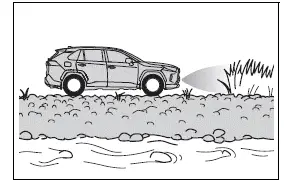
- When tire chains, a compact spare tire, or an emergency tire puncture repair kit are being used, as these conditions may change the normal height, angle, or movement of the vehicle.
■ Certification (Canada only)
This ISM device complies with Canadian ICES-001 and meets the applicable Canadian requirements for this type of equipment.
Sensor detection display, object distance Toyota RAV4 hybrid
■ Detection range of the sensors
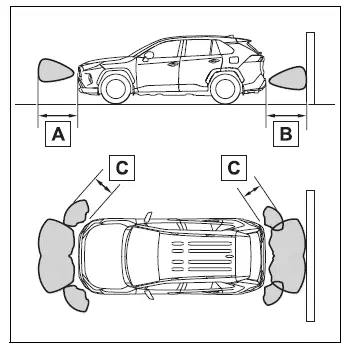
- Approximately 3.3 ft. (100 cm)
- Approximately 4.9 ft. (150 cm)
- Approximately 2.1 ft. (63 cm)
The diagram illustrates the approximate detection range of the intuitive parking assist sensors around the Toyota RAV4. Objects positioned outside these monitored areas, as well as objects located extremely close to the vehicle, may not be detected accurately.
The actual sensor range may vary according to the shape, size, angle, height, position, and surface characteristics of the detected object.
■ Distance display
When a sensor detects a nearby object, its approximate distance from the vehicle is shown on the multi-information display or Multimedia Display. As the Toyota RAV4 moves closer to the object, the displayed distance segments may begin to blink. The actual graphics may differ slightly from those shown in the illustrations, depending on the display type and vehicle configuration.
- Approximate distance to object
- Front center sensor: 3.3 ft. (100 cm) to 2.1 ft. (63 cm)
- Rear center sensor: 4.9 ft. (150 cm) to 2.1 ft. (63 cm)
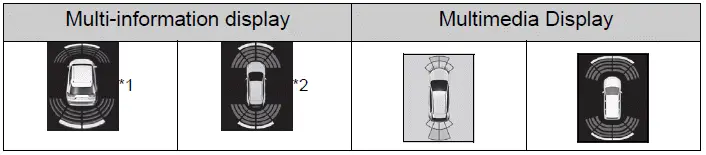
*1: Vehicles with 7-inch multi-information display
*2: Vehicles with 12.3-inch multi-information display
- Approximate distance to object: 2.1 ft. (63 cm) to 1.6 ft. (48 cm)
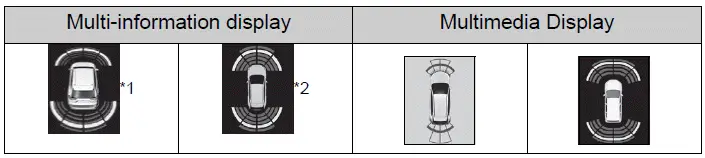
*1: Vehicles with 7-inch multi-information display
*2: Vehicles with 12.3-inch multi-information display
- Approximate distance to object: 1.6 ft. (48 cm) to 1.1 ft. (34 cm)
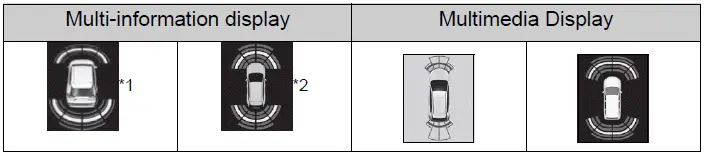
*1: Vehicles with 7-inch multi-information display
*2: Vehicles with 12.3-inch multi-information display
- Approximate distance to object: 1.1 ft. (34 cm) to 0.5 ft. (15 cm)
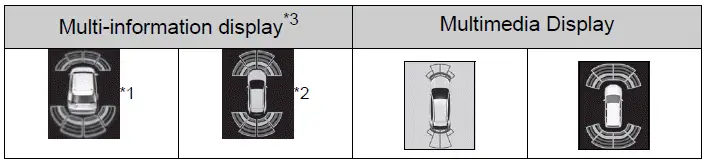
*1: Vehicles with 7-inch multi-information display
*2: Vehicles with 12.3-inch multi-information display
*3: The distance segments blink slowly to indicate that the detected object is very close.
- Approximate distance to object: Less than 0.5 ft. (15 cm)
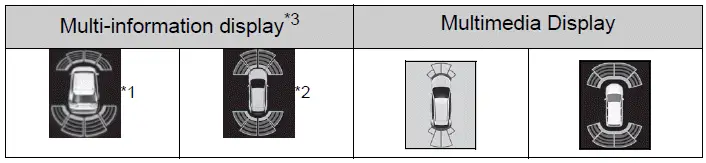
*1: Vehicles with 7-inch multi-information display
*2: Vehicles with 12.3-inch multi-information display
*3: The distance segments blink rapidly to indicate that the object is extremely close to the vehicle.
■ Buzzer operation and distance to an object
A warning buzzer sounds while the sensors are operating and an object is detected within the applicable monitoring range.
- The interval between buzzer sounds becomes shorter as the Toyota RAV4 approaches the detected object.
When the vehicle comes within approximately 1.1 ft. (34 cm) of the object, the buzzer changes to a continuous tone to indicate that the remaining distance is very short.
- When two or more sensors detect stationary objects at the same time, the buzzer pattern corresponds to the object located closest to the vehicle.
- Even while the sensors remain active, the buzzer may be automatically muted under certain conditions.
This operation is referred to as the automatic buzzer mute function.
■ Muting the buzzer sound
- Automatic buzzer mute function
Even when the intuitive parking assist sensors continue to detect an object, the buzzer may be muted automatically in the following situations:
- The distance between the vehicle and the detected object is no longer decreasing, except when the remaining distance is approximately 1.1 ft. (34 cm) or less.
- The Toyota RAV4 is moving away from the detected object and the collision risk is decreasing.
- No detectable object is entering or remaining within the projected path of the vehicle.
However, if another object is detected or the surrounding situation changes while the buzzer is muted, the warning sound will begin operating again.
- To mute the buzzer sound
The buzzer can be muted temporarily by pressing  on the meter control switches while the mute suggestion is displayed on the multi-information display.
- When the mute is canceled
The temporary mute setting is canceled automatically in any of the following situations:
- When the shift position is changed
- When the vehicle speed reaches or exceeds the specified system threshold
- When intuitive parking assist is turned off and then switched on again
- When the engine switch is turned off and subsequently returned to ON
■ Customization
The intuitive parking assist buzzer volume can be adjusted through the available settings on the multi-information display.
RCTA (Rear Cross Traffic Alert) function Toyota RAV4 hybrid
The RCTA function uses the BSM rear side radar sensors installed behind the left and right sides of the rear bumper. It is designed to assist the driver in checking areas that may be difficult to see when backing the Toyota RAV4 out of a parking space, driveway, or another confined location.
WARNING
■ Cautions regarding the use of the system
The driver remains solely responsible for safe vehicle operation. Always reverse carefully and directly observe the area around the Toyota RAV4, including both sides and the space behind the vehicle.
The RCTA function is only a supplementary driving-assistance feature. It alerts the driver when a vehicle is detected approaching from the left or right behind the vehicle.
Because the RCTA function may not recognize every approaching vehicle or may not operate correctly under certain conditions, the driver must confirm safety visually using the mirrors and by looking directly around the vehicle.
Excessive reliance on this function may lead to an accident resulting in death or serious injury.
System components
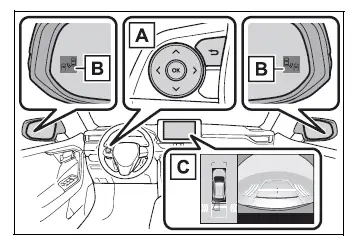
- Meter control switches
Use the meter control switches to turn the RCTA function on or off.When the RCTA function is disabled, the RCTA OFF indicator illuminates on the multi-information display.
- Outside rearview mirror indicators
If the system detects a vehicle approaching from the left or right behind the Toyota RAV4, both outside rearview mirror indicators flash and a warning buzzer sounds to attract the driver’s attention. - Multimedia Display
When a vehicle approaching from the left or right rear is detected, the RCTA icon corresponding to the detected side appears on the Multimedia Display.The illustration shows an example in which vehicles are approaching from both sides behind the vehicle.
Turning the RCTA function on/off
The RCTA function can be enabled or disabled through  on the multi-information display.
When the RCTA function is disabled, the RCTA OFF indicator illuminates. Each time the engine switch is turned off and then returned to ON, the RCTA function is enabled automatically.
■ Outside rearview mirror indicator visibility
In strong sunlight or other bright conditions, the outside rearview mirror indicators may be difficult to see. Always check the surrounding area directly instead of relying only on the indicators.
■ Hearing the RCTA buzzer
The RCTA warning buzzer may be difficult to hear when there is loud surrounding noise, when the audio system volume is high, or when other warning sounds are operating inside the Toyota RAV4.
■ When "Rear Cross Traffic Alert Unavailable" is shown on the multi-information display
Ice, snow, mud, dirt, or another material may be attached to the rear bumper around the radar sensors. Carefully remove any obstruction from both sensor areas. The RCTA function should return to normal after the rear bumper is clean and the required operating conditions are restored. The system may also become temporarily unavailable or operate abnormally in extremely hot or cold environments.
■ When "Rear Cross Traffic Alert Malfunction Visit Your Dealer" is shown on the multi-information display
A rear side radar sensor may be malfunctioning or misaligned. Have the Toyota RAV4 inspected by your Toyota dealer so the sensors, their mounting positions, and related system components can be checked.
RCTA function Toyota RAV4 (XA50)
■ Operation of the RCTA function
The RCTA function uses the rear side radar sensors to detect vehicles approaching from the left or right behind the Toyota RAV4 while the vehicle is reversing. When approaching cross traffic is identified, the system alerts the driver by flashing the outside rearview mirror indicators and sounding a warning buzzer.
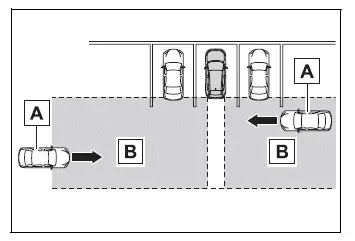
- Vehicles approaching from the left or right behind the vehicle
- Detection areas monitored for approaching vehicles
■ RCTA icon display
When the system detects a vehicle approaching from the left or right behind the Toyota RAV4, a corresponding RCTA warning icon appears on the Multimedia Display to indicate the direction of the approaching traffic.
- Example with panoramic view monitor, if equipped: Vehicles are approaching from both the left and right sides behind the vehicle
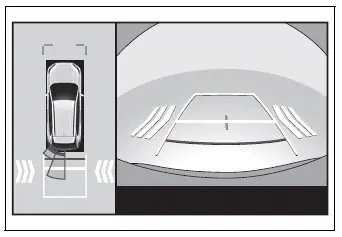
■ RCTA function detection areas
The approximate areas in which approaching vehicles can be detected are outlined below. Actual detection may vary according to the speed, angle, position, and path of the approaching vehicle.
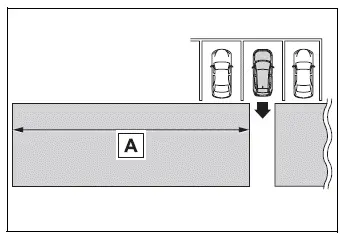
The warning buzzer can alert the driver to faster-moving vehicles while they are still farther away, as their higher approach speed may create a potential hazard sooner.
Example:
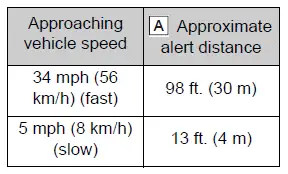
■ The RCTA function is operational when
The RCTA function operates when all of the following conditions are satisfied:
- The engine switch is in ON.
- The RCTA function is turned on.
- The shift lever is in R.
- The Toyota RAV4 is traveling at less than approximately 9 mph (15 km/h).
- The approaching vehicle is traveling at approximately 5 mph (8 km/h) to 34 mph (56 km/h).
■ Setting the buzzer volume
The warning buzzer volume can be adjusted through the settings available on the multi-information display.
The volume of the RCTA buzzer can be changed using  on the multi-information display.
■ Muting a buzzer temporarily
When a vehicle or another object is detected, a mute option appears on the multi-information display. To temporarily silence the warning buzzer, press  .
.
The warning buzzers for the RCTA function and intuitive parking assist are muted at the same time. Continue checking the area around the vehicle carefully because the visual warnings may remain active even while the buzzer is muted.
The temporary mute is canceled automatically in any of the following situations:
- When the shift lever position is changed.
- When the vehicle speed exceeds the specified threshold.
- When a sensor malfunction is detected or the system becomes temporarily unavailable.
- When the active assistance function is manually disabled.
- When the engine switch is turned off.
■ Conditions under which the system will not detect a vehicle
The RCTA function is not designed to reliably detect the following vehicles, road users, and objects:
- Vehicles approaching directly from behind the Toyota RAV4
- Vehicles reversing from a parking space immediately beside your vehicle
- Vehicles hidden from the radar sensors by parked vehicles, walls, columns, or other obstructions
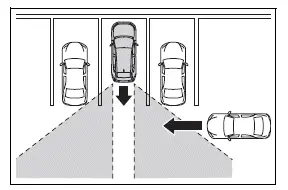
- Guardrails, walls, traffic signs, parked vehicles, and similar stationary objects*
- Small motorcycles, bicycles, pedestrians, and other narrow road users*
- Vehicles moving away from your vehicle
- Vehicles approaching from parking spaces directly beside your vehicle*
- Approaching vehicles that move extremely close to a rear side radar sensor
*: Depending on the position, size, movement, and surrounding conditions, a vehicle or object not normally targeted by the system may occasionally be detected.
■ Situations in which the system may not operate properly
The RCTA function may fail to detect an approaching vehicle, may detect it later than expected, or may provide an inaccurate warning in the following situations:
- When a rear side radar sensor is misaligned because the sensor or the surrounding bumper area has been subjected to a strong impact
- When mud, snow, ice, stickers, tape, or another material covers a sensor or the surrounding section of the rear bumper
- When reversing on a surface covered with standing water or during severe weather, such as heavy rain, snowfall, or dense fog
- When several vehicles approach close together with only a small gap between them
- When a vehicle approaches at a high speed and remains within the detection area for only a short time
- When equipment that may obstruct a sensor is installed, such as a towing eyelet, bumper protector, additional trim strip, bicycle carrier, or snow plow
- When backing the Toyota RAV4 on a slope with a sudden or substantial change in gradient, which may alter the direction of the radar detection areas
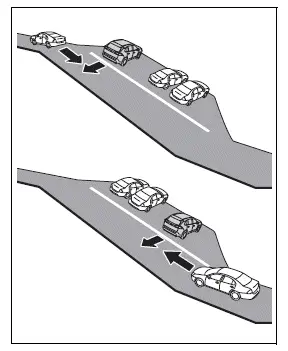
- When backing the Toyota RAV4 out of a sharply angled parking space, as the positioning of nearby vehicles may limit the sensors’ effective detection range.
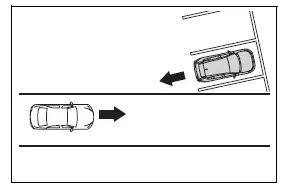
- Immediately after the Rear Cross Traffic Alert (RCTA) function has been turned on, before the sensors have established stable detection conditions.
- Immediately after the engine is started while the RCTA function is already enabled.
- When obstacles or surrounding objects prevent the sensors from reliably detecting an approaching vehicle.
- When towing a trailer, which may obstruct the sensors or affect their ability to monitor the area behind the vehicle.
- When there is a significant height difference between your vehicle and another vehicle entering the detection area.
- When a sensor or the surrounding section of the rear bumper becomes extremely hot or cold.
- If the suspension has been modified or tires of a size other than the specified size have been installed.
- If the front of the Toyota RAV4 is raised or lowered because of the weight or distribution of the carried load.
- When turning the steering wheel while backing up, as the changing vehicle angle may temporarily affect the monitored area.
- When another vehicle turns into the detection area instead of approaching along a straight path.
■ Situations in which the system may operate even when there is no possibility of a collision
The RCTA function may occasionally detect a vehicle or nearby object even when it does not present an actual collision risk. Unnecessary or unexpected alerts may occur more frequently under the following conditions:
- When the parking space faces a street and passing vehicles are traveling close to the rear detection area.
- When the Toyota RAV4 is positioned close to metal objects, such as a guardrail, wall, road sign, or parked vehicle, that may reflect electrical waves toward the rear sensors.
- When equipment capable of obstructing a sensor is installed, such as a towing eyelet, bumper protector or additional trim strip, bicycle carrier, or snow plow.
- When another vehicle passes closely along the side of your vehicle and briefly enters the sensor monitoring area.
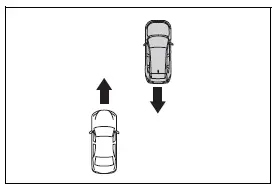
- When a detected vehicle turns while approaching your vehicle, causing its position within the detection area to change.
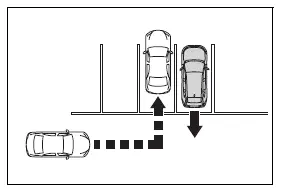
- When rotating objects are operating near your vehicle, such as the fan of an outdoor air-conditioning unit.
- When water is splashed or sprayed toward the rear bumper, such as water from a nearby sprinkler.
- When moving objects or environmental conditions are present, including flags, exhaust fumes, large raindrops or snowflakes, or rainwater moving across the road surface.
- When the distance between your vehicle and a guardrail, wall, or similar object entering the detection area is very short.
- When driving or reversing near metal gratings, drainage channels, or gutters that may affect sensor detection.
- When a sensor or the area immediately surrounding it is exposed to extremely high or low temperatures.
- If the suspension has been modified or tires that differ from the specified size are installed on the vehicle.
- If the front of the vehicle is raised or lowered because of the carried load, changing the Toyota RAV4 body angle relative to the road surface.
PKSB (Parking Support Brake) Toyota RAV4 2026
The Parking Support Brake system includes several functions designed to operate while the Toyota RAV4 is traveling at low speed or reversing, such as during parking maneuvers. When the system determines that there is a high possibility of colliding with a detected object, it issues a warning to prompt the driver to take evasive action. If the possibility of a collision is judged to be extremely high, the brakes may be applied automatically to help avoid the collision or reduce the severity of the impact.
PKSB (Parking Support Brake) system
WARNING
■ Cautions regarding the use of the system
Do not rely excessively on the Parking Support Brake, as doing so may lead to an accident.
Always drive while carefully checking the area around the vehicle and confirming that it is safe to proceed.
Depending on the condition of the vehicle, road surface, surrounding environment, weather, and other factors, the system may not operate as expected.
The detection capabilities of the sensors and radars are limited and cannot identify every object or hazardous situation.
Always remain attentive and personally verify the safety of the surroundings while driving the Toyota RAV4.
- The driver is solely responsible for safe vehicle operation. Always drive carefully and continuously observe the surrounding area. The Parking Support Brake is designed only to assist the driver and help reduce the severity of certain collisions.However, the function may not activate or provide the expected braking assistance in some situations.
- The Parking Support Brake is not designed to bring the vehicle to a complete and permanent stop in every situation. Even if automatic braking stops the Toyota RAV4, immediately depress and hold the brake pedal, as brake control will be canceled after approximately 2 seconds.
- Attempting to test the operation of the system by intentionally driving toward a wall, obstacle, or similar object is extremely dangerous.Never perform such a test under any circumstances.
■ When to disable the Parking Support Brake
Disable the Parking Support Brake in the following situations because the function may activate even when there is no actual possibility of a collision:
- When the vehicle is being inspected or tested using a chassis roller, chassis dynamometer, or free roller.
- When loading the vehicle onto a boat, truck, trailer platform, or another transport vessel.
- If the suspension has been modified or tires of a size other than the specified size have been installed.
- If the front of the vehicle is raised or lowered because of the weight or distribution of the carried load.
- When equipment that may block or interfere with a sensor is installed, such as a towing eyelet, bumper protector or additional trim strip, bicycle carrier, or snow plow.
- When the Toyota RAV4 is being cleaned with automatic car-washing equipment.
- If the vehicle cannot be driven in a stable manner, such as after an accident or when a malfunction affects normal operation.
- When the vehicle is being driven in a sporty manner or used off-road.
- When one or more tires are not inflated to the proper pressure.
- When the tires are excessively worn and may affect stable vehicle movement.
- When tire chains, a compact spare tire, or an emergency tire puncture repair kit are being used.
- When the vehicle is towing a trailer or is involved in emergency towing.
NOTICE
■ If “PKSB Unavailable” is displayed on the multi-information display and the PKSB OFF indicator is flashing
If this message appears immediately after the engine switch is changed to ON, drive the vehicle carefully while paying close attention to the surrounding area. The Toyota RAV4 may need to be driven for a certain period before the Parking Support Brake returns to normal operation.
If normal operation is not restored after driving for a while, clean the sensors and the surrounding sections of the front and rear bumpers, removing any dirt or material that may interfere with detection.
Enabling/Disabling the Parking Support Brake
The Parking Support Brake can be enabled or disabled through the  screen on the multi-information display. All Parking Support Brake functions, including detection of static objects and rear-crossing vehicles, are enabled or disabled at the same time. When the Parking Support Brake is turned off, the PKSB OFF indicator illuminates on the multi-information display.
To enable the system again, select  on the multi-information display, then select
  and switch the function on.
If the Parking Support Brake is disabled, it will remain turned off even after the engine switch is turned off and then changed back to ON.
Display and buzzer for engine output restriction control and brake control Toyota RAV4 fifth generation
If engine output restriction control or brake control is activated, the Toyota RAV4 alerts the driver through a buzzer and a message shown on the multi-information display or Multimedia Display. These warnings indicate that the Parking Support Brake has detected a situation requiring the driver’s immediate attention.
Depending on the detected conditions and the assessed collision risk, engine output restriction control may either limit acceleration or reduce engine output as much as possible.
- Engine output restriction control is operating (acceleration restriction)
The system restricts acceleration beyond a certain level to help prevent the vehicle from gaining additional speed.
Multimedia Display: No warning displayed
Multi-information display: "Object Detected Acceleration Reduced"
PKSB OFF indicator: Not illuminated
Buzzer: Does not sound
- Engine output restriction control is operating (output restricted as much as possible)
The system has determined that stronger-than-normal braking by the driver may be necessary and restricts engine output as much as possible.
Multimedia Display: "BRAKE!"
Multi-information display: "BRAKE!"
PKSB OFF indicator: Not illuminated
Buzzer: Short beep
- Brake control is operating
The system has determined that emergency braking is necessary and automatically applies the brakes to help reduce the vehicle speed.
Multimedia Display: "BRAKE!"
Multi-information display: "BRAKE!"
PKSB OFF indicator: Not illuminated
Buzzer: Short beep
- Vehicle stopped by system operation
The Toyota RAV4 has been brought to a stop through automatic brake control operation.
Multimedia Display: "Press Brake Pedal"
Multi-information display: "Switch to Brake" (If the accelerator pedal is not depressed, "Press Brake Pedal" will be displayed.)
PKSB OFF indicator: Illuminated
Buzzer: Short beep
System overview
If the Parking Support Brake determines that a collision with a detected object is possible, engine output is restricted to help prevent an increase in vehicle speed. This stage is referred to as engine output restriction control and is illustrated in Figure 2. If the accelerator pedal remains depressed and the possibility of a collision becomes more serious, the brakes are applied automatically to reduce the speed of the Toyota RAV4. This brake control sequence is illustrated in Figure 3.
- Figure 1: When the PKSB (Parking Support Brake) is not operating
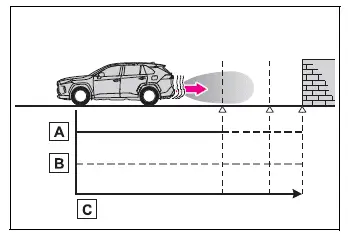
- Engine output
- Braking force
- Time
- Figure 2: When engine output restriction control operates
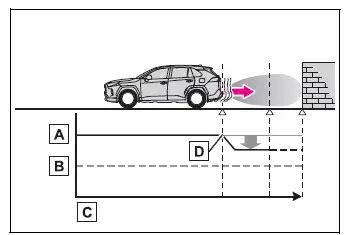
- Engine output
- Braking force
- Time
- Engine output restriction control begins operating when the system determines that the possibility of a collision with a detected object is high.
- Figure 3: When engine output restriction control and brake control operate
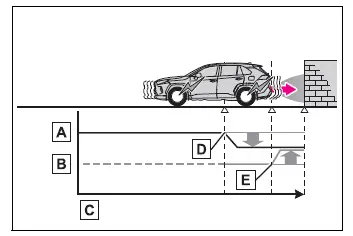
- Engine output
- Braking force
- Time
- Engine output restriction control begins operating when the system determines that the possibility of a collision with a detected object is high.
- Brake control begins operating when the system determines that the possibility of a collision with the detected object is extremely high.
■ If the Parking Support Brake has operated
If the vehicle is stopped through operation of the Parking Support Brake, the Parking Support Brake will be disabled and the PKSB OFF indicator will illuminate. If the system operates unnecessarily, brake control can be canceled by depressing the brake pedal. Otherwise, brake control will be canceled automatically after approximately 2 seconds.
After brake control has been canceled and the surrounding area has been confirmed as safe, the vehicle can be operated by depressing the accelerator pedal.
■ Re-enabling the Parking Support Brake
To re-enable the Parking Support Brake after it has been disabled because of system operation, enable the function again through the vehicle settings or turn the engine switch to OFF and then back to ON.
The system will also be re-enabled automatically if the detected object is no longer in the vehicle’s direction of travel or if the traveling direction changes, such as when switching from forward movement to reversing or from reversing to forward movement.
■ If "PKSB Unavailable" is displayed on the multi-information display and the PKSB OFF indicator is flashing
If this message is displayed, a sensor located on the front or rear bumper may be dirty. Clean the affected sensors and the surrounding bumper areas so that the system can detect objects correctly.
■ If "PKSB Unavailable" and "Parking Assist Unavailable Clean Parking Assist Sensor" are displayed on the multi-information display and the PKSB
OFF indicator is flashing
- A sensor may be covered with ice, snow, dirt, or another material. Remove anything covering the sensor and check whether normal system operation returns. If the message remains displayed after the sensor has been cleaned, or appears even though the sensor was not dirty, have the Toyota RAV4 inspected by your Toyota dealer.
- A sensor may be frozen. Normal operation should return after the ice has melted and the sensor surface is clear.
- Water may be flowing continuously across the sensor surface, such as during heavy rain. When the system determines that sensor conditions have returned to normal, normal operation will resume automatically.
■ If a battery terminal has been disconnected and reconnected
The Parking Support Brake must be initialized after a battery terminal has been disconnected and reconnected.
To initialize the system, drive the vehicle straight ahead for at least 5 seconds at a speed of approximately 22 mph (35 km/h) or higher.
Display and buzzer for engine output restriction control and brake control Toyota RAV4 fifth generation
If engine output restriction control or brake control is activated, the Toyota RAV4 alerts the driver through a buzzer and a message shown on the multi-information display or Multimedia Display. These warnings indicate that the Parking Support Brake has detected a situation requiring the driver’s immediate attention.
Depending on the detected conditions and the assessed collision risk, engine output restriction control may either limit acceleration or reduce engine output as much as possible.
- Engine output restriction control is operating (acceleration restriction)
The system restricts acceleration beyond a certain level to help prevent the vehicle from gaining additional speed.
Multimedia Display: No warning displayed
Multi-information display: "Object Detected Acceleration Reduced"
PKSB OFF indicator: Not illuminated
Buzzer: Does not sound
- Engine output restriction control is operating (output restricted as much as possible)
The system has determined that stronger-than-normal braking by the driver may be necessary and restricts engine output as much as possible.
Multimedia Display: "BRAKE!"
Multi-information display: "BRAKE!"
PKSB OFF indicator: Not illuminated
Buzzer: Short beep
- Brake control is operating
The system has determined that emergency braking is necessary and automatically applies the brakes to help reduce the vehicle speed.
Multimedia Display: "BRAKE!"
Multi-information display: "BRAKE!"
PKSB OFF indicator: Not illuminated
Buzzer: Short beep
- Vehicle stopped by system operation
The Toyota RAV4 has been brought to a stop through automatic brake control operation.
Multimedia Display: "Press Brake Pedal"
Multi-information display: "Switch to Brake" (If the accelerator pedal is not depressed, "Press Brake Pedal" will be displayed.)
PKSB OFF indicator: Illuminated
Buzzer: Short beep
System overview
If the Parking Support Brake determines that a collision with a detected object is possible, engine output is restricted to help prevent an increase in vehicle speed. This stage is referred to as engine output restriction control and is illustrated in Figure 2. If the accelerator pedal remains depressed and the possibility of a collision becomes more serious, the brakes are applied automatically to reduce the speed of the Toyota RAV4. This brake control sequence is illustrated in Figure 3.
- Figure 1: When the PKSB (Parking Support Brake) is not operating
- Engine output
- Braking force
- Time
- Figure 2: When engine output restriction control operates
- Engine output
- Braking force
- Time
- Engine output restriction control begins operating when the system determines that the possibility of a collision with a detected object is high.
- Figure 3: When engine output restriction control and brake control operate
- Engine output
- Braking force
- Time
- Engine output restriction control begins operating when the system determines that the possibility of a collision with a detected object is high.
- Brake control begins operating when the system determines that the possibility of a collision with the detected object is extremely high.
■ If the Parking Support Brake has operated
If the vehicle is stopped through operation of the Parking Support Brake, the Parking Support Brake will be disabled and the PKSB OFF indicator will illuminate. If the system operates unnecessarily, brake control can be canceled by depressing the brake pedal. Otherwise, brake control will be canceled automatically after approximately 2 seconds.
After brake control has been canceled and the surrounding area has been confirmed as safe, the vehicle can be operated by depressing the accelerator pedal.
■ Re-enabling the Parking Support Brake
To re-enable the Parking Support Brake after it has been disabled because of system operation, enable the function again through the vehicle settings or turn the engine switch to OFF and then back to ON.
The system will also be re-enabled automatically if the detected object is no longer in the vehicle’s direction of travel or if the traveling direction changes, such as when switching from forward movement to reversing or from reversing to forward movement.
■ If "PKSB Unavailable" is displayed on the multi-information display and the PKSB OFF indicator is flashing
If this message is displayed, a sensor located on the front or rear bumper may be dirty. Clean the affected sensors and the surrounding bumper areas so that the system can detect objects correctly.
■ If "PKSB Unavailable" and "Parking Assist Unavailable Clean Parking Assist Sensor" are displayed on the multi-information display and the PKSB
OFF indicator is flashing
- A sensor may be covered with ice, snow, dirt, or another material. Remove anything covering the sensor and check whether normal system operation returns. If the message remains displayed after the sensor has been cleaned, or appears even though the sensor was not dirty, have the Toyota RAV4 inspected by your Toyota dealer.
- A sensor may be frozen. Normal operation should return after the ice has melted and the sensor surface is clear.
- Water may be flowing continuously across the sensor surface, such as during heavy rain. When the system determines that sensor conditions have returned to normal, normal operation will resume automatically.
■ If a battery terminal has been disconnected and reconnected
The Parking Support Brake must be initialized after a battery terminal has been disconnected and reconnected.
To initialize the system, drive the vehicle straight ahead for at least 5 seconds at a speed of approximately 22 mph (35 km/h) or higher.
Parking Support Brake function (static objects) Toyota RAV4
If the sensors detect a stationary object, such as a wall, in the traveling direction of the Toyota RAV4 and the system determines that a collision may occur, the Parking Support Brake function may activate. This can happen if the vehicle suddenly moves forward because the accelerator pedal is pressed unintentionally, if the vehicle travels in an unintended direction because an incorrect shift position has been selected, or while parking and maneuvering at low speeds. In these situations, the function operates to help lessen the impact with the detected static object and reduce the resulting damage.
Examples of function operation
This function may operate in situations such as the following when a stationary object is detected in the traveling direction of the vehicle.
■ When traveling at a low speed and the brake pedal is not depressed, or is depressed too late
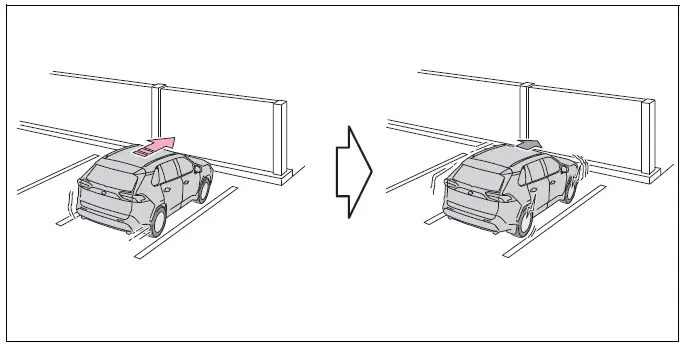
■ When the accelerator pedal is depressed excessively
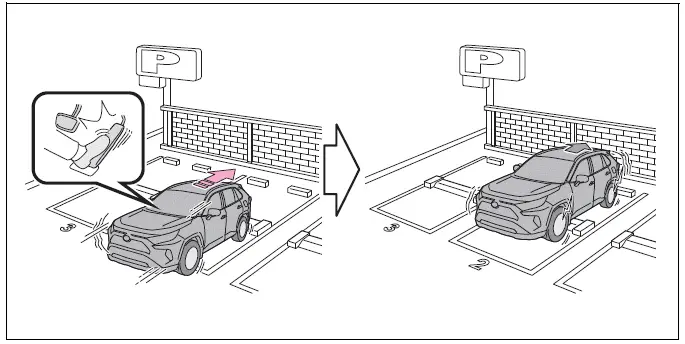
■ When the vehicle moves in an unintended direction because the wrong shift position has been selected
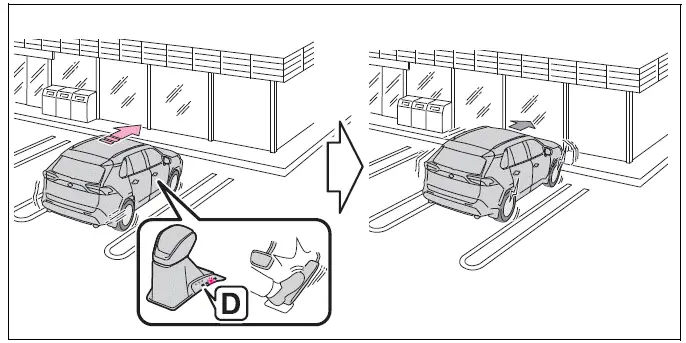
Types of sensors
■ The Parking Support Brake function (static objects) will operate when
The function can operate when the PKSB OFF indicator is neither illuminated nor flashing and all of the following operating conditions are met:
- Engine output restriction control
- The Parking Support Brake is enabled.
- The vehicle speed is approximately 9 mph (15 km/h) or less.
- A static object is located in the traveling direction of the vehicle at a distance of approximately 6 to 13 ft. (2 to 4 m).
- The Parking Support Brake determines that stronger-than-normal braking is necessary to help avoid a collision with the detected object.
- Brake control
- Engine output restriction control is already operating.
- The Parking Support Brake determines that immediate brake operation is necessary to help avoid a collision.
■ The Parking Support Brake function (static objects) will stop operating when
The function will stop operating when any of the following conditions are met:
- Engine output restriction control
- The Parking Support Brake is disabled.
- The system determines that the collision can now be avoided through normal brake operation by the driver.
- The static object is no longer approximately 6 to 13 ft. (2 to 4 m) away from the Toyota RAV4 or is no longer positioned in the vehicle’s traveling direction.
- Brake control
- The Parking Support Brake is disabled.
- Approximately 2 seconds have elapsed since the vehicle was brought to a stop by brake control.
- The driver depresses the brake pedal after the vehicle has been stopped by automatic brake control.
- The static object is no longer approximately 6 to 13 ft. (2 to 4 m) away from the vehicle or is no longer within its traveling direction.
■ Detection range of the Parking Support Brake function (static objects)
The detection range of the Parking Support Brake function for static objects is different from the detection range used by the intuitive parking assist.
Therefore, even when the intuitive parking assist detects a nearby object and issues a warning, the Parking Support Brake function for static objects may not begin operating. The driver must continue to check the surroundings of the Toyota RAV4 and apply the brakes whenever necessary.
■ Situations in which the Parking Support Brake function (static objects) may not operate
The Parking Support Brake function for static objects may not operate when the shift lever is in N.
Parking Support Brake function (rear-crossing vehicles) Toyota RAV4 hybrid
If a rear radar sensor detects a vehicle approaching from either the right or left behind the Toyota RAV4 and the system determines that the possibility of a collision is high, the Parking Support Brake function may activate brake control. This intervention is designed to help reduce the likelihood of an impact with the approaching vehicle or lessen the severity of the collision while the vehicle is reversing.
Examples of function operation
This function may operate in situations such as the following when another vehicle is detected approaching across the traveling direction of the Toyota RAV4.
■ When reversing, another vehicle is approaching and the brake pedal is not depressed, or is depressed too late
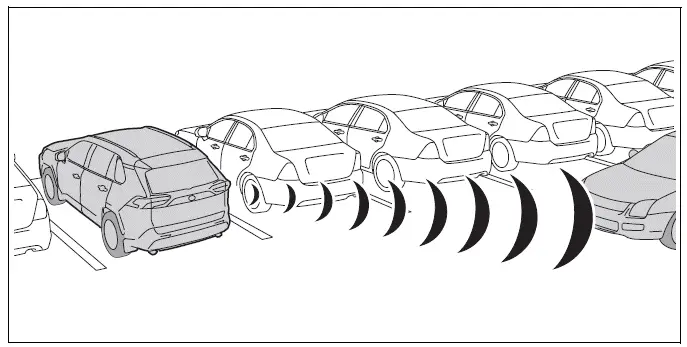
Types of sensors
■ The Parking Support Brake function (rear-crossing vehicles) will operate when
The function can operate when the PKSB OFF indicator is neither illuminated nor flashing and all of the following operating conditions are met:
- Engine output restriction control
- The Parking Support Brake is enabled.
- The vehicle speed is approximately 9 mph (15 km/h) or less.
- A vehicle is approaching from the right or left behind the vehicle at a traveling speed of approximately 5 mph (8 km/h) or more.
- The shift lever is in R.
- The Parking Support Brake determines that stronger-than-normal braking is necessary to help avoid a collision with the approaching vehicle.
- Brake control
- Engine output restriction control is already operating.
- The Parking Support Brake determines that emergency braking is necessary to help avoid a collision with the approaching vehicle.
■ The Parking Support Brake function (rear-crossing vehicles) will stop operating when
The function will stop operating when any of the following conditions are met:
- Engine output restriction control
- The Parking Support Brake is disabled.
- The system determines that the collision can now be avoided through normal brake operation by the driver.
- A vehicle is no longer approaching from the right or left behind the Toyota RAV4.
- Brake control
- The Parking Support Brake is disabled.
- Approximately 2 seconds have elapsed since the vehicle was brought to a stop by brake control.
- The driver depresses the brake pedal after the vehicle has been stopped by automatic brake control.
- A vehicle is no longer approaching from the right or left behind the vehicle.
■ Detection area of the Parking Support Brake function (rear-crossing vehicles)
The detection area used by the Parking Support Brake function for rear-crossing vehicles differs from the detection area of the RCTA function. Therefore, even when the RCTA function detects an approaching vehicle and provides an alert, the Parking Support Brake function may not begin operating. The driver must continue to check both sides and the area behind the Toyota RAV4, control the vehicle speed, and apply the brake pedal whenever necessary.
Stop & Start system Toyota RAV4 2026
The Stop & Start system automatically stops and restarts the engine in response to brake pedal or shift lever operation when the Toyota RAV4 is stationary, such as at a traffic light or intersection. By reducing unnecessary engine idling, the system helps improve fuel economy while also decreasing engine noise and emissions during stops.
Stop & Start system operation
■ Stopping the engine
While driving with the D shift position selected, depress the brake pedal and bring the vehicle to a complete stop.
When the required operating conditions are satisfied, the engine will stop automatically while the Toyota RAV4 remains stationary.
When the engine is stopped by the system, the Stop & Start indicator will illuminate to confirm that the function is active.
■ Restarting the engine
Release the brake pedal. The engine will restart automatically, allowing the vehicle to move when the accelerator pedal is operated.
After the engine restarts, the Stop & Start indicator will turn off.
■ When the brake hold system is operating
- When the engine has been stopped by the Stop & Start system, releasing the brake pedal will not restart the engine while the brake hold system continues holding the vehicle stationary.
- If the accelerator pedal is depressed while the engine is stopped by the Stop & Start system, the engine will restart automatically.
- If the engine restarts while the Toyota RAV4 is being held stationary by the brake hold system, the brakes will continue to be applied unless the operating conditions of the brake hold system are no longer satisfied.
■ When the dynamic radar cruise control with full-speed range is operating
- When the vehicle is brought to a stop by dynamic radar cruise control with full-speed range, the engine may stop automatically even though the driver is not depressing the brake pedal.
- When the preceding vehicle begins moving, the engine will restart automatically in preparation for the vehicle to resume travel.
- If the engine is restarted by the Stop & Start system while the vehicle remains stopped by dynamic radar cruise control with full-speed range, the vehicle will continue to remain stationary.
Disabling the Stop & Start system
Press the Stop & Start cancel switch to disable the Stop & Start system when automatic engine stopping is not desired.
The Stop & Start cancel indicator will illuminate to show that the system has been disabled.
Press the switch again to enable the Stop & Start system. When the function is restored, the Stop & Start cancel indicator will turn off.
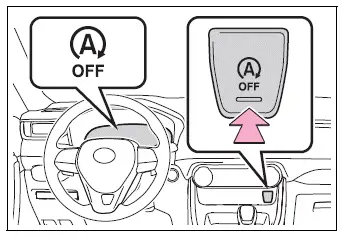
■ Automatic enabling of the Stop & Start system
If the Stop & Start system is disabled using the Stop & Start cancel switch, the setting will not remain permanently disabled. The system will be enabled automatically after the engine switch is turned off and the Toyota RAV4 engine is started again.
Hill-start assist control Toyota RAV4
When the Stop & Start system shuts off the engine while the Toyota RAV4 is stopped on an incline, brake force is temporarily maintained after the driver releases the brake pedal. This helps prevent the vehicle from rolling backward during the brief interval before the engine restarts and sufficient drive force is produced.
Once drive force becomes available, the maintained braking force is released automatically so the vehicle can move forward smoothly.
- This function may operate on level surfaces as well as on steep inclines, depending on the driving conditions.
- A sound may be heard from the brake system while the function is operating. This is a normal operating characteristic and does not indicate a malfunction.
- The brake pedal response may temporarily feel different, and slight vibration may occur during operation. These conditions do not indicate a system malfunction.
■ Points for use
- If the engine switch is pressed while the engine is stopped by the Stop & Start system, the automatic engine restart function will no longer be able to restart the engine.
In this situation, restart the Toyota RAV4 engine by following the normal engine-starting procedure.
- While the engine is being restarted by the Stop & Start system, the power outlets may become temporarily unavailable. This brief interruption does not indicate a malfunction.
- Installing or removing electrical components or wireless devices may affect operation of the Stop & Start system. Contact your Toyota dealer for information before making such changes.
- When the vehicle will remain stopped for an extended period, turn the engine switch off to shut down the engine completely rather than relying on the Stop & Start system.
- When the engine restarts automatically, the steering wheel of the Toyota RAV4 may temporarily feel heavier than usual.
■ Operating conditions
- The Stop & Start system can operate when all of the following conditions are satisfied:
- The vehicle has been driven for a certain amount of time.
- The brake pedal is being depressed firmly, except when the vehicle is stopped by dynamic radar cruise control with full-speed range while operating in vehicle-to-vehicle distance control mode.
- The D shift position is selected.
- The driver’s seat belt is securely fastened.
- The driver’s door is fully closed.
- Snow mode is not selected on AWD models.
- Mud & Sand mode or Rock & Dirt mode is not selected through Multi-terrain Select on AWD models.
- The windshield defogger is turned off.
This condition applies to vehicles without a manual air conditioning system.
- The accelerator pedal is not being depressed.
- The engine has warmed up sufficiently.
- The hood is fully closed.
- In the following situations, the engine may continue running instead of being stopped by the Stop & Start system. This is normal operation and does not indicate a malfunction:
- When the air conditioning system is operating and engine operation is required to maintain the selected cabin conditions.
- When the battery is undergoing a periodic charging cycle.
- When the battery charge is insufficient, such as after the Toyota RAV4 has been parked for a long period, when battery charge has decreased, the electrical load is high, the battery fluid temperature is excessively low, or the battery has deteriorated.
- When the brake booster vacuum is low.
- When only a short period has elapsed since the engine was restarted.
- When the vehicle repeatedly stops and starts, such as during congested traffic.
- When the engine coolant temperature or transmission fluid temperature is extremely low or high.
- When the vehicle is stopped on a steep incline.
- When the vehicle is being driven at a high altitude.
- When the battery fluid temperature is extremely low or high.
- For a period of time after the battery has been replaced.
- If the engine has been stopped by the Stop & Start system, it will restart automatically when any of the following conditions are met. To allow the engine to be stopped automatically again, drive the vehicle for a period of time:
- The air conditioning system is being used on a vehicle without a manual air conditioning system.
- The windshield defogger is turned on in a vehicle without a manual air conditioning system.
- The shift lever is moved from D or P to another position.
- The shift lever is moved out of P.
(This applies when the engine has been stopped by the Stop & Start system while the shift lever is in P.)
- The driver’s seat belt is unfastened.
- The driver’s door is opened.
- Snow mode is selected as the driving mode on an AWD model.
- Mud & Sand mode or Rock & Dirt mode is selected through Multi-terrain Select on an AWD model.
- The Stop & Start cancel switch is pressed.
- The accelerator pedal is depressed.
- The Toyota RAV4 begins to roll while stopped on an incline.
While the engine is stopped by the Stop & Start system, it may restart automatically under any of the following conditions. To allow the engine to be stopped automatically again, drive the vehicle for a period of time:
- The brake pedal is pumped repeatedly or depressed firmly.
- The air conditioning system is operating.
- A control for the air conditioning system, such as the windshield defogger switch, is operated.
- The battery charge decreases to a low level.
When the hood is opened
- If the hood is opened while the engine is stopped by the Stop & Start system, the engine will stall and cannot be restarted by the automatic engine start function. In this situation, restart the Toyota RAV4 engine by following the normal engine-starting procedure.
- If the hood is closed after the engine has been started while the hood was open, the Stop & Start system will not operate. Close the hood securely, turn the engine switch off, wait at least 30 seconds, and then start the engine again.
■ Air conditioning system operation while the engine is stopped by the Stop & Start system
Vehicles equipped with an automatic air conditioning system: When the air conditioning system is operating in automatic mode and the engine is stopped by the Stop & Start system, the fan may run at a reduced speed to limit changes in the cabin temperature. Depending on the conditions, the fan may also stop temporarily.
To prioritize air conditioning performance while the Toyota RAV4 is stationary, disable the Stop & Start system by pressing the Stop & Start cancel switch.
- If the windshield becomes fogged, turn on the windshield defogger.
If the windshield fogs frequently, press the Stop & Start cancel switch to disable the Stop & Start system and maintain more consistent climate-control operation.
- If an odor is produced by the air conditioning system
- Vehicles with a manual air conditioning system: If the idling stop time setting is set to “Extended,” change the setting to “Standard.”
If an odor is still noticeable when the idling stop time is set to “Standard,” press the Stop & Start cancel switch to deactivate the Stop & Start system.
- Vehicles with an automatic air conditioning system: Press the Stop & Start cancel switch to deactivate the Stop & Start system.
- Vehicles with a manual air conditioning system: If the idling stop time setting is set to “Extended,” change the setting to “Standard.”
■ Changing the idling stop time with the air conditioning system on
The period for which the Stop & Start system can keep the engine stopped while the air conditioning system is operating can be adjusted in
 on the multi-information display. The engine idling stop duration cannot be changed when the air conditioning system is turned off.
■ Displaying the Stop & Start system status After Start:
This screen displays the cumulative amount of time the engine has remained stopped through operation of the Stop & Start system, measured from the time the engine was started until it is switched off.
The displayed value is reset each time the engine is turned off.
■ Multi-information display messages
In the following situations,
 and a related message may appear on the multi-information display to explain the current operating status.
- When the engine cannot be stopped by the Stop & Start system
 “Press Brake More to Activate”
- The brake pedal has not been depressed firmly enough to satisfy the operating conditions of the Stop & Start system.
 Depress the brake pedal further. Once sufficient brake pressure is applied, the system can operate.
 “Non-Dedicated Battery”
- A battery that is not specifically designed for use with the Stop & Start system may have been installed in the Toyota RAV4.
 Have the vehicle inspected by your Toyota dealer to confirm that the correct battery is installed.
 “Battery Charging”
- The battery charge level may be too low for the Stop & Start system to stop the engine.
 Automatic engine stopping is temporarily prohibited so that battery charging can be prioritized. After the engine has operated for a certain period and the battery condition improves, the system will become available again.
- A refresh charge may be in progress, such as during a periodic recharge, after the battery terminals have been disconnected and reconnected, or after the battery has been replaced.
 Once the refresh charge is completed, which may take up to approximately one hour, the Stop & Start system can operate normally.
- If the message remains displayed continuously for an extended period of more than one hour, the battery condition may require attention.
 The battery may have deteriorated and may no longer provide the performance required by the Stop & Start system.
Contact your Toyota dealer for additional information and an inspection of the battery and charging system.
 “Stop & Start System
Unavailable”
- The Stop & Start system has been temporarily disabled because its operating conditions are not currently satisfied.
 Allow the engine to continue running for a while so that the required system conditions can be restored.
- The engine may have been started while the hood was open.
 Close the hood securely, turn the engine switch off, wait at least 30 seconds, and then restart the Toyota RAV4 engine using the normal starting procedure.
 “In Preparation”
- The vehicle is being driven in a high-altitude area where operating conditions may affect system availability.
- The brake booster vacuum is currently too low for the Stop & Start system to operate.
 When the brake booster vacuum reaches the predetermined operating level, the system will be enabled automatically.
 “For Climate Control”
- The air conditioning system is operating while the ambient temperature is particularly high or low, requiring the engine to continue running to support cabin comfort.
 When the difference between the selected temperature and the actual cabin temperature becomes sufficiently small, the Stop & Start system will be enabled.
- The windshield defogger is turned on, so the engine may continue operating to support defogging performance.
- When the engine restarts automatically while the vehicle is stopped by the Stop & Start system
 “In Preparation”
- The brake pedal has been depressed more firmly or pumped, causing the engine to restart so that adequate brake booster vacuum can be restored.
 The Stop & Start system will become available again after the engine has operated and the brake booster vacuum reaches the predetermined level.
 “For Climate Control”
- The air conditioning system is operating and requires the engine to run to maintain the selected cabin conditions.
- The windshield defogger has been turned on, requiring continued engine operation for effective windshield clearing.
 “Battery Charging”
- The battery charge may be low, so the Toyota RAV4 engine has restarted automatically to support battery charging.
 The Stop & Start system will become available again after the engine has operated long enough to charge the battery sufficiently.
■ When the buzzer sounds
If the driver’s door is opened while the engine is stopped by the Stop & Start system and the shift lever remains in D, a warning buzzer will sound and the Stop & Start system indicator will flash.
Close the driver’s door securely to stop the buzzer and restore the required operating condition.
■ Stop & Start system protection function
- When the audio system volume is excessively high, audio output may be interrupted suddenly to reduce battery consumption. To help prevent this interruption, keep the audio system at a moderate volume while using the Toyota RAV4 Stop & Start system.
If audio output has been interrupted, turn the engine switch off, wait at least 3 seconds, and then turn it to ACC or ON to reactivate the audio system.
- The audio system may not operate after the battery terminals have been disconnected and reconnected.
If this occurs, turn the engine switch off, and then perform the following sequence twice to restore normal audio system operation:
- Turn the engine switch to ON, and then turn it back off.
■ If the Stop & Start cancel indicator flashes continuously
Continuous flashing of the Stop & Start cancel indicator may indicate a system malfunction.
Have the Toyota RAV4 inspected by your Toyota dealer as soon as practical.
■ If “Stop & Start System Malfunction Visit Your Dealer” is displayed on the multi-information display
This message may indicate that the Stop & Start system is malfunctioning and cannot operate normally.
Have the vehicle inspected by your Toyota dealer.
WARNING
■ When the Stop & Start system is operating
Always disable the Stop & Start system when the vehicle is in a poorly ventilated or enclosed area.
If the system is not disabled, the engine may restart automatically and unexpectedly. Exhaust gases could then accumulate around or enter the vehicle, potentially resulting in death or a serious health hazard.
- Do not leave the vehicle while the engine is stopped by the Stop & Start system and the Stop & Start indicator is illuminated. The automatic engine restart function could activate and contribute to an accident.
- Keep the brake pedal depressed and apply the parking brake whenever necessary while the engine is stopped by the Stop & Start system and the Stop & Start indicator is illuminated.
NOTICE
■ To ensure the system operates correctly
If any of the following conditions occur, the Stop & Start system may not operate correctly. Have your Toyota RAV4 inspected by an authorized Toyota dealer.
- The driver’s and front passenger’s seat belt reminder light flashes even though the driver’s seat belt is securely fastened.
- The driver’s and front passenger’s seat belt reminder light does not illuminate even though the driver’s seat belt is not fastened.
- The open-door warning light remains illuminated, or the interior light stays on with the interior light switch in the door position, even though the driver’s door is fully closed.
- The open-door warning light does not illuminate, or the interior light does not turn on with the interior light switch in the door position, even though the driver’s door is open.
Driving mode select switch Toyota RAV4 2026
The available driving modes can be selected to match current road conditions, the desired driving response, and the way the Toyota RAV4 is being used.
Selecting a driving mode
■ FF vehicles/Dynamic Torque Control AWD vehicles
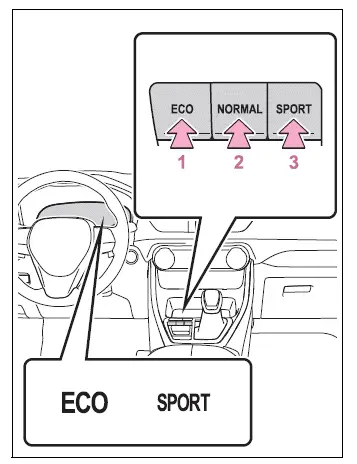
- Eco drive mode
Eco drive mode is suitable when fuel-efficient driving is a priority. Compared with normal mode, it delivers engine torque more gradually in response to accelerator pedal operation and moderates air conditioning performance, including heating and cooling, to help reduce fuel consumption.When the switch is pressed while the Toyota RAV4 is operating in a mode other than Eco drive mode, the system changes to Eco drive mode and the Eco drive mode indicator illuminates on the multi-information display.
- Normal mode
Normal mode provides a balanced response suitable for everyday driving under typical road and traffic conditions.If the switch is pressed while Eco drive mode or sport mode is active, the driving mode returns to normal mode.
- Sport mode
Sport mode adjusts steering feel and engine response to provide more immediate acceleration and sharper vehicle behavior. It is suitable when responsive handling is desired, such as while driving on winding or mountainous roads.When the switch is pressed while the vehicle is not already in sport mode, the Toyota RAV4 changes to sport mode and the sport mode indicator illuminates on the multi-information display.
■ Dynamic Torque Vectoring AWD vehicles
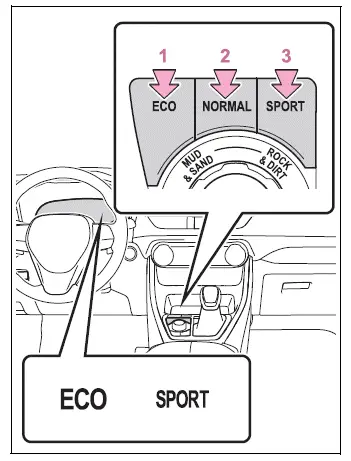
- Eco drive mode
Eco drive mode is intended to support more economical driving by producing torque more smoothly in response to accelerator pedal input than normal mode. It also limits certain heating and cooling operations of the air conditioning system to help improve fuel efficiency.When the switch is pressed while Eco drive mode is not active, the system selects Eco drive mode and the corresponding indicator illuminates on the multi-information display.
- Normal mode
Normal mode is designed for balanced, comfortable driving in a wide range of everyday conditions.Pressing the switch while the Toyota RAV4 is in Eco drive mode or sport mode returns the system to normal mode.
- Sport mode
Sport mode modifies steering feel and engine response to create quicker acceleration and more direct handling. This mode is appropriate when a more responsive driving character is preferred, including on curving mountain roads.When the switch is pressed while sport mode is not selected, the system changes to sport mode and the sport mode indicator illuminates on the multi-information display.
■ When the driving mode is changed
- The background color of the multi-information display changes to correspond with the selected driving mode, making the current setting easier to identify.
- When the speedometer is configured for analog display, its display color also changes according to the selected mode. This function applies only to vehicles equipped with the 7-inch multi-information display.
- On Dynamic Torque Vectoring AWD vehicles, AWD control is adjusted to suit the characteristics of the selected driving mode.
■ Air conditioning system operation in Eco drive mode
While Eco drive mode is active, heating and cooling output, together with fan speed, may be moderated to help improve the fuel efficiency of the Toyota RAV4.
Use one or more of the following procedures when greater air conditioning performance is required:
- For vehicles equipped with an automatic air conditioning system, turn off eco air conditioning mode.
- Manually increase or otherwise adjust the fan speed.
- Cancel Eco drive mode and select another driving mode.
■ Canceling a driving mode
- Sport mode is canceled automatically when the engine switch is turned off, and normal mode will be selected the next time the vehicle is operated.
- Normal mode and Eco drive mode remain selected until a different driving mode is chosen. Turning the engine switch off does not automatically cancel either normal mode or Eco drive mode.
Multi-terrain Select (AWD vehicles) Toyota RAV4 (XA50)
Multi-terrain Select is designed to coordinate the AWD, braking, and driving-force control systems according to the condition of the road surface. Use this system when driving the Toyota RAV4 over mud, sand, rough terrain, or other surfaces where additional traction control may be beneficial.
WARNING
■ Before using Multi-terrain Select
Observe the following precautions whenever Multi-terrain Select is used. Failure to follow these instructions may result in unexpected vehicle behavior and could lead to an accident.
- Before driving, confirm that the Mud & Sand or Rock & Dirt indicator for the selected mode is illuminated.
- Multi-terrain Select does not increase the physical performance limits of the vehicle. Carefully inspect the road surface and planned driving route before proceeding, and operate the Toyota RAV4 cautiously according to the surrounding conditions.
Control in each mode
Select the driving mode that best matches the current road surface and expected driving conditions.
■ Mud & Sand mode
Mud & Sand mode is suitable for surfaces that create increased driving resistance and where the tires may become stuck, including sandy roads, muddy tracks, and similar loose or soft terrain.
■ Rock & Dirt mode
Rock & Dirt mode is suitable for uneven or bumpy surfaces, including unpaved forest roads and other rough driving routes.
■ Normal mode
Normal mode is suitable for regular on-road driving. Select Normal mode whenever the Toyota RAV4 is not being driven over rough or off-road terrain.
Changing the mode
■ Dynamic Torque Control AWD vehicles (if equipped)
Pressing the corresponding switch changes the operating mode as follows:
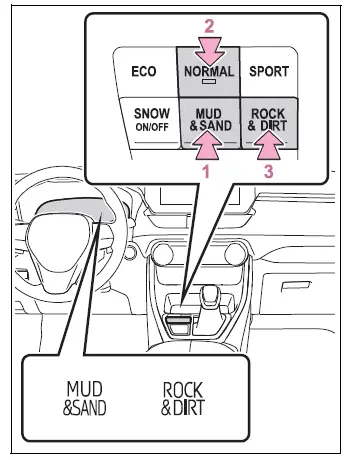
- Switches to Mud & Sand mode
- Switches to Normal mode
- Switches to Rock & Dirt mode
When a different mode is selected, the relevant indicators and warning lights change as described below:
- Mud & Sand mode
The Mud & Sand mode indicator, VSC OFF indicator, and PCS warning light illuminate.
- Rock & Dirt mode
The Rock & Dirt mode indicator illuminates to confirm that the mode is active.
- Normal mode
The indicators and warning lights described above turn off when Normal mode is selected.
■ Dynamic Torque Vectoring AWD vehicles (if equipped)
Operating the dial switch changes the selected mode as follows:
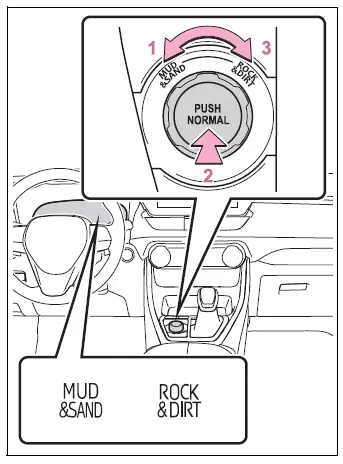
- Switches to Mud & Sand mode
- Switches to Normal mode
- Switches to Rock & Dirt mode
When the operating mode is changed, the corresponding indicators and warning lights respond as follows:
- Mud & Sand mode
The Mud & Sand mode indicator, VSC OFF indicator, and PCS warning light illuminate.
- Rock & Dirt mode
The Rock & Dirt mode indicator illuminates while this terrain setting is selected.
- Normal mode
The indicators and warning lights listed above turn off after the system returns to Normal mode.
■ Multi-terrain Select
- Multi-terrain Select is intended primarily for driving on rough, loose, or uneven road surfaces.
Use Normal mode during ordinary driving on paved roads and under typical road conditions.
- Mud & Sand and Rock & Dirt modes regulate vehicle operation to maximize available driving force and improve traction performance on rough surfaces. Because of this increased control, fuel efficiency may be lower than when the Toyota RAV4 is operated in Normal mode.
■ When Multi-terrain Select brake control is operating
The slip indicator flashes while brake control associated with Multi-terrain Select is actively regulating wheel slip.
■ AWD control for Mud & Sand and Rock & Dirt modes
If vehicle speed reaches or exceeds the values listed below, AWD control equivalent to Normal mode is applied even when Mud & Sand or Rock & Dirt mode remains selected.
- Mud & Sand mode: The vehicle speed is approximately 25 mph (40 km/h) or higher.
- Rock & Dirt mode: The vehicle speed is approximately 16 mph (25 km/h) or higher.
When vehicle speed decreases below the applicable value, the system automatically restores the AWD control designed for the selected terrain mode.
■ When "Traction Control Turned OFF" is displayed on the multi-information display
Multi-terrain Select brake control has been temporarily suspended because the brakes have overheated.
Stop the vehicle in a safe location as soon as conditions allow and wait until the message disappears from the multi-information display before continuing to rely on the function.
■ When the system switches to Normal mode automatically
Multi-terrain Select automatically returns to Normal mode in the following situations:
- When another driving mode is selected.
- When the engine switch is turned off.
■ Sounds and vibrations when driving in Mud & Sand or Rock & Dirt mode
Any of the following conditions may occur while Multi-terrain Select is operating. These are normal characteristics of system control and do not indicate a malfunction:
- Vibrations may be felt through the vehicle body or steering wheel.
- Operating sounds may be heard from the engine compartment.
■ When the slip indicator illuminates
An illuminated slip indicator may indicate that the system is malfunctioning.
Have the Toyota RAV4 inspected by your Toyota dealer immediately.
■ When the indicator for each mode does not illuminate
The system may be malfunctioning if the appropriate indicator does not illuminate after a mode other than Normal mode is selected. Have the vehicle inspected by your Toyota dealer immediately.
NOTICE
■ In order to ensure that Multi-terrain Select operates properly
Do not operate Multi-terrain Select continuously for an extended period. Depending on the terrain and driving conditions, prolonged use may increase the load on related components and prevent the system from operating correctly.
Snow mode switch (AWD vehicles) Toyota RAV4 fifth generation
Snow mode can be selected to better suit slippery road conditions, including roads covered with snow. The mode adjusts vehicle control to support smoother and more stable Toyota RAV4 operation when traction is limited.
System operation
■ Dynamic Torque Control AWD vehicles
Press the snow mode switch to activate the function.
When the switch is pressed, the system changes to snow mode and the snow mode indicator illuminates on the multi-information display, confirming that the selected mode is active.
Press the switch again to cancel snow mode. The snow mode indicator will turn off when the system returns to its previous operating mode.
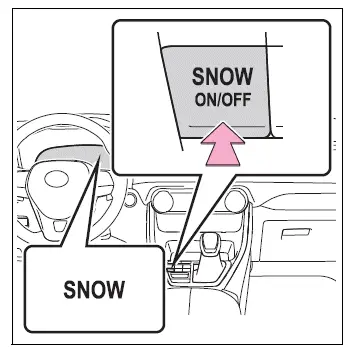
■ Dynamic Torque Vectoring AWD vehicles
Press the snow mode switch to select snow mode.
When the switch is pressed, the Toyota RAV4 changes to snow mode and the corresponding indicator illuminates on the multi-information display.
Press the switch once more to cancel snow mode. The snow mode indicator will turn off after the function has been deactivated.
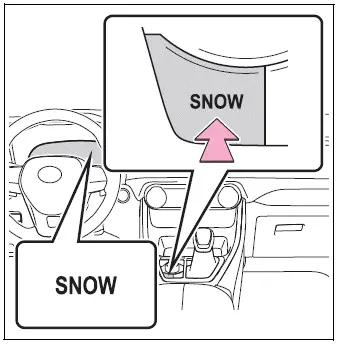
■ When changing to snow mode
When snow mode is selected, the background appearance of the multi-information display changes to help the driver identify the active driving mode.
■ Canceling snow mode
Snow mode is canceled automatically when the engine switch is turned off. It is also canceled if Mud & Sand mode or Rock & Dirt mode is selected through Multi-terrain Select.
Downhill assist control system Toyota RAV4 (XA50)
The downhill assist control system helps prevent the Toyota RAV4 from gaining excessive speed while descending a steep slope, allowing the driver to concentrate more closely on steering and the surrounding terrain.
The system can operate when the vehicle is traveling below approximately 15 mph (25 km/h) and both the accelerator and brake pedals are released.
WARNING
■ When using the downhill assist control system
Do not rely excessively on the downhill assist control system.
This function does not increase the performance limits or traction capabilities of the vehicle.
Always inspect the road surface and surrounding conditions carefully, select a safe route, and drive the Toyota RAV4 cautiously.
System operation
Press the "DAC" switch to activate the downhill assist control system.
The downhill assist control system indicator will illuminate and the function will begin operating when its conditions are satisfied. During system operation, the slip indicator flashes and the stop lights, including the high-mounted stop light, illuminate. Operating sounds may also be heard, but these sounds do not indicate a malfunction.
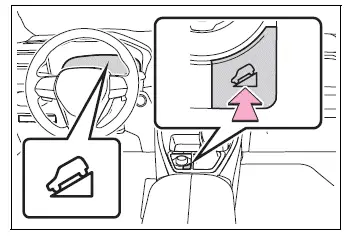
Turning off the system
Press the "DAC" switch while the downhill assist control system is operating.
The downhill assist control system indicator will flash while the function gradually reduces control. The indicator will turn off once system operation has ended completely.
To reactivate the system while the downhill assist control indicator is still flashing, press the "DAC" switch again.
■ Operating tips
The downhill assist control system can operate when the shift lever is in the 1 range of S mode or in R.
■ If the downhill assist control system indicator flashes
In the following situations, the indicator will flash and the downhill assist control system will not operate:
- The shift lever is in a position other than the 1 range of S mode or R.
- The accelerator pedal or brake pedal is being depressed.
- The vehicle speed exceeds approximately 15 mph (25 km/h).
- The brake system has overheated.
- In the following situation, the indicator flashes to alert the driver, although the system will continue operating:
- The "DAC" switch is turned off while the downhill assist control system is operating.
The system will gradually stop operating rather than disengaging immediately. The indicator will continue flashing during this process and will turn off when the function has been fully canceled.
■ When the downhill assist control system is operated continuously
Continuous operation may cause the brake actuator to overheat. If this occurs, the downhill assist control system will stop operating, a buzzer will sound, and the downhill assist control system indicator will begin flashing. The message "Traction Control Turned OFF" will also appear on the multi-information display. Do not use the function again until the indicator remains steadily illuminated and the message disappears. The Toyota RAV4 can still be driven normally while the system is temporarily unavailable.
■ Sounds and vibrations caused by the downhill assist control system
- A sound may be heard from the engine compartment when the engine is started or shortly after the vehicle begins moving. This is a normal operating characteristic and does not indicate a malfunction of the downhill assist control system.
- Either of the following conditions may occur while the downhill assist control system is operating.
These sounds and sensations are produced by normal system control and do not indicate that a malfunction has occurred.
- Vibrations may be felt through the vehicle body or steering wheel.
- A motor sound may be heard after the vehicle comes to a stop.
■ System malfunction
Have the vehicle inspected by your Toyota dealer if any of the following conditions occur:
- The downhill assist control system indicator does not illuminate when the engine switch is turned to ON.
- The downhill assist control system indicator does not illuminate when the "DAC" switch is pressed.
- The slip indicator illuminates and remains on.
WARNING
■ The system may not operate effectively on the following surfaces, potentially leading to an accident resulting in death or serious injury
- Slippery surfaces, including wet or muddy roads.
- Icy road surfaces with severely reduced tire traction.
- Unpaved roads where the surface is loose, uneven, or unstable.
Driving assist systems Toyota RAV4
To support safe, stable, and controlled driving, the Toyota RAV4 is equipped with several systems that operate automatically in response to different road and vehicle conditions. These functions are designed to assist the driver, but they are supplementary and cannot replace careful observation, appropriate vehicle control, or responsible driving. Do not rely excessively on any driving assist system.
Summary of the driving assist systems
■ ABS (Anti-lock Brake System)
Helps prevent the wheels from locking when the brakes are applied suddenly or when strong braking occurs on a slippery road surface. By reducing wheel lock, ABS supports steering control while the vehicle is braking.
■ Brake assist
Increases braking force after the brake pedal is depressed when the system determines that the driver is performing an emergency or panic stop.
■ VSC (Vehicle Stability Control)
Helps the driver maintain control of the Toyota RAV4 if the vehicle begins to skid during a sudden steering maneuver or while turning on a slippery road surface.
■ Enhanced VSC (Enhanced Vehicle Stability Control)
Coordinates operation of the ABS, TRAC, VSC, and EPS to provide integrated support during demanding driving situations.
By controlling steering assistance together with the related braking and traction functions, Enhanced VSC helps maintain directional stability when the driver swerves on a slippery surface.
■ Trailer Sway Control
Helps the driver control trailer sway by selectively applying brake pressure to individual wheels and reducing driving torque when excessive trailer movement is detected.
■ TRAC (Traction Control)
Helps maintain driving force and limits drive-wheel spin when the vehicle starts moving or accelerates on slippery roads, such as surfaces affected by rain, snow, or loose material.
■ Active Cornering Assist (ACA)
Helps reduce outward vehicle drift during acceleration through a turn by applying controlled braking force to an inner wheel. This supports more stable cornering without replacing the driver’s responsibility to select an appropriate speed.
■ Hill-start assist control
Helps reduce backward movement when the Toyota RAV4 starts from a stop on an uphill slope, giving the driver additional time to move from braking to acceleration.
■ EPS (Electric Power Steering)
Uses an electric motor to reduce the physical effort required to turn the steering wheel and provides steering assistance according to vehicle operating conditions.
■ Dynamic Torque Control AWD system (AWD models) (if equipped)
Automatically controls the drive system and switches between front-wheel drive and AWD according to various operating conditions. These may include normal driving, cornering, climbing a hill, starting from a stop, accelerating, or traveling on roads made slippery by snow or rain. This control contributes to stable vehicle response and dependable driving performance.
■ Dynamic Torque Vectoring AWD system (AWD models) (if equipped)
Automatically regulates the drive system between front-wheel drive and AWD according to changing road and driving conditions. Control may be adjusted during normal travel, cornering, uphill driving, initial acceleration, or operation on surfaces affected by snow or rain, helping support stable handling and vehicle control.
During cornering, the system also controls the distribution of drive torque with greater precision, contributing to improved responsiveness and stability as the Toyota RAV4 travels through a turn.
■ The Secondary Collision Brake
If the SRS airbag sensor detects a collision and the Secondary Collision Brake operates, the brakes and brake lights are controlled automatically. This reduces vehicle speed and helps lower the possibility or severity of additional damage caused by a secondary collision.
■ When the TRAC/VSC/Multi-terrain Select/Trailer Sway Control systems are operating
The slip indicator light flashes while the TRAC, VSC, Multi-terrain Select, or Trailer Sway Control system is actively operating. This indicates that one or more driving assist functions are controlling braking force, engine output, or wheel traction to help stabilize the Toyota RAV4.
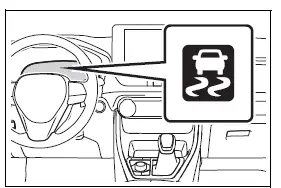
■ Disabling the TRAC system
If the vehicle becomes stuck in mud, loose dirt, or snow, the TRAC system may reduce the amount of engine power transmitted to the wheels in an effort to limit wheel spin.
Pressing
 to temporarily turn off the system may make it easier to rock the Toyota RAV4 forward and backward until it can be freed from the obstructing surface.
To disable the TRAC system, quickly press and release
 .
.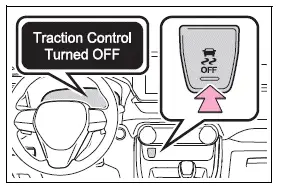
The message "Traction Control Turned OFF" will appear on the multi-information display to confirm that TRAC has been disabled.
Press
 again to reactivate the TRAC system after the vehicle has been freed or when traction control is needed again.
■ Turning off the TRAC/VSC/Trailer Sway Control systems
To turn off the TRAC, VSC, and Trailer Sway Control systems, press and hold
 for more than 3 seconds while the vehicle is completely stopped.
The VSC OFF indicator light will illuminate, and the message "Traction Control Turned OFF" will be displayed on the multi-information display.*
Press
 again to turn the systems back on and restore their normal operation.
*: The PCS (Pre-Collision System) will also be disabled, although the pre-collision warning function will remain available. The PCS warning light will illuminate, and a related message will appear on the multi-information display.
■ When a message indicating that TRAC has been disabled is displayed on the multi-information display even though
 has not been pressed
TRAC may have been temporarily deactivated by the system. If the message continues to be displayed or does not disappear after normal driving conditions are restored, contact your Toyota dealer for an inspection.
■ Operating conditions of hill-start assist control
Hill-start assist control can operate when all of the following conditions are satisfied:
- The shift lever is in a position other than P or N when starting forward or backward on an uphill incline.
- The Toyota RAV4 is completely stopped.
- The accelerator pedal is not being depressed.
- The parking brake is not engaged.
- The engine switch is in ON.
■ Automatic system cancellation of hill-start assist control
Hill-start assist control will stop operating automatically when any of the following conditions occur:
- The shift lever is moved to P or N.
- The accelerator pedal is depressed.
- The parking brake is engaged.
- A maximum of approximately 2 seconds has elapsed after the brake pedal was released.
- The engine switch is turned to OFF.
■ Sounds and vibrations caused by the ABS, brake assist, VSC, TRAC, Trailer Sway Control, and hill-start assist control systems
- A sound may be heard from the engine compartment when the brake pedal is depressed repeatedly, when the engine is started, or shortly after the Toyota RAV4 begins to move. These operating sounds are normal and do not indicate a malfunction in any of the related driving assist systems.
- Any of the following conditions may occur while the systems listed above are operating. These sensations and sounds are produced by normal system control and do not indicate that a malfunction has occurred:
- Vibrations may be felt through the vehicle body or steering wheel.
- A motor sound may continue to be heard for a short time after the vehicle comes to a stop.
- The brake pedal may pulsate slightly after the ABS has been activated.
- The brake pedal may move downward slightly after ABS operation begins.
■ Active Cornering Assist operation sounds and vibrations
When Active Cornering Assist operates, sounds and vibrations may be produced by the brake system as controlled braking is applied. These sensations are normal characteristics of system operation and do not indicate a malfunction in the Toyota RAV4.
■ AWD system operation sounds and vibrations when switching between AWD and front-wheel drive
When the drive system changes from AWD to front-wheel drive, or from front-wheel drive back to AWD, operating sounds or slight vibrations may be noticeable. This is caused by normal drivetrain control and does not indicate a problem with the vehicle.
■ Automatic reactivation of TRAC, Trailer Sway Control, and VSC systems
After the TRAC, Trailer Sway Control, and VSC systems have been turned off, they will be enabled automatically under the following conditions:
- When the engine switch is turned off.
- If only TRAC has been disabled, the system will reactivate automatically when vehicle speed increases.
If both TRAC and VSC have been turned off, increasing vehicle speed will not automatically reactivate the systems.
■ Operating conditions of Active Cornering Assist
Active Cornering Assist may operate when all of the following conditions are present:
- The TRAC and VSC systems are available for operation.
- The driver is attempting to accelerate while the Toyota RAV4 is turning.
- The system determines that the vehicle is beginning to drift toward the outside of the turn.
- The brake pedal is released.
■ Reduced effectiveness of the EPS system
EPS assistance may be reduced temporarily to prevent the system from overheating when frequent or repeated steering input continues for an extended period. As a result, the steering wheel may feel heavier than usual. If this occurs, avoid excessive steering movements or stop the vehicle safely and turn the engine off. The EPS system should return to normal operation within approximately 10 minutes.
■ Secondary Collision Brake operating conditions
The Secondary Collision Brake can operate when the SRS airbag sensor detects a collision while the Toyota RAV4 is moving. However, the function may not activate if the components required for system operation have been damaged in the collision.
■ Secondary Collision Brake automatic cancellation
The Secondary Collision Brake will be canceled automatically in any of the following situations:
- The vehicle speed decreases below approximately 6 mph (10 km/h).
- A specified period of time has elapsed after the system began operating.
- The accelerator pedal is depressed significantly.
■ If a message concerning the AWD system is shown on the multi-information display (AWD models)
Follow the instructions below according to the message displayed on the multi-information display.
- "AWD System Overheated Switching to 2WD Mode"
The AWD system has overheated. Stop the Toyota RAV4 in a safe location and leave the engine running.* If the message disappears after a while, the system has returned to an acceptable operating condition. If the message remains displayed, have the vehicle inspected by your Toyota dealer immediately.
- "AWD System Overheated 2WD Mode Engaged"
The AWD system has been temporarily disengaged and the vehicle has switched to front-wheel drive because the system overheated.
Stop the vehicle in a safe location with the engine running.* If the message disappears after the system cools, AWD operation will be restored automatically. If the warning remains displayed, have the Toyota RAV4 inspected by your Toyota dealer immediately.
- "AWD System Malfunction 2WD Mode Engaged Visit Your Dealer"
A malfunction has occurred in the AWD system. Have the Toyota RAV4 inspected by your Toyota dealer immediately.
*: When stopping the vehicle, leave the engine running until the warning message disappears from the display.
WARNING
■ The ABS may not operate effectively when
- The available tire grip has been exceeded, such as when excessively worn tires are used on a snow-covered road.
- The Toyota RAV4 hydroplanes while traveling at high speed on a wet or otherwise slippery road surface.
■ Stopping distance while ABS is operating may be longer than under normal conditions
The ABS is not designed to shorten the vehicle’s stopping distance.
Always maintain an adequate following distance from the vehicle ahead, particularly in the following driving conditions:
- When driving on dirt, gravel, or snow-covered roads.
- When tire chains are installed.
- When traveling over bumps or raised sections of the road.
- When driving on roads containing potholes, depressions, or uneven surfaces.
■ TRAC/VSC may not operate effectively when
On slippery road surfaces, sufficient directional control or driving force may not be maintained even while the TRAC and VSC systems are operating.
Drive the Toyota RAV4 carefully whenever road conditions may cause a loss of traction, stability, or driving power.
■ Active Cornering Assist may not operate effectively when
- Do not rely excessively on Active Cornering Assist. The function may not provide effective assistance when accelerating downhill or traveling on a slippery road surface.
- If Active Cornering Assist operates repeatedly within a short period, it may be suspended temporarily to maintain proper operation of the brakes, TRAC, and VSC systems.
■ Hill-start assist control may not operate effectively when
- Do not rely excessively on hill-start assist control. The function may not operate effectively on very steep inclines or roads covered with ice.
- Unlike the parking brake, hill-start assist control is not designed to keep the vehicle stationary for an extended period. Never use this function as a substitute for the brake pedal or parking brake while stopped on an incline, as the Toyota RAV4 could begin to move and cause an accident.
■ When TRAC/VSC/Trailer Sway Control is activated
The slip indicator light will flash while one or more of these systems are actively controlling the vehicle.
Continue driving carefully and avoid sudden or reckless maneuvers, as unsafe driving may still result in an accident.
Exercise particular caution whenever the slip indicator light is flashing.
■ When the TRAC/VSC/Trailer Sway Control systems are turned off
Exercise particular caution and always drive at a speed appropriate for the current road and surface conditions. TRAC, VSC, and Trailer Sway Control are designed to support vehicle stability and maintain driving force, so these systems should not be turned off unless doing so is genuinely necessary.
Trailer Sway Control operates as part of the VSC system. Therefore, it will not function if VSC has been disabled or if a malfunction prevents VSC from operating correctly.
■ Dynamic Torque Vectoring AWD system (if equipped)
The Dynamic Torque Vectoring AWD system is designed to provide improved cornering performance and more precise distribution of driving force. However, the system cannot overcome the physical limits of the Toyota RAV4, the tires, or the road surface. Do not rely excessively on AWD control, and continue to drive carefully according to the surrounding conditions.
■ Replacing tires
Make sure that all tires installed on the Toyota RAV4 are of the specified size and have matching brands, tread patterns, and total load capacities. Also confirm that every tire is inflated to the recommended tire pressure.
The ABS, TRAC, Trailer Sway Control, and VSC systems may not operate correctly if tires with different specifications or characteristics are installed on the vehicle.
Contact your Toyota dealer for additional guidance before replacing tires or wheels, especially when you are uncertain whether the selected components meet the vehicle specifications.
■ Handling of tires and the suspension
Using damaged, excessively worn, or otherwise unsuitable tires, or modifying the suspension, can affect the operation of the driving assist systems. These changes may reduce system effectiveness or cause one or more functions to malfunction.
■ Trailer Sway Control precaution
Trailer Sway Control cannot reduce trailer sway in every situation. Its effectiveness depends on numerous factors, including the condition and loading of the Toyota RAV4, the trailer condition, the road surface, vehicle speed, weather, and the surrounding driving environment. Refer to the trailer owner’s manual and follow all instructions for correct loading, connection, and towing procedures.
■ If trailer sway occurs
Observe the following precautions immediately if the trailer begins to sway.
Failure to respond correctly may result in loss of control, leading to death or serious injury.
- Hold the steering wheel firmly and keep the vehicle traveling straight ahead.
Do not attempt to correct trailer sway by making sudden or repeated steering movements, as this may increase instability.
- Begin releasing the accelerator pedal immediately, but reduce pressure gradually so that vehicle speed decreases smoothly.
Do not accelerate, and do not suddenly apply the vehicle brakes while the trailer is swaying.
If abrupt steering or braking corrections are avoided, the Toyota RAV4 and trailer should gradually stabilize as speed decreases.
■ Secondary Collision Brake
Do not rely solely on the Secondary Collision Brake. The system is designed to help reduce the possibility or severity of additional damage following an initial collision, but its effectiveness varies according to vehicle speed, collision conditions, component damage, and other circumstances. Excessive reliance on this function may result in death or serious injury.